
Your needs, this model
Does it fit your priorities?
Would familiar QWERTY entry and a standard TZe cassette suit this earlier model?
Brother's exact PT1100ST page lists a QWERTY keyboard and TZe tape in four widths through 12 mm. The page does not establish original TZ compatibility for this suffix.
Explore this need in the finder →Is the documented two-line ceiling enough, or is a measured print height essential?
The PT1100ST listing states up to two lines but does not provide a numeric print-height figure; it cannot satisfy an essential 9 mm height requirement on unknown data.
Explore this need in the finder →Will a chosen label-length setting work for your job, or must labels cut automatically?
Brother lists a label-length setting. It does not specify the cutter type or automatic cutting for this exact configuration, so automatic cutting remains an unconfirmed essential need.
Explore this need in the finder →The discontinued Brother P-touch PT-1100ST is best considered as a specific keyboard label maker, not as a generic “PT-1100.” Brother’s exact U.S. listing gives a QWERTY layout, thermal-transfer printing, laminated TZe tape in widths from 3.5 to 12 mm, a two-line maximum and a label-length setting. That is enough to define a narrow, useful job: composing simple text on a familiar keyboard and printing it on the listed TZe cassette system. It is not enough to assume every detail of a differently suffixed PT-1100-family unit.
A practical TZe route, with a clear width ceiling
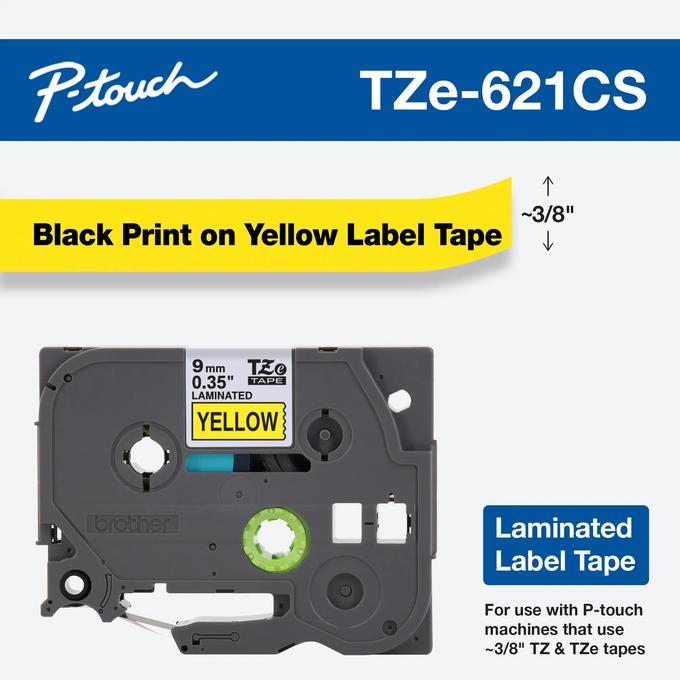
The most consequential choice is the cassette. Brother lists TZe, not the original TZ family, for this exact PT1100ST configuration. The listed widths—3.5, 6, 9 and 12 mm—cover narrow identifiers through modest shelf, drawer or folder labels. If you need 18 or 24 mm tape, do not stretch the PT-1100ST listing’s 12 mm maximum or assume that same-width TZ tape is interchangeable. Check the labeler’s suffix and cassette markings before you buy supplies for an older machine.
The exact product page describes laminated tape and thermal-transfer output. That gives you a conventional typed strip rather than a loose sheet of labels or a full-color picture printer. Laminated tape can be useful for everyday identification, but the material description alone does not promise that a label will stay attached to every rough, oily, cold or frequently handled surface. Match the tape itself to the job and test a small label where removal or adhesive performance matters.
Two lines are a useful limit, not a measured type size
Brother specifies no more than two lines and says a label-length setting is available. Those are practical distinctions: you can plan a short name plus a second line, or select a length setting rather than treating each label as a fixed strip. The published specifications do not say how the two-line maximum varies by width, how large the characters print, or the longest available length. If a label must meet a numeric print-height requirement, or if it needs a precise fit inside a panel, do not rely on the line count as a substitute for a measured print-height specification.
Brother’s margin help describes using the Function menu to select margins and chain-print labels with less gap. That kind of control can reduce waste on runs of small labels, but a margin choice is not the same as an automatic cutter. Brother does not list a cutter type for the PT-1100ST, so check how the actual unit feeds and separates tape before planning batches.
What the listing leaves unanswered
Brother marks the PT-1100ST discontinued. Its current product page does not settle the power supply, included adapter or batteries, display behavior, body dimensions, cutter type, phone or computer connection, wireless printing, or a numeric print-height limit. Some of these may seem like small details until you are trying to fit the machine on a shelf, keep it at a fixed workstation or produce many labels in a row. For a used unit, request a photo of the exact label on the underside and a brief demonstration of power-up, text entry, feeding and cutting. Check which cassette is installed and what is actually included; an old package description would not guarantee that parts remain with a used machine.
The page also displays “Standard Memory 15” without explaining its unit or meaning. I would not interpret that as fifteen saved labels, a particular text capacity or a useful storage count. If saving named label files matters, get an exact manual or demonstrate that function on the unit rather than relying on this ambiguous field.
When another model makes more sense
The PT-1100ST fits a buyer who specifically values an earlier QWERTY device and has a TZe job that stays within 12 mm. It is a poor shortcut for a phone-app workflow, wider tape, automatic cutting or a required print height because those capabilities are not established for this exact SKU. The reviewed PT-D410 is a more sensible starting point if 18 mm tape is central; its own specification and cassette plan should be checked independently. The discontinued PT-1810 is also not a substitute for a TZe-based setup: its separate review documents an original-TZ plan, so the tape families should not be blended just because both models have “PT” in the name.
For anyone comparing a used PT-1100ST, the decision is simple but conditional: the exact listing supports QWERTY entry, TZe tape through 12 mm, two lines and a label-length setting; every other important physical or connected capability should be verified separately. If those known limits match the job and the specific machine works, its straightforward input route may be useful. If a missing capability would be essential, choose a model whose own documentation confirms it instead.
Sources: Brother’s exact PT-1100ST U.S. product page, its exact U.S. support page, and Brother’s tape-margin help.
Key details at a glance
| Print process | Thermal transfer |
|---|---|
| Maximum tape width | 12 mm |
| Compatible cassette | The PT-1100ST is listed for Brother TZe cassettes at 3.5, 6, 9 and 12 mm. Check the model suffix and cassette marking before buying tape for an older P-touch; an original-TZ plan is not documented here. |
| Maximum lines per label | 2 |
| Line-count note | Brother's exact U.S. PT1100ST product page lists a maximum of two lines. It does not specify which tape widths or type sizes permit that maximum. |
| Letter-key arrangement | qwerty |
Use the exact model’s instructions for operating limits, supplied equipment and version differences.
Sources for this assessment
Put the device and its tape system together.
Match the exact model, cassette family, computer or network route and any optional power or touch-panel hardware before buying.