
Your needs, this model
Does it fit your priorities?
Would you rather type on a QWERTY keypad built into the labeler than design on a phone or computer?
The PT-1160 is a local-entry handheld with a one-row eight-character LCD and a QWERTY keyboard. A computer or phone input route is not documented in the reviewed material.
Explore this need in the finder →Can your labels fit within the PT-1160’s narrow cassette limit?
The original TZ route is listed for 6, 9 and 12 mm; Brother’s current U.S. listing and TZ/TZe guidance support a separate replacement TZe route through 12 mm. It is not an 18 mm machine.
Explore this need in the finder →Are you comfortable powering and trimming each label yourself?
The indexed original guide specifies six alkaline AAA cells or optional AD-30 AC power and a manual cutter lever. The PT-1160 does not meet an automatic-cut requirement.
Explore this need in the finder →A self-contained handheld for short, narrow labels
The Brother P-touch PT-1160 is an earlier, discontinued label maker built around a familiar arrangement: a QWERTY keyboard, a small LCD and a tape cassette, all in one handheld unit. You type at the machine rather than laying out the label on a phone or computer. That makes the PT-1160 most relevant to someone who already owns one, has found a working used example, or wants to understand an inherited unit. It is not a current-model purchase recommendation, and its old tape instructions and present-day product listing need to be read together rather than assuming that every P-touch cassette fits.
Typing on the machine is the main convenience
The keyboard and screen make short labels possible without another device. The original-era guide describes a one-row display that shows eight characters at a time while allowing longer text to scroll through the window. That is enough to edit names, shelf descriptions and brief cable IDs, but it is not a large preview: longer wording takes more cursor movement, and you should check the result before printing. Brother’s current U.S. product page identifies the keypad as QWERTY and the labeler as a two-line model. The guide says two lines are available on 9 mm and 12 mm tape, not on the narrowest widths.
This is a different workflow from a computer-connected printer such as the PT1230PC. The PT-1160’s reviewed material documents local typing with a built-in keyboard, not a USB design route or phone app. If computer layout, saved artwork, wireless printing or printing from a mobile device is a must-have, do not treat an old P-touch product family name as evidence of that feature. The PT-1160’s appeal is that the keyboard is already on the unit; its small screen and local controls are the tradeoff.
Understand the TZ-to-TZe media change
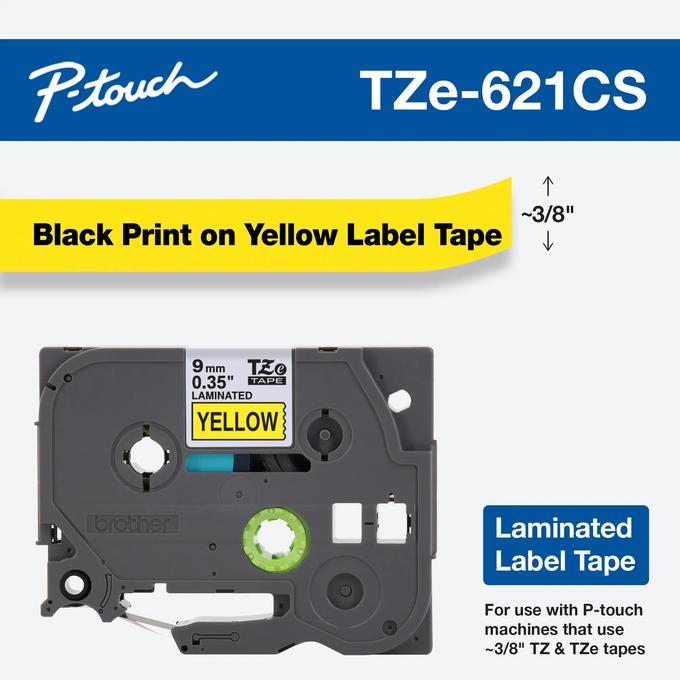
There are two generations of media guidance to reconcile. The PT-1160’s original guide names Brother TZ cassettes and lists 6, 9 and 12 mm widths. Brother’s current U.S. product page lists TZe as the compatible family and gives 3.5, 6, 9 and 12 mm widths. Brother’s later compatibility FAQ says TZe tape can be used in place of TZ tape and includes PT1160 among the covered models; a current Brother 9 mm TZe tape page also lists PT-1160 as compatible. Taken together, those sources support both the original TZ route and the replacement TZe route, but not wider 18 or 24 mm cassettes.
For a used machine, check the cassette label and the model’s own tape bay before stocking up. The older guide’s original-width list starts at 6 mm, while the current U.S. product record adds 3.5 mm TZe. Treat that narrow-width option as current published compatibility, not a claim about what shipped with the old unit. Either way, this is a compact-tape machine: a 12 mm ceiling rules it out if large lettering or wide signage is essential. Its two-line mode also depends on choosing 9 mm or 12 mm tape.
Plan for batteries and a hand cut
The original guide specifies six alkaline AAA batteries or an optional Brother AD-30 AC adapter. The adapter is an alternative power route, not something to assume is in a secondhand box. The PT-1160 has a manual cutter lever; it is not an automatic-cut machine. That is simple for occasional labels, but repeated print-and-cut work takes more handling than a modern auto-cutter. If a long strip matters, the guide describes feeding and then cutting it manually; do not try to cut while the machine is printing or feeding.
Brother’s instructions also caution that disconnecting power for more than three minutes can erase text and stored files. In practical terms, this is not a dependable archive for label designs: keep important wording somewhere else and expect to re-enter it if batteries are removed for a while. Before relying on an existing unit, inspect the battery compartment for damage, make sure the tape cover closes properly, and try the cutter and keypad. None of those checks guarantees that a decades-old example is in good condition.
Who should keep it—and when to choose something else
The PT-1160 suits a household or small office that wants occasional, simple labels typed directly on a handheld device, can work within 12 mm media and accepts manual cutting. Its QWERTY keys are a straightforward route for names and short notes; two-line output on wider supported cassettes adds flexibility for a compact file or storage label. Brother also identifies its CCD200 carrying case as compatible, but describes that case as a separate item, so do not assume an old unit includes one.
Choose a current-reference model instead if a new warranty, modern support or well-documented app/computer compatibility is part of the requirement. Brother’s PT-D220 is a more recent keyboard-led comparison point with current TZe supplies, while the PT1230PC is the older model in this library specifically designed around a computer connection. Those serve different routines: the PT-D220 is the more sensible route for a current standalone labeler; the PT1230PC is the computer-input reference; the PT-1160 is for someone who values its own built-in keypad and can verify an existing unit and cassette. In the finder, the PT-1160 appears only when earlier models are included. A QWERTY need and a TZ or TZe selection can fit; requiring 18 mm media, automatic cutting, phone-app printing or USB computer design should send you elsewhere.
Sources: Brother’s PT-1160 U.S. product page, Brother’s TZ/TZe compatibility guidance, and Brother’s 9 mm TZe-521CS compatibility listing.
Key details at a glance
| Full-color output | No |
|---|---|
| Print process | Thermal transfer |
| Maximum tape width | 12 mm |
| Compatible cassette | The original-era PT-1160 User’s Guide excerpt says use Brother TZ only and lists 6/9/12 mm. Brother’s current exact U.S. product page lists TZe and 3.5/6/9/12 mm; Brother’s later TZ/TZe FAQ includes PT1160 and says TZe can replace TZ; an exact Brother 9 mm TZe supply page also lists PT-1160. The fact file preserves distinct TZ and TZe plans rather than merging them, with no width above 12 mm. The old guide PDF is currently unavailable and its direct URL returned 404; its indexed excerpt is not treated as a complete manual inspection. |
| On-device preview characters | 8 |
| Display type | Monochrome LCD (one row) |
| Maximum lines per label | 2 |
| Line-count note | Brother’s exact current U.S. product page lists two maximum print lines; official indexed PT-1160 guide excerpt says two lines require 9 mm or 12 mm tape. |
| Power choices | Official indexed U.S. User’s Guide excerpt specifies six alkaline AAA batteries or the optional AD-30. Exact original package contents were not recovered; adapter inclusion remains unknown. |
| Body dimensions | No exact U.S. product-page dimensions or weight were confirmed from the archived sources; unknown remains unknown. |
| Tape cutting | Official indexed U.S. user-guide excerpt describes advancing tape and pressing the physical cutter lever; no automatic cutter is documented. |
| Letter-key arrangement | qwerty |
Use the exact model’s instructions for operating limits, supplied equipment and version differences.
Sources for this assessment
- Brother Office & Home offset 60; exact PT1160 row, index 61
- Brother U.S. exact PT1160 product page
- Brother U.S. PT1160 support page
- Brother PT-1160 User’s Guide (official indexed excerpt; PDF unavailable)
- Brother U.S. PT1160 manuals index (unavailable)
- Brother U.S. TZ/TZe compatibility guidance
- Brother U.S. exact TZe-521CS supply page
- Brother U.S. CCD200 carrying-case compatibility page
Put the device and its tape system together.
Match the exact model, cassette family, computer or network route and any optional power or touch-panel hardware before buying.