
Your needs, this model
Does it fit your priorities?
Are you happy designing on a computer over USB rather than typing on the labeler?
Yes, if a PC is part of the routine: Brother’s exact guide documents built-in Editor Lite in EL mode over USB, while the machine itself has no keyboard or text display. Full Editor 5.0 in E mode requires software and a driver.
Explore this need in the finder →Do you need original Brother TZ tape through 12 mm, rather than TZe or wider media?
The strict verified plan is original TZ only, up to 12 mm; the current U.S. product-page TZe field conflicts with its own TZ package listing, Brother’s exact user guide and its support specification. Check the cassette code and refill availability.
Explore this need in the finder →Can you accept a separate PC and power source, plus a manual cutter?
The documented route is USB to a computer, with six AAA cells or an optional AD-24/AD-24ES adapter, and manual cutting. No automatic cutter or wireless/app workflow is documented.
Explore this need in the finder →A small label printer that borrows your computer keyboard
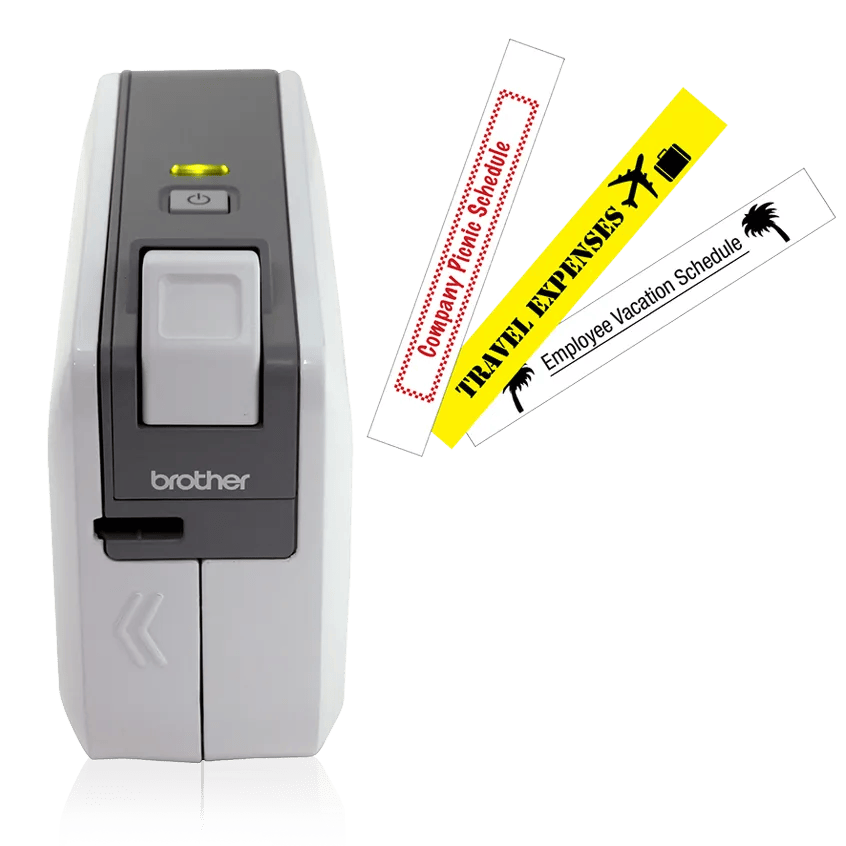
The Brother PT-1230PC is an earlier, discontinued P-touch built around a very particular routine: make the label at a computer, then print it through USB. It has no onboard typing keyboard or text display. That can be convenient in a home office where the PC is already open, but it is a poor substitute for a handheld you can pick up and use without another device. Brother now marks the model discontinued, so this assessment is most useful for an existing unit or when checking a specific used machine—not as encouragement to buy an untested listing.
What the PC route really involves
The useful surprise is that the included P-touch Editor Lite is stored on the labeler. In the default “EL” mode, Brother’s exact U.S. guide says you can connect the USB cable and start the lite editor without installing a separate program or driver. The computer supplies the keyboard and screen; the editor can combine text boxes, symbols, frames, local images and screen captures. This is much more flexible than typing a short name on a tiny device screen, especially if you already have a logo or need to match the fonts on your computer. The guide also documents multiple lines, vertical text, numbered copies and image placement in that Lite workflow.
There is a second mode, “E,” for Brother P-touch Editor 5.0 and the required drivers. Do not treat this mode as the same no-install experience. With a discontinued USB accessory, check the software and driver route against the exact computer you intend to use; a USB port alone does not guarantee that a legacy application will work on every current operating system. The guide describes a 2010-era workflow and warns that later versions may differ.
Keep the original TZ tape separate from TZe
Media is the part to verify before committing to one. The exact-model U.S. user guide says to use Brother TZ cassettes only, and Brother’s U.S. support specification identifies TZ tape from 9/64 inch through 1/2 inch (about 3.5 to 12 mm). The product page’s modern specification table, however, labels the compatible family TZe even though its own original carton contents name a TZ starter cassette. For a conservative recommendation, the matching profile here is limited to the manual- and support-confirmed original TZ route through 12 mm; it does not treat TZe as interchangeable. If you already have tape, read the cassette code. If you are buying a used printer, check that original TZ refills are available where you shop before counting on it for future work.
The original package listed a 12 mm black-on-white laminated TZ starter cassette (about 4 m) and USB cable. That small cassette ceiling is adequate for file tabs, pantry bins, small storage boxes and short cable identifiers, but not the 18 or 24 mm formats used by wider desktop machines. Brother lists a maximum print height of 0.35 inch (8.9 mm) and a manual cutter. It prints at a rated maximum of 0.39 inch per second; that is a modest pace for batches, and every label needs a manual cut rather than automatic finishing.
Plan for power, blank margins and manual cutting
USB is the data connection, not a documented promise that the computer powers the labeler. Brother’s guide specifies six AAA alkaline batteries or an optional AD-24ES adapter; the support specification calls the supply an AD-24 adapter or six AAA cells, while the original box list does not include an adapter or batteries. Check the precise accessory and adapter version with any used unit instead of assuming they are in the carton. The compact body measures 2.1 inches wide by 6.2 deep by 4.4 high and weighs 0.88 pound, so it is easy to keep near a desk, but a computer and separate power source still have to be available when you print.
There is also a practical tape-waste setting. In the guide, “Large” margins are the default and leave about an inch at each end; “Small” reduces them to about 0.16 inch. For a strip of repeated labels, Lite can add cut marks so you can divide the print manually. That helps conserve tape, but it does not turn the PT-1230PC into an automatic-cutter machine. Choose a different model if unattended batches, wireless printing or phone-first design are essential.
Which choice fits—and what changes the result?
In the finder, selecting “include earlier models,” requiring computer design over USB and choosing original TZ tape is the combination that lets the PT-1230PC appear. Leaving the default current-reference setting excludes it. Requiring a phone app, Wi-Fi, a QWERTY keypad, automatic cutting, at least 18 mm of original TZ, or a 9 mm print-height capability also rules it out. Those are real workflow differences, not quality rankings: this machine’s benefit is PC-based layout in a small body, and its limits follow from its one cassette family, one USB route and manual cutter.
If you want PC-connected printing but wider current-format media and automatic cutting, compare Brother’s PT-P700; its documented plan uses TZe through 24 mm, so it is not a refill-compatible replacement for original TZ. If you would rather type directly on the machine, the current-reference PT-D220 has an onboard QWERTY keyboard and 12 mm TZe, but it gives up this model’s computer-layout route. Either alternative fits a different answer to the basic question: is the computer part of the label-making workflow, or do you want the labeler to work on its own?
Sources: Brother’s PT1230PC product page, the exact U.S. manuals index and User’s Guide, and Brother’s U.S. specification page.
Key details at a glance
| Full-color output | No |
|---|---|
| Print process | Thermal transfer |
| Maximum tape width | 12 mm |
| Compatible cassette | Strict matching uses original Brother TZ only: the exact U.S. User’s Guide says “Use only Brother TZ tapes,” the Brother support specification identifies TZ, and the exact package list includes a TZ starter cassette. The modern product-page hardware table says TZe, conflicting with that model-specific guide/package and the support specification. TZe, M, TC, TX and other tape families are therefore not enabled. The exact support specification gives a TZ width range of 9/64 to 1/2 inch; the manual enumerates 9/64, 1/4, 3/8 and 1/2 inch (approximately 3.5, 6, 9 and 12 mm). |
| Display type | No on-device text display; the unit has a green status LED and label composition is on a connected computer. |
| Maximum combined print height | 8.9 mm |
| Maximum lines per label | 2 |
| Line-count note | Brother product page says two maximum print lines; the exact User’s Guide demonstrates multi-line and mixed one-/two-row layouts in Editor Lite. |
| On-device frames | 10 |
| Computer design route | In default EL mode, P-touch Editor Lite is stored on the labeler and Brother says no separate installation is needed. The alternate E mode requires a download of P-touch Editor 5.0 and its driver. Current compatibility for a specific legacy PC/editor combination remains unverified. |
| Power choices | The manual specifies six AAA alkaline LR03 cells or optional AD-24ES; the support specification names AD-24 or six AAA cells. The original package contents do not list an adapter or batteries. USB is the PC data interface; a separate power route is specified. |
| Body dimensions | Brother U.S. support specification assigns the axes explicitly: 2.1 in wide × 6.2 in deep × 4.4 in high. |
| Tape cutting | The exact User’s Guide shows a physical cutter control and does not document an automatic cutter. The small-margin setting uses manual cut marks for splitting a printed run. |
| Wired Ethernet | No |
Use the exact model’s instructions for operating limits, supplied equipment and version differences.
Sources for this assessment
- Brother Office & Home offset 60; exact PT1230PC row, index 60
- Brother U.S. exact PT1230PC product page
- Brother U.S. PT1230PC product-support page
- Brother U.S. PT-1230PC User’s Guide listing, version 03
- Brother PT-1230PC U.S. English User’s Guide, version 03
- Brother U.S. PT-1230PC support specifications
- Brother exact PT1230PC front image; source URL embedded on its U.S. product page
Put the device and its tape system together.
Match the exact model, cassette family, computer or network route and any optional power or touch-panel hardware before buying.