
Your needs, this model
Does it fit your priorities?
Would you rather type on a familiar physical QWERTY keypad and use the machine's three Favorite keys?
Brother documents a QWERTY layout and three Favorite keys on the PT128AF. That suits short repeated household or desk labels; a phone or computer workflow is not established by the exact material.
Explore this need in the finder →Can labels no wider than 12 mm meet the job, or is 18 mm TZe essential?
The exact PT128AF specification lists TZe widths of 3.5, 6, 9 and 12 mm. It does not qualify for an 18 mm TZe requirement.
Explore this need in the finder →Is an optional adapter acceptable, or must AC power be included in the carton?
Brother says the PT128AF can use its optional AD-24 AC adapter, but the product-page text says the adapter is not included. A listing that must include the adapter is not a match unless its actual package is verified separately.
Explore this need in the finder →The Brother P-touch PT-128AF is a discontinued home-and-office label maker for someone who wants to compose on a physical keypad rather than start with a phone. Its exact U.S. product page lists a QWERTY keyboard, a 15-character display, two-line printing, six auto formats and three Favorite keys. The sensible use case is small, repeated labeling—not wide-format signs or a computer-managed batch. TZe is the only cassette family I would select for it from the exact specification table, and the listed width ceiling is 12 mm.
Short labels are the natural task
A 15-character display gives you a quick way to enter and check short names at the machine. Brother does not state the display's row count or whether its preview shows finished styling, so I would not rely on it to proof a long, carefully formatted instruction. The stated two-line maximum is helpful for adding a second short line, but the exact page does not specify which cassette widths permit two lines or a numeric maximum print height. If legibility on a particular container is an essential measurement, the published PT128AF material leaves that unresolved.
The unit's six auto formats, five framing options, nine type styles and three type sizes provide some variety without a computer. Brother also describes three Favorite keys for saving and reprinting labels. That points to an efficient little repeat task: enter a set of pantry names, folder titles or craft-box labels, then call up the ones you use often. The page does not name the six formats or the number of characters each Favorite can hold, so don't assume they behave like a modern editable template library or store long designs. The benefit is a few repeat shortcuts, not a comprehensive design workflow.
Keep tape width and tape family together
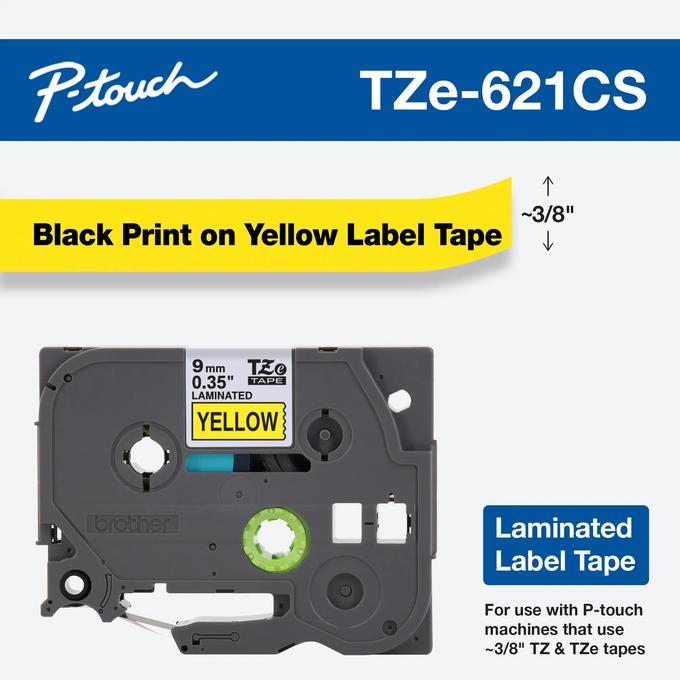
Brother's exact specification card lists TZe cartridges at 3.5, 6, 9 and 12 mm, with thermal-transfer printing and laminated labels up to 12 mm. This is a narrow cassette range compared with a desktop machine that accepts 18 or 24 mm tape. If your label needs a larger type area, the PT128AF should be screened out before you compare its formatting options.
There is a small documentation wrinkle worth handling conservatively: the product page's general feature text says that it uses “TZ tapes,” while its structured compatibility specification names TZe. Brother's U.S. help article discusses TZe's relationship to the older TZ family, but the exact PT128AF page does not say that every original TZ cassette is supported. I would plan a purchase around the specified TZe widths and check the precise tape mark and cartridge number on an existing machine before relying on an older TZ stockpile. The page also mentions a “super-narrow” non-laminated option for CD spines without naming its width; that special wording is not a reason to treat all widths as non-laminated.
Power is available, but not supplied
Six AAA batteries or an optional Brother AD-24 adapter can power the PT128AF. The exact U.S. page says neither power item is included. That distinction matters for a used machine: a listing may show an adapter in a photo or bundle unrelated to the base device, but the model page alone does not promise one in the carton. If you want to keep it on a desk, price the correct adapter separately and confirm that the offered unit actually includes it. If you want a portable routine, plan on providing six batteries rather than assuming a starter set is part of the purchase.
Brother calls the body compact and quotes 6 × 6 × 2 inches, but the exact page doesn't label which number is width, depth or height. I would not use those values to approve a tight shelf fit. Measure the actual unit or get a dimensioned specification before making the available-space limit essential.
When to keep looking
Because Brother marks it discontinued, the PT-128AF belongs in an earlier-model comparison rather than a default new-device shortlist. It can make sense when a working unit is already available, the physical QWERTY entry is the reason for choosing it, and TZe tape at or below 12 mm covers the job. Before buying secondhand, check that the cassette compartment closes, the keypad registers each key, the cutter works, and the chosen power route is present or obtainable. The product page doesn't establish the cutter type, so inspect the mechanism rather than expecting automatic cutting.
If a current keyboard labeler is more important than this exact older model, compare the Brother PT-D220 review. It is a separate machine, not a PT-128AF replacement by proof of name or function; compare the two models' confirmed media, power and workflow details instead of transferring assumptions. If phone or computer design is essential, choose a product whose exact model documentation confirms that connection. The PT-128AF page establishes a physical keyboard but not a phone app, USB or wireless printing route, so those requirements should not be treated as satisfied.
Sources: Brother's exact U.S. PT128AF product page and specification card; Brother's PT128AF support page; and Brother's U.S. explanation of TZ and TZe tape.
Key details at a glance
| Print process | thermal transfer |
|---|---|
| Maximum tape width | 12 mm |
| Compatible cassette | Exact PT128AF spec card says TZe widths 3.5/6/9/12 mm. Its marketing feature text separately uses 'TZ tapes'; no exact PT128AF manual was available to establish original TZ compatibility. Do not transfer the PT1280 manual's tape plan to this separately named exact SKU. |
| Built-in templates | 6 |
| On-device preview characters | 15 |
| Maximum lines per label | 2 |
| Line-count note | Brother's exact PT128AF page says the machine prints up to two lines; the width-specific line limits are not stated there. |
| Power choices | Brother says neither the six AAA batteries nor AC adapter are included. |
| Body dimensions | Brother's exact page describes compact size as 6 x 6 x 2 inches but does not assign axis order; no dimension-specific match is encoded. |
| Tape cutting | Cutter type is not stated in the exact PT128AF material reviewed. |
| What the base package supplies | The exact page says batteries and adapter are neither included; exact cassette contents and starter-tape identity are not stated. |
| Letter-key arrangement | qwerty |
| Built-in type styles | ['nine type styles; names not listed on exact page'] |
Use the exact model’s instructions for operating limits, supplied equipment and version differences.
Sources for this assessment
Put the device and its tape system together.
Match the exact model, cassette family, computer or network route and any optional power or touch-panel hardware before buying.