
Your needs, this model
Does it fit your priorities?
Would TZe tape up to 12 mm cover the labels you plan to print?
Brother lists TZe widths of 3.5, 6, 9 and 12 mm for the exact PT-150. An 18 mm minimum is not met.
Explore this need in the finder →Do you prefer to type on a physical QWERTY keyboard rather than require a phone app?
The product table confirms QWERTY on the PT-150. Its captured exact page does not establish a phone-app workflow, so an app requirement remains unmet by known evidence.
Explore this need in the finder →Would the listed two-line maximum meet the layout you need?
Brother lists a two-line maximum and label-length setting. It does not document other software or cutter features in this exact page.
Explore this need in the finder →A compact choice, with a tightly documented scope
Brother’s current U.S. listing identifies the P-touch PT-150 and marks it discontinued. The specification table gives a useful but narrow picture: local QWERTY keyboard entry, laminated thermal-transfer TZe tape in 3.5, 6, 9 and 12 mm widths, a two-line maximum and a label-length setting. That combination points to short, direct-typed identification labels rather than wide-format signage or a computer-led design workflow. The PT-150 is an earlier-model option only if you can verify an individual machine and are comfortable with the limits the manufacturer actually lists.
Start with tape width and the surface
The widest cassette named for the PT-150 is 12 mm. That is the central planning boundary: file tabs, shelf edges, drawer dividers and short names on small containers may be adequate on a narrow strip, but a conspicuous bin face or a cable wrap that needs larger lettering can call for 18 mm or wider tape. The product table does not say every type size fits every width, so do not treat “two lines” as a guarantee that any two messages will remain legible on the narrowest cassette. If you have a specific application, compare the expected text length and surface area before selecting the machine.
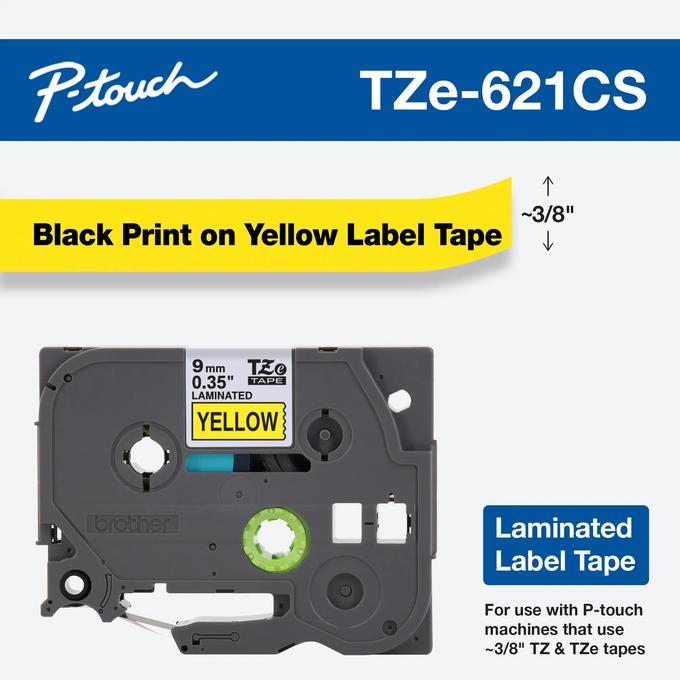
Brother lists TZe as the tape family and describes the tape as laminated and thermal-transfer. That gives you a concrete cassette family to check against the cartridge and machine in hand. The table does not specify current color choices, specialty adhesives, which surfaces each cassette suits or whether every TZe subtype works with this exact PT-150. Match a real cartridge code to the application rather than buying by color alone. If a particular supply or adhesive is essential, check its manufacturer compatibility details before choosing an older printer.
On-machine typing, not a documented digital workflow
A QWERTY keyboard and two-line maximum make the PT-150 straightforward to understand as a local-input device: the page confirms that it can take text at its own keyboard and print no more than two lines. The label-length setting adds one documented control when a label needs a chosen length. These are useful facts for occasional short labels where you prefer to type on the machine rather than compose elsewhere.
The exact page does not establish a phone app, USB or serial computer connection, Wi-Fi, Bluetooth, display size, fonts, symbols, preview behavior or a particular cutter. Those are unknown, not proof that a feature was never sold; but if you require one of them, an undocumented capability cannot meet that essential requirement. Brother’s “Standard Memory 15” field is also not defined as a count of saved labels, characters or designs, so it should not be used to promise a specific storage capacity.
How to think about the PT-150 against another older model
The PT-170K is another separately documented earlier Brother machine with a QWERTY keyboard, TZe cassettes through 12 mm and a two-line setting. Those shared table entries do not establish identical controls, hardware, accessories or software. The PT-150 page happens to show “Standard Memory 15,” while its meaning is unspecified; do not convert that field into a reason to prefer it over the PT-170K. Compare the condition, exact model marking and documented cartridge support of the actual units available to you. A current model with an explicit phone or computer workflow is a safer starting point when digital composition is a requirement.
Used-machine checks matter more than a guessed bundle
Because Brother marks the PT-150 discontinued, this is not a recommendation for a predictable new-in-box setup. Before depending on a secondhand example, ask to see the model label and cassette bay, confirm the device powers on, install a verified TZe cassette, feed a short test and inspect the resulting print and cut. The product page does not settle its power supply, included adapter, included tape, case, current warranty or the condition of any specific used unit. Do not assume an adapter fits because the plug looks similar; check the unit’s own label or documentation. If a seller cannot show the machine working with the cassette you intend to use, treat that uncertainty as part of the purchase decision.
Who should consider it
The PT-150 may suit someone who intentionally wants an earlier Brother label maker, prefers a physical QWERTY keyboard, works within laminated TZe widths up to 12 mm and needs no more than the documented two-line output. It is a poor match when 18 mm media, phone or computer design, a particular cutter, known battery operation, or a specified included accessory is essential: Brother’s current exact page does not confirm those capabilities. Its short specification table is enough to set boundaries, but not enough to make assumptions about an older used package. If the required workflow extends beyond direct keyboard text, choose a model whose official instructions spell out that exact route.
Primary references: Brother’s exact U.S. PT-150 product page and PT150 support page. Brother marks the listing discontinued. The PT-150 user-guide URL available through search returned an error page in this capture; no manual-only feature claims are included.
Key details at a glance
| Print process | thermal transfer |
|---|---|
| Maximum tape width | 12 mm |
| Maximum lines per label | 2 |
| Letter-key arrangement | qwerty |
Use the exact model’s instructions for operating limits, supplied equipment and version differences.
Sources for this assessment
Put the device and its tape system together.
Match the exact model, cassette family, computer or network route and any optional power or touch-panel hardware before buying.