
Your needs, this model
Does it fit your priorities?
Would original Brother TZ tape at 6–18 mm work with the cassette you can verify?
The exact guide and 1999 PT-1700 brochure document original TZ tape at four widths through 18 mm. Brother’s current product page widget conflicts by listing TZe; that is not used to claim TZe support.
Explore this need in the finder →Do you want a familiar built-in QWERTY keyboard rather than phone or computer composition?
The exact U.S. guide and support specification describe a 49-key local keyboard; a phone-app or computer input route is not documented.
Explore this need in the finder →Is a compatible AC-power option useful even if the adapter is not part of the original package?
The guide specifies an optional Brother AD-30, 7 V/1.2 A. The 1999 brochure says it was optional; adapter-in-box contents for any used unit are not assumed.
Explore this need in the finder →Is a hard two-line layout essential?
No. The support specification says Multi-Line 0, and the exact guide contains no multi-line print procedure. The current product-page widget conflict is not credited.
Explore this need in the finder →A 1999 desktop labeler, not a current system
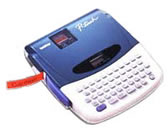
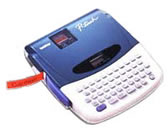
The Brother P-touch PT-1700 is a discontinued desktop label maker from Brother’s 1999 P-touch line. Its appeal is a straightforward bench routine: type on a built-in QWERTY keyboard, format a short message on the machine, and print to a laminated tape cassette. There is no phone app, USB computer link, Wi-Fi or Bluetooth route in the model-specific U.S. guide. It is best treated as an assessment for an existing owner or someone deliberately checking a used unit, not as a default recommendation for a new purchase.
Use the cassette family printed in the guide
The PT-1700’s exact U.S. User’s Guide says to use Brother TZ tape only and lists four widths: 6, 9, 12 and 18 mm. Brother’s 1999 brochure shows one black-on-clear, 12 mm TZ starter cassette in the original package. This is a laminated thermal-transfer system, so label design begins with the cartridge code and color combination you can actually obtain. The widths are not interchangeable with a different cassette family just because the millimeter number matches.
There is a conflict in Brother’s current online page: the product description still says “TZ” tape, while its short specifications widget lists TZe and a different 3.5–12 mm range. The detailed U.S. support specification and the model-specific guide agree on the older TZ cassette family and 6–18 mm widths. I would therefore match the PT-1700 only to original TZ media, and would not promise TZe compatibility from the short page widget. The manufacturer pages here do not establish present-day cassette stock or condition, either. If a refill is essential, inspect the exact cassette code and test the particular machine before depending on it.
Typing and formatting are local and deliberately compact
The PT-1700 provides a 49-key QWERTY keyboard and a one-line LCD window showing four characters at a time. The guide explains that the working message can be up to 55 characters, so the cursor moves through the text rather than showing a whole label layout at once. That favors short shelf, cable, drawer or storage names typed directly at the desk; it is less comfortable when you want to proof a long instruction or design from a larger screen.
Brother’s period brochure lists six text sizes and eight type styles, along with underlining, frames, vertical printing, numbering and repeat printing. A larger “BIG” setting is described for 18 mm tape. The guide documents nine phrase-memory areas sharing up to 300 characters, not a modern file library. The exact U.S. support specification says there is no multi-line mode, so a required second line should not be assumed from the current widget’s conflicting two-line field. These controls make the PT-1700 more expressive than a fixed-print stamp, but it remains a small-character, on-device workflow.
Plan for hand cutting and tape feed
The tape exits from the side and the user presses a cutter lever; there is no automatic cutter. Feed settings set margins and reduce waste when labels are printed consecutively, but they do not turn the machine into a batch cutter. Brother rates the print speed at 10 mm per second and the print head at 180 dpi in its support specification. For a few custom identifiers, that old-school rhythm may be fine. If many separate labels must be produced quickly, a more recent automatic-cutter model is a better place to start.
Power, package and physical fit deserve a separate check
The guide specifies six AA cells or the optional Brother AD-30 adapter rated 7 V, 1.2 A. It warns against using an adapter other than the one designed for the machine. The period brochure says the original package included one 12 mm black-on-clear TZ cassette and a booklet, and that the six AA batteries were not included; the adapter is optional. That describes the original brochure package, not the contents of a present used listing. The guide warns that removing power loses stored messages, so a saved phrase is not a backup you can count on in an unpowered unit. Inspect the adapter label and included tape rather than assuming accessories follow the model name.
The manufacturer’s measurements also deserve caution if the machine must fit a tight slot. Brother’s support specification and 1999 brochure give 6.9 × 7.9 × 2.0 inches, while the user guide’s dimension line gives a different height conversion. I would measure the actual unit before treating any shelf clearance as certain. The guide and specification put its weight at about 1.4 lb without batteries; the exact machine and accessories still affect what you will carry.
Where it sits beside other P-touch options
The PT-1700 is a compact, local-keyboard TZ machine. Brother’s PT-2400 assessment covers a different desktop with a larger composing display, wider original TZ/TZe options and a documented legacy serial-computer route. Brother’s 2024–25 replacement chart pairs the PT-1700 with the PT-D410 or PT-D460BT; that is a practical way to find a currently documented family, not proof of feature equivalence. The PT-D410 uses its own TZe and connected workflow. Read those assessments if you need wider tapes or current computer/mobile design rather than the PT-1700’s self-contained routine.
Bottom line
Keep the PT-1700 in view only if an earlier machine is acceptable, you want direct QWERTY entry, and the exact original TZ cassette system covers the job. The short display, 55-character work area, manual cut and lack of confirmed computer or wireless input are real limits, not hidden extras. It is not a match for an essential TZe refill, automatic cutting, multi-line label or current app workflow. If the individual unit, adapter or cassette is uncertain, choose a better-documented current-reference model instead.
Primary references: Brother’s PT-1700 U.S. product page, U.S. support specification, PT-1700 U.S. User’s Guide v01 and 1999 PT-1700 brochure, and Brother’s 2024–25 replacement-model list. The current page widget conflicts with the model-specific TZ documentation on cassette family, width and line count; this assessment follows the detailed specification, manual and exact-model brochure.
Key details at a glance
| Full-color output | No |
|---|---|
| Print process | thermal transfer |
| Maximum tape width | 18 mm |
| Compatible cassette | The exact PT-1700 U.S. User’s Guide v01 says use Brother TZ tape only and lists 6/9/12/18 mm. The model-specific 1999 brochure depicts the same four widths and one original 12 mm black-on-clear TZ starter cassette. The current Brother product-page short specification widget instead says TZe and 3.5–12 mm; exact page body, detailed support spec, guide and brochure identify TZ. Strict matching includes only the guide-backed TZ route; it does not claim TZe compatibility or current supply stock. |
| On-device preview characters | 4 |
| Display type | LCD |
| Maximum combined print height | 9 mm |
| Maximum lines per label | 1 |
| Line-count note | Brother’s detailed U.S. support specification reports Multi-Line 0; the exact user guide offers no multi-line print operation. The current product page widget reports two lines, so two-line capability is not credited. |
| On-device frames | 4 |
| On-device symbols | 57 |
| Power choices | The exact U.S. guide specifies six AA cells or optional AD-30, rated 7 V, 1.2 A. The original brochure says the six cells were not included; package contents for a particular used unit are not inferred. |
| Body dimensions | The 1999 brochure/spec list 6.9 × 7.9 × 2.0 in, but the guide’s imperial/metric height conversion conflicts (2.36 in paired with 50 mm). Do not use a hard fit profile; measure the exact unit. |
| Tape cutting | The guide depicts a user-operated tape-cutter lever; the detailed support specification lists a manual cutter and no auto half cutter. |
| What the base package supplies | The exact 1999 brochure describes the original set as the label system, one black-on-clear 12 mm (1/2 in) TZ tape, and an instruction booklet; six AA cells are not included, and AC adapter is optional. A used listing’s actual contents are unknown. |
| Letter-key arrangement | qwerty |
| Wired Ethernet | No |
| Built-in type styles | 8 |
| Original TZ maximum width | 18 mm |
Use the exact model’s instructions for operating limits, supplied equipment and version differences.
Sources for this assessment
- Brother U.S. Office & Home directory page, observed PT1700 row at offset 90, index 102
- Brother exact U.S. PT1700 product page
- Brother exact U.S. PT-1700 detailed support specification
- Brother PT-1700 English/Spanish manual index, U.S.
- Brother PT-1700 U.S. User’s Guide v01, English and Spanish
- Brother 1999 PT-1700 model brochure
- Brother 2024–25 replacement model list
- Brother exact PT-1700 U.S. support image (model key 1700eus)
Put the device and its tape system together.
Match the exact model, cassette family, computer or network route and any optional power or touch-panel hardware before buying.