
Your needs, this model
Does it fit your priorities?
Would laminated TZe tape through 12 mm cover the labels you plan to make?
Brother's exact PT-170K U.S. page lists laminated thermal-transfer TZe at 3.5, 6, 9 and 12 mm. It does not list a wider width; an 18 mm minimum is not met.
Explore this need in the finder →Do you want to enter text on a familiar QWERTY keyboard built into the label maker?
The exact U.S. table lists QWERTY. That is a documented local typing method; app, USB, Wi-Fi and Bluetooth options are not established by the captured exact page.
Explore this need in the finder →Would the documented two-line output and label-length setting fit the layout you need?
Brother's exact table lists two maximum print lines and a label-length setting. It does not establish other software or control features.
Explore this need in the finder →A discontinued, narrow-tape P-touch
Brother now marks the PT-170K as discontinued. The exact U.S. product page is unusually spare, but it still settles several useful fit questions: it identifies a Brother P-touch PT-170K, lists a QWERTY keyboard, laminated thermal-transfer media, Brother TZe tape, widths of 3.5, 6, 9 and 12 mm, a two-line maximum, and a label-length setting. That describes a compact text-labeling job, not a wide-format signage or desktop-label-printing system. Treat the PT-170K as an earlier-model option only if you are deliberately considering an individual used machine and those limits fit.
How far 12 mm goes
The PT-170K's largest listed cassette is 12 mm, so it fits the narrow TZe class rather than models that document 18 or 24 mm media. That ceiling is the most important practical choice. Short names for drawers, file dividers, small storage boxes, pantry containers and home-office supplies can often be laid out on a narrow strip; a bold identifier intended to wrap around a larger cable bundle, a conspicuous bin face, or a longer line that needs more room can call for a wider cassette and a different model. A two-line setting helps stack text within the available tape height, but it does not turn the tape into a wide label. Consider the surface and type size as well as the width number.
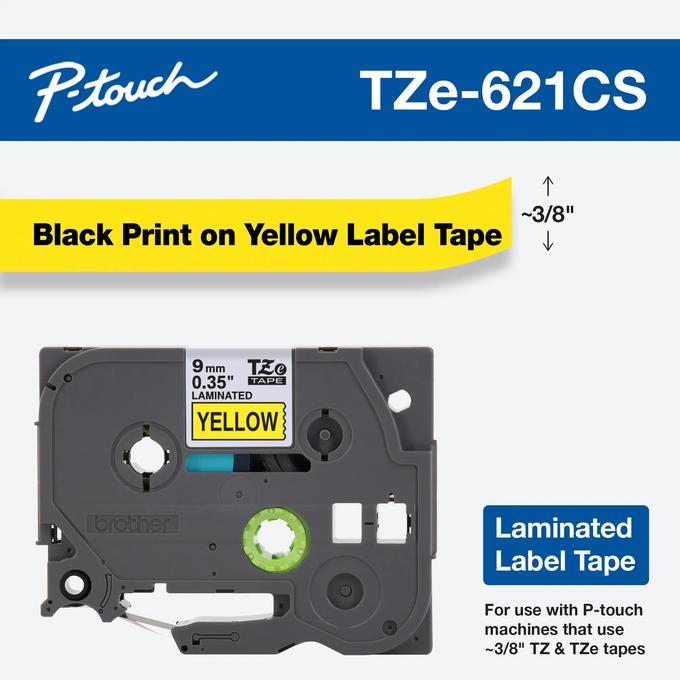
Brother's table names the TZe family and laminated thermal transfer, which gives you a specific cartridge system to look for. It does not establish which colors, specialty adhesives or refill stocks are currently available. Nor does the width list say every tape type is appropriate for every surface. If a specific tape color, adhesive, or label material is essential, check the cassette code and its manufacturer instructions before choosing this machine. Do not substitute TZ-era claims from another P-touch just because the model numbers look related.
Direct typing, with a small set of confirmed controls
The built-in QWERTY keyboard gives the PT-170K a local text-entry route: you can use the machine's own keys instead of relying on phone typing as the documented starting point. Brother also lists two-line printing and a label-length setting. Together, those points suit short identification labels where you want to enter text and adjust its length at the machine. The current U.S. page does not say what display the PT-170K has, how much text it shows at once, how many fonts or symbols it offers, or how many designs it stores. It also does not document a phone app, USB computer design, Wi-Fi or Bluetooth printing. Those are unknowns, not confirmed absences; if any are an essential requirement, choose a model with that exact workflow explicitly documented.
The cutter is another point not settled by the page. Do not buy on the assumption that the PT-170K automatically trims each label or that a particular cutting action is comfortable for a long run. Inspect the actual unit and test a short print before planning repetitive work. Similarly, the page does not provide a power specification, dimensions, weight, adapter model or box contents. Used listings can omit the very pieces that determine whether an older machine is convenient, so ask for a clear view of the power label, cassette bay, cutter area and included accessories rather than treating a model number as a complete package description.
Check a used PT-170K as its own machine
Because Brother marks the exact U.S. listing discontinued, this is not a recommendation for a new, supported workflow. Before depending on a used example, confirm it starts, accepts a cassette, advances tape, prints cleanly and lets you operate the cutter; then test a short label with the cassette you plan to use. The exact product page supports TZe through 12 mm, but it does not establish the condition of a particular secondhand unit, current supply stock, warranty, included starter tape, or whether a seller's adapter is correct. Do not infer an adapter's fit from its plug alone; match the machine and power requirements shown on its own label or documentation.
If you want more on-screen composition or documented shortcuts, compare the PT-128AF assessment: Brother's exact page lists a 15-character display, three Favorite keys, six auto formats, five framing options and nine type styles, while keeping its own tape and package evidence distinct. If wider original TZ tape is the deciding requirement, the PT-1700 is a separately researched machine whose model-specific U.S. guide documents a different operating profile. Neither is proof that a PT-170K accepts another model's cassettes or accessories.
Who should consider it
The PT-170K makes sense only for a shopper willing to consider an earlier machine, wanting direct QWERTY entry and satisfied with Brother TZe cassettes through 12 mm, two-line output and an adjustable label length. It may be a sensible fit for occasional, small-format home or office identifiers if the machine and supply are verified in hand. Skip it if an 18 mm label, phone or computer composition, a known automatic cutter, a specified power route or a confirmed package accessory is essential; the exact documentation captured here cannot satisfy those conditions. Start with a currently documented model when you need current support or a predictable out-of-box kit.
Primary references: Brother's exact U.S. PT-170K product page and exact U.S. product-support page. Brother marks the product discontinued. The exact current page confirms the listed media and simple operating fields but does not provide a user-guide download in the captured support view or settle the other capabilities discussed above.
Key details at a glance
| Print process | thermal transfer |
|---|---|
| Maximum tape width | 12 mm |
| Maximum lines per label | 2 |
| Letter-key arrangement | qwerty |
Use the exact model’s instructions for operating limits, supplied equipment and version differences.
Sources for this assessment
- Brother U.S. Office & Home directory row PT170K at offset 120, index 132
- Brother exact U.S. PT170K product page
- Brother exact U.S. PT170K product-support page
- Brother exact-key PT170K support manual-index URL attempt; generic support page response returned
- Brother support image endpoint PT170K attempted; returned HTML rather than image
- U.S. CPSC recall listing exact-token scan, existing snapshot reused

Put the device and its tape system together.
Match the exact model, cassette family, computer or network route and any optional power or touch-panel hardware before buying.