
Your needs, this model
Does it fit your priorities?
Do you already have a serial-equipped computer for PC-built label layouts?
Brother’s exact U.S. support specification documents a serial connection; the original brochure names a serial cable and P-touch Editor 3.1. It is not a USB route, and current operating-system compatibility is unverified.
Explore this need in the finder →Do you need original TZ media at the full 24 mm width rather than assuming current TZe cassettes fit?
The exact U.S. support table and 1999 brochure show original TZ through 24 mm. A redesigned current product page lists TZe instead; the TZe route is deliberately not inferred.
Explore this need in the finder →Are single-color cassette prints enough, or is full-color output essential?
The brochure documents color/ink tape combinations and software clip art, but not full-color photo output. Choose the PT-2500PC only if that single-color cassette workflow suits the layout.
Explore this need in the finder →A computer-built label maker from the serial-port era
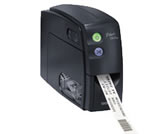
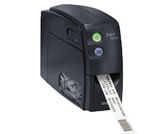
The Brother PT-2500PC is an earlier, discontinued desktop label printer designed around a computer rather than a keyboard on the machine. It makes the most sense as a careful assessment for someone who already owns one, has its original cable and software, and is checking whether the machine can still serve a particular small-office routine. The U.S. support page lists no keyboard and no LCD, and its product specification says the connection is serial. If a label must be typed directly at the printer, or the printer must plug into an ordinary modern USB-only laptop, this is the wrong arrangement.
What the computer route buys you
Brother's two-page U.S. brochure presents the PT-2500PC as a way to lay out customized laminated labels on a computer. Its pictured examples range from filing and storage to asset tags, product signs and barcodes. The included software package is named P-touch Editor 3.1; the brochure describes TrueType font styles, more than 700 clip-art pictures and symbols, importing images, templates, date/time fields, barcode symbologies and repeated copies. This is a more flexible design workflow than the simple text entry available on small handheld machines. A logo or neatly aligned identifier can be composed at the desk, then sent to the printer, instead of being keyed from scratch on a tiny display.
That flexibility is tied to an old host setup. Brother's brochure describes Windows 95/98/NT and Macintosh-era compatibility, and lists a serial printer cable (RS-232C/RS-422), a CD-ROM and power adapter in the box. The exact U.S. support specification likewise identifies serial communication, not USB. Treat those documents as evidence of the model's original route, not a promise that the bundled editor or driver will run on today's operating systems. Brother marks the machine discontinued, and its current downloads page is for older operating systems. If you need a printer for a current work computer, confirm the exact interface hardware and a working software/driver path before counting it as usable.
Use original TZ cassette media, not an assumed TZe refill
The cassette system deserves an explicit check. Brother's exact U.S. support specification lists original TZ media at 6, 9, 12, 18 and 24 mm. The 1999-era U.S. brochure labels the examples as TZ tape and shows tape widths through 24 mm. In contrast, the redesigned product page's structured specification currently says TZe and lists 3.5, 6, 9 and 12 mm; that does not agree with Brother's PT-2500PC-specific support table or its original brochure. For a conservative fit, this profile uses the better-matched older TZ evidence and does not promise TZe compatibility. I could not retrieve the model's user's guide from Brother's current U.S. manual index, so check the cassette logo and model-specific documentation on an actual unit rather than relying on a seller's generic compatibility list.
A 24 mm ceiling gives this desktop unit more room for large shelf labels, prominent storage names or a broader logo than a 12 mm compact PC-connected printer such as the PT-1230PC. Brother rates the PT-2500PC for an 18.1 mm maximum print height, 180-dpi/128-dot head and 10 mm-per-second printing. Its brochure advertises up to 5,000 repeated copies. Those are useful capacity facts, not a guarantee that every graphic or barcode will be legible at every size: choose enough width and test the layout on the exact tape before making a long run. The laminated TZ system gives more material choices than plain paper address labels, but it does not make every surface, temperature or exposure appropriate for every tape type.
Automatic cutting and mains power simplify desk batches
Unlike a manual-cutter handheld, the PT-2500PC has an automatic full cutter according to Brother's U.S. spec and brochure. That is a practical advantage if you make a set of separate labels at a desk; it reduces the repetitive cut step after printing. It is not a wireless printer or a battery handheld, though. The support specification names Brother's AD-60 AC adapter, and the brochure's contents list a power adapter. A used listing may no longer include it, so check the box contents and the label on the adapter itself. There is no phone app, Wi-Fi, Bluetooth, onboard keyboard or display documented for this model.
How it should appear in a finder
Choose the earlier-model option, the computer-over-serial connection, and original TZ if you want this particular operating plan to qualify. It should not appear when USB is essential, when a phone app or wireless printing is required, or when you insist on a current-reference model. A 24 mm original-TZ requirement can fit; a TZe-specific requirement cannot be treated as equivalent. An essential body-size cap is also not safely answered here because the exact U.S. support page I reviewed does not state dimensions. Unknown dimensions should not count as a fit.
If the old serial connection is the deciding obstacle, the current-reference PT-P700 is a more recent computer-over-USB arrangement and supports Brother TZe through 24 mm, though its media is not a substitute for original TZ. If you still want a PC-designed vintage model but only need narrow TZ, the PT-1230PC is a separate USB-era option with its own 12 mm ceiling and manual cutter. Neither is a drop-in media replacement. The PT-2500PC is therefore best treated as a supported-use reference for an existing machine—not as a reason to buy an untested discontinued unit without verifying its cable, adapter, cassette and host software.
Sources: Brother's PT2500PC U.S. product page, its U.S. support specification, its two-page U.S. product brochure, and its U.S. manual lookup (currently unavailable for this model).
Key details at a glance
| Full-color output | No |
|---|---|
| Print process | Thermal transfer |
| Maximum tape width | 24 mm |
| Compatible cassette | Brother U.S. support specification and exact 1999 brochure document original TZ through 24 mm. The current e-commerce page lists TZe 3.5–12 mm and conflicts; TZe support is not assumed. |
| Built-in templates | 0 |
| Display type | No LCD; green and red indicator LEDs |
| Maximum combined print height | 18.1 mm |
| Line-count note | The modern product page carries a two-line field that conflicts with the PC-era software and lacks a retrievable model-specific manual; do not claim an exact line maximum. |
| Computer design route | ['Brother P-touch Editor 3.1; the 1999 U.S. brochure lists legacy Windows 95/98/NT and Macintosh-era compatibility'] |
| Power choices | The exact U.S. specification names AD-60; original brochure contents list a power adapter. This model is not documented as battery-powered. |
| Body dimensions | No body dimensions are stated on the exact U.S. support specifications reviewed; do not infer fit. |
| Tape cutting | Brother U.S. support spec says automatic cutter and no half cutter; the brochure also describes automatic tape cutting. |
| Wired Ethernet | No |
Use the exact model’s instructions for operating limits, supplied equipment and version differences.
Sources for this assessment
- Brother Office & Home listing row, offset 60/index 66
- Brother U.S. exact PT2500PC product page
- Brother U.S. PT-2500PC support specification
- Brother U.S. PT-2500PC product brochure, two pages
- Brother PT-2500PC discontinued U.S. download list
- Brother exact PT-2500PC support product thumbnail
- Brother U.S. PT-2500PC manual index attempt
Put the device and its tape system together.
Match the exact model, cassette family, computer or network route and any optional power or touch-panel hardware before buying.