
Your needs, this model
Does it fit your priorities?
Would you rather type on a familiar full-size QWERTY keyboard than rely on a phone app?
Brother identifies a full-size typewriter-style keyboard and its specification lists QWERTY. That supports direct entry, but does not establish a phone-app route.
Explore this need in the finder →Is Brother's documented standard TZe system sufficient, without a need for 18 mm tape?
Brother lists TZe at 3.5, 6, 9 and 12 mm on the exact PT8000 product page. That is a source-specific route; the separate TX5311 supply listing is treated as another plan.
Explore this need in the finder →Can a 12 mm ceiling work, or do you need wider TZe stock?
The exact Brother TZe specification stops at 12 mm. It cannot satisfy an essential 18 mm TZe width request, even though a separate TX5311 cassette is listed for the model.
Explore this need in the finder →A discontinued desktop machine with a very specific job
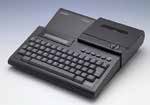
The Brother P-touch PT8000 is not a small handheld labeler: Brother describes it as a professional desktop labeling system with a full-size QWERTY keyboard. It is now marked discontinued, so treat it as an earlier option for an owner or an unusually careful used-market shopper, not as a simple current buy. The basic appeal is clear enough: type at the machine, make laminated tape labels, and keep the labeler in one place for repeat work. That arrangement can suit a workshop bench, office counter or stockroom better than composing every short label on a phone.
Its cassette choice needs more care than the model name suggests
Brother's current PT8000 product page lists standard TZe tape at 3.5, 6, 9 and 12 mm. Separately, Brother's exact TX5311 supply page identifies the PT-8000 as compatible with a 12 mm black-on-blue laminated cartridge that contains 15 metres (50 feet) of tape. Those records are useful, but they describe two separately documented supply routes; they are not proof that every older P-touch cassette will fit. If you are considering a used PT8000, check the cassette label and the exact model of the refill before planning a print run. A long cassette is valuable only if the actual machine accepts it and its output format suits your labels.
For a short, narrow identifier, a documented 12 mm tape path may be enough. It is a poor choice if 18 mm or wider tape is essential. The current Brother TZe table stops at 12 mm, and the TX5311 listing establishes that particular 12 mm cassette only—not a wider TX range. Do not combine a width from one cassette family with a compatibility claim from another. If you want broad media flexibility for modern household or office work, compare a current-reference Brother rather than assuming a vintage supply can be substituted.
Useful built-in features, but one claim needs verification
The manufacturer describes horizontal and vertical layouts, mirror printing, barcode options and text storage for as many as 3,300 characters. That is a more capable brief than simply putting a name on a box: saved text and barcode output can help with repeated inventory or filing tasks. Brother does not give a barcode-format list in the exact page, so this is not enough to choose the PT8000 for a particular retail, shipping or compliance standard. Confirm the required symbology and scan performance before relying on it for a formal system.
There is also an internal discrepancy worth taking seriously. The marketing description says the PT8000 can print up to five lines, while the specification table on the same exact-model page lists a two-line maximum. Since I could not confirm the difference against the model-specific operating guide, this review does not promise a five-line layout or use a line count as a suitability claim. If your label needs multiple lines, verify the exact machine and cassette combination before buying. The manufacturer's phrase about high speed is not paired with a rate, so it should not be treated as a measured production estimate either.
What the PT8000 cannot yet promise
The exact material description supports laminated thermal-transfer labels, but the current page does not settle a computer or phone workflow, adapter model, cutter type, physical footprint or numeric print height. Lack of a listed phone app is not proof that an old host accessory never existed; it is simply not a confirmed route here. If USB, wireless printing, predictable automatic cutting or a specific installation-size limit is essential, choose a model whose exact documentation establishes that requirement. Unknown details should not be treated as a fit.
Discontinued products call for a practical check before money changes hands. Ask for a clear view of the model label, cassette compartment, power connection and the actual included accessories; test a short sample from the same tape family you intend to use. Confirm that the current supply is available in the needed color and width, and keep the correct operating instructions with the machine. The PT8000 may be interesting as a sturdy desk-based tool, but an untested used unit and an unspecified box of cartridges are not the same thing as a ready labeling setup.
Better alternatives for a new routine
If you want a newer Brother desktop layout but still prefer physical keys, compare the PT-D410. Brother documents USB computer design in addition to its built-in keyboard, and its TZe ceiling is 18 mm, giving more room than the PT8000's current listed 12 mm TZe route. For a mixed phone-and-desk workflow, the PT-D460BT adds Bluetooth and a documented mobile-app route; it also accepts TZe up to 18 mm. These newer alternatives make more sense when software, refill clarity or wider tape matters more than keeping an older unit in service. The PT8000 belongs on a shortlist only when its exact cassette route and the limits above match a specific need.
Sources: Brother's PT8000 U.S. product page, its PT8000 support page, Brother's TX5311 cassette page, and the official PT-D410 and PT-D460BT product pages for the newer comparisons.
Key details at a glance
| Print process | Thermal transfer |
|---|---|
| Maximum tape width | 12 mm |
| Line-count note | Brother's exact page conflicts internally: the marketing description says up to five lines while the specification table says maximum two. The exact manual was not retrieved; don't claim a line limit. |
| Letter-key arrangement | qwerty |
Use the exact model’s instructions for operating limits, supplied equipment and version differences.
Sources for this assessment
- Brother Office & Home directory row PT8000 at offset 75/index 77
- Brother U.S. exact PT8000 product page
- Brother U.S. exact PT8000 support page
- Brother exact PT8000 U.S. manual lookup response
- Brother exact PT8000 U.S. specification lookup response
- Brother exact PT8000 downloads lookup response
- Brother U.S. TX5311 exact cassette product page
- Brother U.S. supplies search for PT8000
- CPSC all-recalls listing searched for PT8000
- Brother Product and Technology Timeline, page 1, official archival PT-8000 illustration
Put the device and its tape system together.
Match the exact model, cassette family, computer or network route and any optional power or touch-panel hardware before buying.