
Your needs, this model
Does it fit your priorities?
Do you want connected app layouts for a dedicated ribbon cassette, rather than entering text on a keyboard?
The PT-P715eBT supports Brother TZe ribbon cassettes at 12 or 24 mm, mobile design over Bluetooth and computer design over USB; it has no built-in keyboard or display.
Explore this need in the finder →Will you make ribbon accents as well as ordinary TZe tape labels?
Brother’s manual separates TZe tape cassettes (3.5 to 24 mm) from TZe ribbon cassettes (12 or 24 mm). Ribbon is a cassette supply and should be cut by hand.
Explore this need in the finder →Does a USB computer workflow and rechargeable battery suit your craft station better than Wi-Fi?
Brother documents P-touch Editor by USB and an internal Li-ion battery; the manual says there is no Wi-Fi connection.
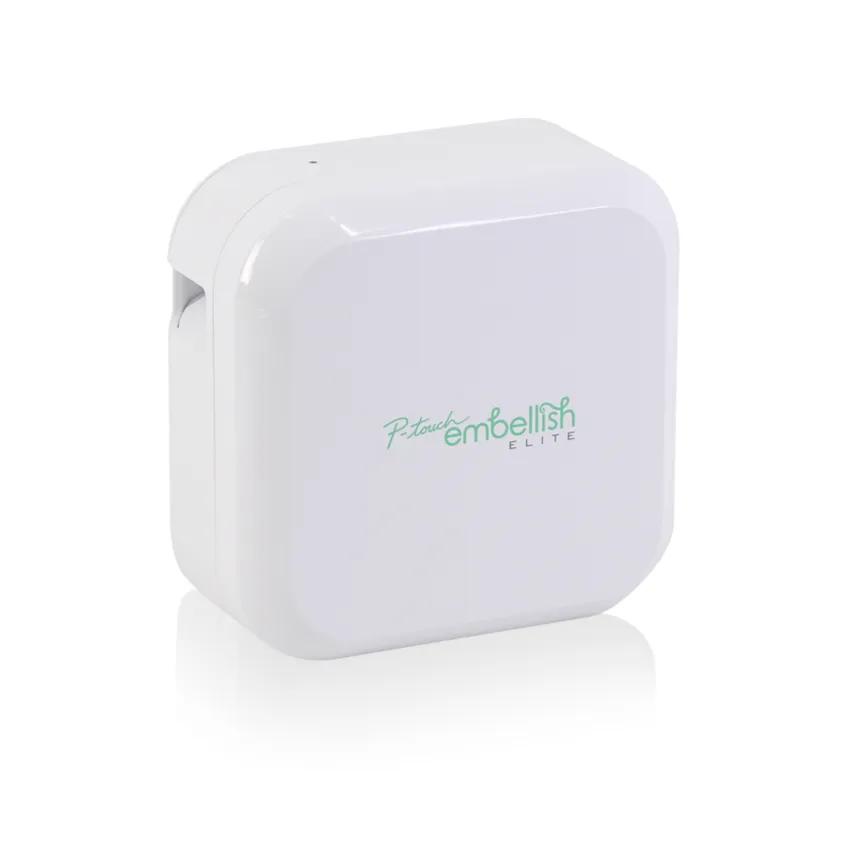
Explore this need in the finder →The Brother P-touch Embellish Elite PT-P715eBT is a compact printer for two related but different jobs: ordinary Brother TZe adhesive labels and dedicated satin-ribbon messages. It is a connected model rather than a keyboard labeler: layouts come from the P-touch Design&Print app on a phone or tablet over Bluetooth, or from Brother P-touch Editor on a computer over the included USB cable. Its most appealing reason to choose it is the combination of those connected design routes with a ribbon cassette; the reason to pass is that it has no keyboard or screen, ribbon still needs hand finishing, and Brother now marks its U.S. listing discontinued and out of stock.
Two ways to compose, neither on the printer
The small square body has a power button and status lights, not a display or built-in keys. The User’s Guide pairs a mobile device through Bluetooth and identifies P-touch Design&Print; it also documents computer creation in P-touch Editor with a USB connection. That gives a crafter a choice of app layouts for short custom accents or more involved computer designs with text, graphics and barcodes. These are separate ways to send a job, not a built-in design screen. There is no Wi-Fi route, and the manual specifically says Bluetooth is not supported for computer printing. If you expect to type a quick name at the machine without opening a device, a physical-keyboard model such as the PT-D215e is a better match.
Choose the cassette for the job
The U.S. User’s Guide lists Brother TZe tape cassettes in 3.5, 6, 9, 12, 18 and 24 mm widths, plus a separate TZe ribbon cassette in 12 or 24 mm. The standard adhesive label range makes it more than a gift-only gadget: switch back to tape for labeled craft drawers, pantry containers, files or small office supplies. For ribbon, the included starter cassette is a 24 mm gold-on-white satin ribbon, TZe-R234, measuring 4 m. Ribbon is a specific cassette consumable, not a supply spool of arbitrary loose gift ribbon. The product-page table also names HGe compatibility, but HGe does not appear in the User’s Guide’s supply chart; I would not rely on HGe for an essential need without checking the exact cassette with Brother. Check the cassette’s print color, ribbon material and width before stocking up; this model does not make loose fabric into a label.
Make room for hand-finished ribbon and leader tape
Auto cutting is useful on ordinary label tape, but it is the wrong expectation for ribbon. Brother’s guide says to select Special Tape for a TZe-R ribbon and recommends cutting the ribbon manually because residue from earlier labels can make satin cuts uneven. Treat ribbon output as a short print-then-scissors task. For adhesive tape, automatic cutting is available; the manual warns that the laminated construction feeds about 25 mm of leader before each new label when Auto Cut is on. That extra margin is noticeable on one-off labels, so a person printing just a few names may prefer to group work or adjust the app’s final-label setting rather than assume every centimeter of cassette becomes usable text.
Battery power, compact footprint and a USB charging routine
The rechargeable Li-ion battery is built in and the product page lists it in the box with a USB cable and user guide. Brother specifies an approximate body size of 5 × 2.6 × 5 inches and 1.4 lb with the battery. The manual says to charge through the included cable connected to a computer or to a suitable USB AC adapter, which is not included; it does not identify a dedicated wall adapter as part of the package. This makes the machine easy to move around a craft desk, but the battery is not a reason to overlook the software dependency. Before buying a used unit, confirm you can still install the mobile app or computer software on the device you intend to use, that the included USB cable is present, and that the battery takes and holds a charge. No remaining warranty or consumable supply is guaranteed here.
Who should choose it over nearby P-touch models?
For an existing owner who wants app or USB designs plus 12/24 mm ribbon, the PT-P715eBT has a clearer fit than the PT-P710BT: the latter is the more conventional connected TZe label printer and is not documented for ribbon. If you want ribbon but prefer to type on a machine, the PT-D215e trades away the P715’s 24 mm supply width and connected editing for a QWERTY keyboard and a dedicated 12 mm ribbon cassette. If you need broad standard TZe tape but do not need ribbon, compare the PT-P710BT or PT-P910BT. A strict Wi-Fi requirement excludes this printer; Bluetooth phone printing should not be mistaken for Wi-Fi or Wireless Direct.
Brother’s U.S. product page marked the PT-P715eBT discontinued and out of stock when checked on October 23, 2026. This is therefore a useful assessment for current owners and for carefully checking an older listing, not a claim that new stock is available. Match the exact PT-P715EBT / PT-P715eBT code and inspect the package, ribbon cassette and battery condition before considering one. The recommendations above are based on Brother’s U.S. product record and English user guide; they are not print-quality, durability or surface-adhesion tests. Brother also cautions that output may differ from screen preview, small text may be less clear than it appears onscreen, and adhesion depends on the surface and conditions. Test tape on the actual clean, dry surface and follow the instructions for any special ribbon or tape.
Key details at a glance
| Maximum tape width | 24 mm |
|---|---|
| Compatible cassette | The U.S. User’s Guide confirms TZe tape and TZe ribbon widths listed here. The exact Brother product-page technical table also says HGe and TZe tapes, but HGe is absent from the User’s Guide supply chart; HGe is deliberately not included in supported_media or any matched plan pending an exact-model confirmation. |
| Maximum lines per label | 4 |
| Computer design route | P-touch Editor |
| Power choices | The exact product page lists built-in Li-ion battery and USB cable in the box. The manual says to charge using the included cable from a computer or a suitable USB AC adapter not included; a dedicated direct AC supply route is not specified. |
| Body dimensions | Approximately 5 x 2.6 x 5 inches; 1.4 lb with included rechargeable battery, per the US manual/support specification. |
| What the base package supplies | Brother exact US page lists the PT-P715eBT, one 24 mm x 4 m TZe-R234 gold-on-white satin ribbon, built-in Li-ion battery, USB cable and User’s Manual. Page was marked Discontinued and Out of Stock on 2026-10-23. |
Use the exact model’s instructions for operating limits, supplied equipment and version differences.
Sources for this assessment
- Brother US Office & Home directory offset 45, exact PTP715EBT tile
- Brother US exact PTP715EBT directory route
- Brother US PT-P715EBT exact product page
- Brother US PT-P715eBT support specification
- Brother US PT-P715eBT manuals index
- Brother US English PT-P715eBT User’s Guide PDF, 26 pages
- Brother US English PT-P715eBT Quick Setup Guide
- Brother US TZe-R951 ribbon product page identifying PT-P715eBT compatibility
Put the device and its tape system together.
Match the exact model, cassette family, computer or network route and any optional power or touch-panel hardware before buying.