
Your needs, this model
Does it fit your priorities?
Do you need to create a 36 mm TZe label from a nearby phone?
The PT-P910BT accepts TZe through 36 mm and Brother documents iPrint&Label and P-touch Design&Print 2 mobile apps over Bluetooth. This is phone-adjacent printing, not a Wi-Fi network connection.
Explore this need in the finder →Will USB computer design and automatic cutting share the same wide-tape setup?
Brother documents P-touch Editor over USB plus automatic half/full cutting on the same 36 mm TZe printer. There is no physical QWERTY keypad; choose a handheld such as PT-H500LI if composing at the device is essential.
Explore this need in the finder →Does “wireless” specifically mean Wi-Fi or Wireless Direct in your work area?
The PT-P910BT uses Bluetooth for mobile devices and USB for computers. It is excluded when Wi-Fi/Wireless Direct is essential; consider PT-P900WC or PT-P950NW for a supported network route.
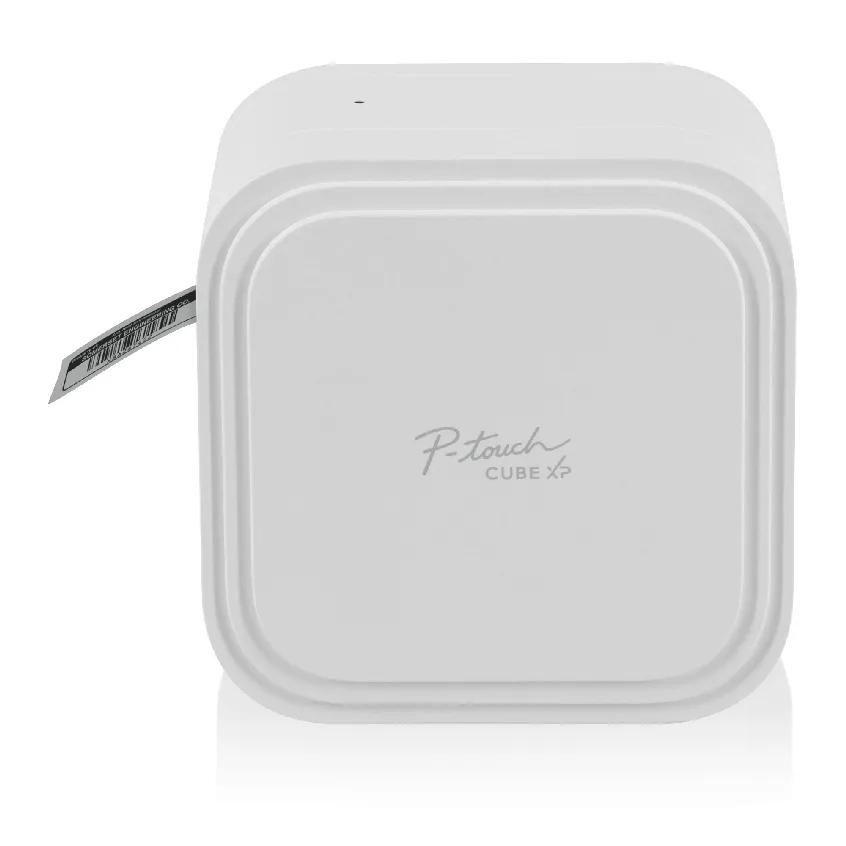
Explore this need in the finder →The Brother P-touch CUBE XP PT-P910BT is a rechargeable label printer that takes 36 mm TZe cassettes and prints at 360 dpi. It can suit a small workroom, home studio or shop where broad labels matter and the operator is happy to create each job on a phone or computer. It is not a keypad label maker, a Wi-Fi printer or a pocket-sized device. Those distinctions matter more than the resolution number.
Choose the input route before choosing the printer
The PT-P910BT has no LCD and no physical keyboard. Brother names three software routes: iPrint&Label and P-touch Design&Print 2 on mobile devices, plus P-touch Editor from a Windows PC or Mac. The mobile connection is Bluetooth; the computer route uses the included USB cable. The support page lists current operating-system software, but a software-dependent model still deserves an OS check before purchase, particularly if an older computer or ARM-based Windows device is part of the plan.
Bluetooth is not the same thing as Wi-Fi. The PT-P910BT can serve a phone nearby without joining the home or office wireless network, but it does not meet a requirement for Wi-Fi infrastructure or Wireless Direct. A computer can use USB, not wireless computer printing. For a person who composes on a phone or workstation and then prints nearby, that division is straightforward. For a shared printer that several users must reach over a network, look at the PT-P900WC or PT-P950NW instead.
Brother's mobile apps offer templates and phone-based layout tools; Design&Print 2 includes a Share Label template for QR-code labels. P-touch Editor adds a computer workflow for custom layouts and supported database-driven batches. That software flexibility is meaningful for repeated inventory or price labels, but the printer does not become a self-contained workstation: composing and checking the design happen on the phone or computer, not on a screen at the machine.
What the 36 mm tape system gives you
The PT-P910BT uses Brother TZe laminated cassettes in 3.5, 6, 9, 12, 18, 24 and 36 mm widths. Brother specifies a maximum print height of 32 mm, 360 dpi resolution and a maximum print speed of 20 mm per second, with speed depending on the media. A 36 mm cassette is therefore not a promise of 36 mm of printed area. The wider strip gives room for larger type, a secondary line or a barcode while leaving margins and printable limits to the layout.
That width can help with long storage names, workshop bins, shelf markers, asset identifiers, pricing or expiration labels. Brother also identifies special TZe options, including extra-strength adhesive and matte finishes, but cassette choice still depends on the object. Oil, texture, curvature, cleaners and temperature can affect adhesion; test on the real surface before a full run.
The built-in cutter supports automatic half and full cuts, which is useful when one run contains many separate labels or when cut strips should stay connected for peeling. Cutting does not eliminate the tape leader, end margins or feed consumed by the job. Expect some material between short labels, and use the software's margin and batch settings where appropriate rather than assuming every label will be cut flush.
Rechargeable, but not a direct AC desktop unit
The package page lists a rechargeable PA-BT-003 Li-ion battery, USB cable, documentation and a 36 mm by 4 m black-on-white laminated starter cassette. It does not list a USB AC charger. The manual describes charging through a powered computer USB port or a separate USB AC adapter rated for 5 V and at least 0.5 A. That is a charging path, not evidence of a standalone adapter-powered printing mode; keep the battery in the operating plan. If you want a fixed AC-powered station that does not depend on a charged pack, the PT-P900 printers are the more natural comparison.
At about 5.43 inches wide by 5.43 inches high by 3.7 inches deep and 2.58 pounds with the battery, it is a cube-shaped desktop footprint rather than a handheld you will casually slip into a pocket. The rechargeable design does let it move between tables without a dedicated wall supply, but allow room to open the cassette cover, feed tape and connect the cable. Confirm the measured shelf width and depth if the printer must live in a tight cabinet.
Who should choose it—and who should not
Choose the PT-P910BT when you need TZe up to 36 mm, 360 dpi output and automatic half/full cutting, and can work through Bluetooth apps or USB-connected P-touch Editor. A small operation may value database-driven batches; a home maker can use phone templates without giving up wide tape. Its tradeoffs are workflow dependence, no keys or display, no Wi-Fi, no verified direct-AC print mode and a battery that needs charging.
The PT-P710BT is a smaller, lighter CUBE Plus alternative for phone-and-USB jobs that stay within 24 mm TZe. The PT-H500LI gives you a QWERTY keypad and screen with 24 mm tape and USB computer editing if on-device typing matters more than phone support. For a stationary wide-tape setup, compare the PT-P900C for USB, PT-P900WC for Wi-Fi, and PT-P950NW for Ethernet and its distinct scanner/touch-panel options. The P910BT is the only one of those choices in this comparison that pairs a rechargeable battery with 36 mm tape, but its Bluetooth path should not be mistaken for a network feature.
Brother's exact US page showed its new offer out of stock on October 23, 2026, although support pages continue to list software for the model. This is a current-reference assessment, not a stock promise. Refurbished RPT-P910BT is the same machine in a different condition; check the seller's package before ordering. Search the exact PT-P910BT/CUBE XP name, not just “label printer.”
Key details at a glance
| Full-color output | No |
|---|---|
| Print process | Monochrome laminated thermal transfer |
| Maximum tape width | 36 mm |
| Compatible cassette | Brother US sources specify Brother TZe laminated cassettes at 3.5, 6, 9, 12, 18, 24 and 36 mm. The cassette width is not the printable height: Brother lists 32 mm maximum print height. Do not infer Btag, CZ/ZINK, HGe, HSe or FLe compatibility from the TZe mechanism. |
| Display type | No LCD display and no physical keyboard. Compose and preview from a phone app or computer software. |
| Maximum combined print height | 32 mm |
| Maximum lines per label | 17 |
| Line-count note | Brother’s current product page lists a 17-line maximum; actual layout depends on tape width, font size and application. It is not used as a hard matching condition. |
| Saved label files | 100 |
| Computer design route | Brother P-touch Editor for Windows or Mac via USB; installation and supported-OS check required. |
| Power choices | The exact new package includes rechargeable Li-ion battery PA-BT-003 and USB cable, not a USB AC charger. The manual describes charging from a powered computer or a separate 5 V, at least 0.5 A USB AC adapter. Battery-powered printing is documented; direct adapter-only printing is not asserted. |
| Body dimensions | Brother US support specifies about 5.43 in W × 5.43 in H × 3.7 in D; approximate weight is 2.58 lb with battery. |
| Tape cutting | Brother’s exact product page and PT-P910BT support FAQ document automatic and half cutting. Short labels still use leader, feed and margins; batch settings can reduce gaps but not eliminate tape use. |
| What the base package supplies | The Brother US page lists PT-P910BT, black-on-white 36 mm × 4 m TZe starter cassette, PA-BT-003 Li-ion battery, USB cable and documentation. A USB AC charging adapter is not included. The RPT-P910BT catalogue row is the same base machine under refurbished condition. |
| Maximum printable dimension | 32 mm |
| Wired Ethernet | No |
| USB host for barcode scanner | No |
| Optional touch-panel templates | No |
Use the exact model’s instructions for operating limits, supplied equipment and version differences.
Sources for this assessment
- Brother Office & Home label maker catalogue tile PT-P910BT, offset 45
- Brother Office & Home label maker catalogue tile refurbished RPT-P910BT, offset 165
- Brother US exact PT-P910BT new product offer and specification page
- Brother US exact PT-P910BT refurbished condition offer page
- Brother US PT-P910BT technical specifications
- Brother PT-P910BT US/Other English manual index
- Brother US PT-P910BT downloads and current support
- Brother PT-P910BT English User’s Guide v02, HTML
- Brother PT-P910BT English User’s Guide v02 PDF
- Brother P-touch CUBE XP PT-P910BT brochure
- Brother exact PT-P910BT front product rendering original bytes
Put the device and its tape system together.
Match the exact model, cassette family, computer or network route and any optional power or touch-panel hardware before buying.