
Your needs, this model
Does it fit your priorities?
Can a serial-connected computer remain part of your label routine?
Brother’s exact U.S. support spec identifies a nine-pin RS-232C-style interface and the user guide shows computer-first composition. Modern USB, phone or wireless use is not documented.
Explore this need in the finder →Do TX-era cassettes through 24 mm suit the labels you need?
The model-specific support table and 1998 brochure list laminated media through 24 mm, plus separate non-laminated and lettering media. The current page’s TZe table is a conflict, not proof of compatibility.
Explore this need in the finder →Will a machine without a keyboard or battery route work at a fixed desk?
Brother documents PC input and a 9V/2A AC adapter; there is no local letter keyboard or battery operation in the exact hardware documents.
Explore this need in the finder →Is a phone app or full-color photo output non-negotiable?
Neither capability is documented for the PT-PC. Its brochure’s colored cassette choices and graphics describe computer layouts on media, not full-color photo printing.
Explore this need in the finder →A computer-era label printer, not a self-contained label maker
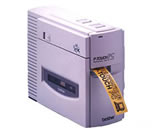
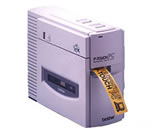
The Brother P-touch PT-PC is a discontinued desktop printer built around an older computer connection. It is worth considering mainly if you already have the printer and want to assess a particular legacy setup: compose a label on the computer, send it through a serial cable, and print on a compatible cassette. There is no built-in keyboard or screen on the documented hardware. This is not a small handheld machine to grab for a quick name label, and it is not a practical default for someone buying a new label maker for a modern laptop.
Plan on an old wired host
Brother’s U.S. support specification identifies an RS-232C-style, nine-pin computer interface. The user guide illustrates separate IBM-compatible and Macintosh connection cables, a dedicated AC adapter, and a workflow that connects the printer to the computer before starting the machine. The controls on the printer itself are limited to power and feed/cut; the work of arranging text and graphics happens on the computer. Brother’s 1998 product brochure names period systems—Windows 3.1 and Macintosh system 6.0.7 or later, with system 7 supported. That tells you what the original software was designed around, not whether it will run today. I found no current operating-system guarantee, so do not assume a USB adapter or old driver will make it plug-and-play.
That computer-first design was a genuine advantage when the PT-PC was new. The brochure describes custom fonts, scalable symbols, imported graphics, database handling, date/time printing and ten barcode protocols. Those tools suit a desk that makes varied file, inventory, storage or product labels more naturally than a two-button printer suggests. But they depend on a working host, cable and software path. If you want to compose at the machine, or need phone, Wi-Fi or USB printing, look at a different model rather than trying to fill gaps with accessories.
Media compatibility needs more care than the width number
The older documentation gives this PT-PC a broad set of cassette jobs: laminated media in 6, 9, 12, 18 and 24 mm widths, 24 mm non-laminated thermal-film tape, and 12 mm lettering-transfer tape. The Brother brochure names the TX cassette family and shows several tape and print-color combinations. The manual gives an 18 mm maximum print height on the 24 mm cassette; cassette width is not the same as the printable area. It also describes different printable heights for narrower tapes, so I would not treat one simplified line-count number as a promise for every font or layout.
There is a real documentation mismatch to keep in view. Brother’s current U.S. PTPC product page marks the machine discontinued but its structured table lists TZe tape at 3.5–12 mm, a QWERTY keyboard and a two-line maximum. The model-specific support specification and the 2001 user guide instead describe a serial PC printer with TX-era media sizes and no on-device text-entry keyboard; the 1998 brochure lists TX tape codes. These profiles do not reconcile cleanly. The operating plan here uses the older manual, specification and brochure together, and does not count a modern TZe cassette as compatible just because the current product table names it. If you are maintaining an existing unit, verify the cassette code and fit against the machine and its original documents before buying supplies.
What the routine asks of an owner
This is a mains-powered desktop unit: Brother lists a 9-volt, 2-amp AC supply, a 30 mm-per-second print speed, 180 dpi and an automatic tape cutter. The original guide describes an adapter, computer cables and a starter laminated cassette, but a secondhand package may be incomplete. Check the adapter label, the correct computer cable, whether the cutter feeds and resets, and whether the cassette door and rollers work. The manual includes cleaning instructions for the head and rollers, which is useful context for a long-stored machine. It does not turn the PT-PC into a current supported system.
Where it fits—and where it does not
Choose this only when earlier equipment is acceptable, serial-computer composition is a real need, and TX tape is the media you intend to use. A required USB or phone workflow, built-in keyboard, current-reference-only filter or confirmed current TZe width should exclude it. If you need a broader contemporary computer setup, a USB desktop such as Brother’s PT-P700 is a different route with different tape; it is not a media substitute for this PT-PC. For many homes, a standalone handheld is simpler because no old software or serial host is required.
The practical recommendation is deliberately narrow: keep an existing PT-PC in service only after matching its exact cable, old software, adapter and cassette to the job. For a new purchase, choose around the computer you can actually connect and the tape you can actually obtain. The PT-PC’s original design had useful layout flexibility, but its dependencies and the conflicting modern product-table fields make it a reference for a verified legacy setup, not a straightforward current shopping choice.
Sources: Brother’s PT-PC U.S. product page, U.S. support specification, U.S. User’s Guide (version 01) and 1998 U.S. product brochure.
Key details at a glance
| Full-color output | No |
|---|---|
| Print process | Thermal copy laminating / thermal transfer |
| Maximum tape width | 24 mm |
| Compatible cassette | The exact U.S. support specification lists laminated 6/9/12/18/24 mm, non-laminated thermal-film 24 mm and lettering-transfer 12 mm media. Brother’s 1998 U.S. PT-PC brochure identifies the TX series and TX cassette codes at 6/9/12/18/24 mm. The current U.S. product page structured table lists TZe 3.5–12 mm instead; support for present TZe tape is not inferred. |
| Built-in templates | 0 |
| Display type | No on-device screen or text-entry keyboard is documented; power/error LEDs and power/feed-cut switches. |
| Maximum combined print height | 18 mm |
| Line-count note | No universal line limit is asserted. The manual gives width-dependent print area in dots, the 1998 brochure advertises up to seven horizontal lines on 24 mm media, and the current product table says two; definitions and documentation differ. |
| Computer design route | ['Brother P-touch PC Editor for period IBM-compatible or Macintosh computers; 1998 brochure lists Windows 3.1 and Macintosh system 6.0.7+ (system 7 supported)'] |
| Power choices | Brother’s exact U.S. spec requires a 9V/2A AC adapter and documents no battery route. The original package guide includes the adapter; check it is present and correctly rated when assessing a used unit. |
| Body dimensions | Brother exact U.S. support spec lists 82 mm W x 226 mm D x 167 mm H; converted and rounded to inches. Allow room for the tape exit and cable. |
| Tape cutting | Exact U.S. support spec lists automatic cut with ON/OFF control; the manual has Feed/Cut and cutter-error steps. |
| Wired Ethernet | No |
| Specialist media limits | The non-laminated thermal-film option and 12 mm lettering-transfer cassette are not interchangeable with laminated label tape; match the exact cassette code and task. The brochure shows variable TX tape/background/print colors, not full-color photo printing. |
Use the exact model’s instructions for operating limits, supplied equipment and version differences.
Sources for this assessment
- Brother Office & Home directory row PTPC, offset 105/index 110
- Brother exact U.S. PT-PC product page
- Brother U.S. PTPC support page
- Brother exact U.S. PT-PC support specification
- Brother U.S. PT-PC manuals index
- Brother P-TOUCH PC U.S. User’s Guide version 01
- Brother P-touch PC U.S. product information brochure
- Brother exact U.S. PT-PC support image
Put the device and its tape system together.
Match the exact model, cassette family, computer or network route and any optional power or touch-panel hardware before buying.