
Your needs, this model
Does it fit your priorities?
Do you need a color photo or illustrated sticker rather than a monochrome text strip?
The VC-500W uses Brother CZ/ZINK continuous rolls for full-color labels, photos and stickers; standard TZe models do not satisfy that color-output requirement.
Explore this need in the finder →Is a 50 mm color roll plus app-controlled automatic full cuts part of the same mobile routine?
Brother lists CZ rolls through 50 mm and documents Auto Full Cut only from its Color Label Editor mobile app. Computer P-touch Editor jobs use the manual swipe-to-cut panel instead.
Explore this need in the finder →Must the printer also design from a computer and automatically cut every job?
No single VC-500W operating plan meets that combination: P-touch Editor supports a computer route but only manual swipe cutting; automatic full cuts are restricted to the mobile app.
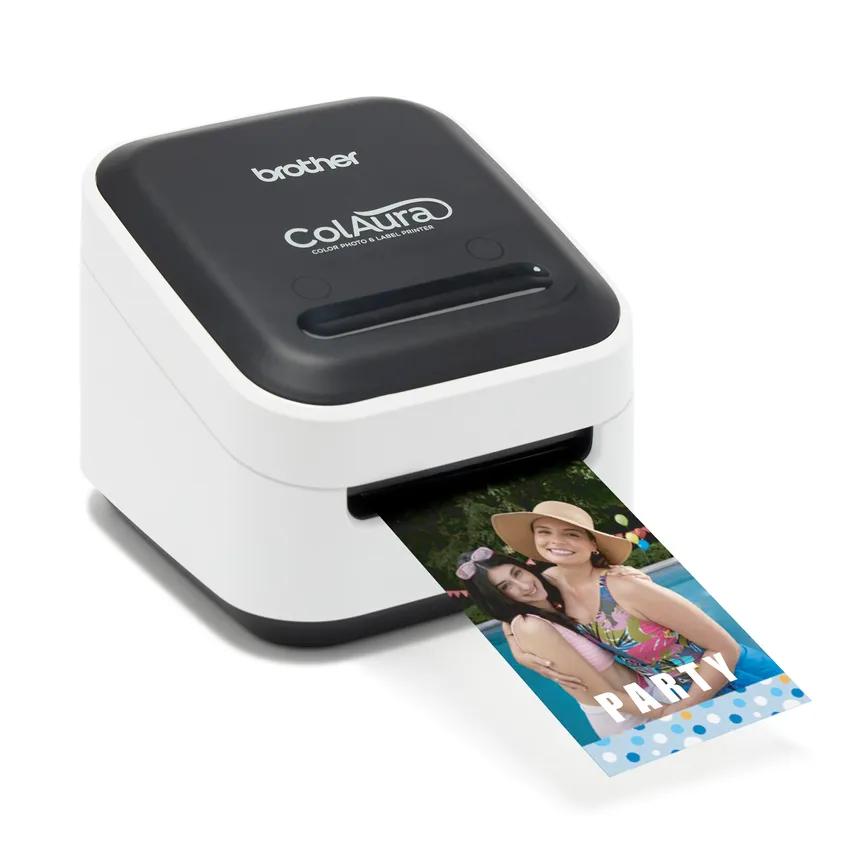
Explore this need in the finder →The Brother VC-500W ColAura is the outlier in a shelf of keypad and monochrome thermal label makers: it prints full-color labels, stickers and photo-style designs from a continuous CZ roll without ink cartridges, ribbons or toner. Choose it when color and graphic layouts are part of the job—not just because it is another Brother label printer. Its media, setup and cutting behavior are different from the familiar TZe machines, and it needs a wall outlet rather than a rechargeable or disposable-battery routine.
A different kind of label system
Brother identifies the VC-500W as a ZINK Zero Ink color printer. The printable supply is a CZ roll cassette, not a Brother TZe or Btag tape cartridge. Brother lists five printable roll widths: 9, 12, 19, 25 and 50 mm; its product page also says a single pass can reach 17 inches in length from a photo gallery. The continuous roll can carry a long, custom graphic rather than only a short fixed-width line of text. That makes the ColAura a plausible fit for color-coded bins, name badges, decorated pantry jars, craft stickers or a short photo label where a visual design matters as much as the words.
This is not a drop-in replacement for a TZe label maker. Existing standard TZe rolls will not fit, and the 50 mm cleaner cassette is not printable media. The base package lists a CZ-1004 color roll at 25 mm by 5 m and a CK-1000 cleaning cassette at 50 mm by 2 m. Brother's manual says to use the cleaner when streaks appear or after roughly 20–30 prints for best performance. Keep the exact CZ roll widths and the separate cleaner straight when ordering supplies.
Choose the design route before the cut mode
For a phone workflow, Brother's Color Label Editor 2 app connects over Wi-Fi and provides frames, fonts, symbols, art, backgrounds and ready-made layouts. Wi-Fi Direct joins a phone directly to the printer; Brother warns that this mode does not provide Internet access. Infrastructure mode instead prints over a wireless router. The printer also supports AirPrint from Apple devices. For a computer workflow, P-touch Editor supports Windows or Mac over USB or Wi-Fi, after installing Brother software and the printer driver. The VC-500W includes an AC adapter and USB cable, but it has no documented battery-powered route, so 'wireless' describes the data link rather than portable power.
One important manual detail changes how automatic cutting should be understood. A printed design can be cut manually by swiping across the illuminated cut panel. Auto Full Cut is available only when printing from the Color Label Editor / Color Label Editor 2 mobile app. Do not count on a computer-designed P-touch Editor job being automatically cut. If app printing plus automatic full cuts is essential, the mobile plan qualifies; if computer printing and automatic cutting must coexist in one routine, this is the wrong configuration. The automatic cut does not remove the need to budget for roll feed, and the manual warns that printed length may differ from the onscreen display.
Footprint, pace and upkeep
Brother's US support specification gives a body of about 113 × 116 × 96 mm (W × D × H), approximately 0.66 kg, with a 12 V AC adapter. That is a compact desktop footprint, but the unit remains tethered to mains power. The product page quotes standard printing at 0.3 inch per second (about 7.55 mm/s) and vivid printing at 0.15 inch per second (about 3.75 mm/s); the support specification separately lists a single 8 mm/s figure without separating modes. Treat these as manufacturer-listed settings, not as a measured batch-throughput test. This is a design-and-decorate tool, not the obvious choice for racing through a large run of plain text labels. Brother's manual also says a heavily used thermal head may pause and resume after cooling.
Think about where the label will live, too. Brother warns that material, location and environmental conditions can make a label peel, become difficult to remove, or transfer or change color. The guide says not to apply labels to food or skin. Test the intended surface before decorating a full set of containers, and clean the housing with a dry, lint-free soft cloth rather than alcohol or other organic solvents.
Where the alternatives are better
For ordinary black-on-white organization and a large supply ecosystem, the PT-P710BT is a more conventional phone-and-computer companion: it uses standard TZe through 24 mm, has a rechargeable battery and automatic cutter, but its computer route is USB and it is not a full-color printer. The keyboarded PT-D610BT is easier when a person wants to compose locally on the machine, use a screen, or keep an AC-powered TZe station; it also prints monochrome TZe, not ZINK color rolls. The PT-D215e serves a different craft crossover by printing standard TZe labels and a dedicated satin-ribbon cassette from its keypad. None of those is the right substitute if you need a full-color photo or decorative label from a wide roll; the ColAura is the distinct choice for that job.
The Brother refurbished RVC500W listing maps to the same VC-500W hardware and support identity, with refurbished condition rather than a separate media or connectivity design. Check the condition and carton contents on the specific offer; do not mistake the refurbished code for a new model or assume that a nearby label-maker model uses the same cassettes.
Brother's VC-500W product page, US technical specification and US manual index are the final checks for the exact printer, supplies and software route. Verify current app and operating-system compatibility before relying on an older computer or mobile device.
Key details at a glance
| Full-color output | Yes |
|---|---|
| Print process | Direct thermal ZINK Zero Ink |
| Maximum tape width | 50 mm |
| Compatible cassette | Prints Brother CZ color roll cassettes using ZINK Zero Ink; supported printable roll widths are 9, 12, 19, 25 and 50 mm. The 50 mm CK-1000 is a separate cleaning cassette, not a print roll. Not compatible with Brother Btag or standard TZe cassettes. |
| Display type | No display or keypad; controls are power, Wi-Fi and cassette buttons plus a swipe-to-cut panel. |
| Line-count note | No model-specific maximum line count was confirmed in the inspected guide or US support specification; composition depends on the design software and roll layout. |
| Computer design route | Brother P-touch Editor for Windows or Mac; the VC-500W User's Guide specifies USB or Wi-Fi after installing the printer driver and software. |
| Power choices | Mains-powered using the included Brother DA-48T12 AC adapter (100–240 V input, 12 V DC / 4 A output); the package also includes a USB cable. No battery operating plan is documented. |
| Body dimensions | Brother's exact US technical specification reports 113 (W) × 116 (D) × 96 (H) mm and approximately 0.660 kg; inch values above are rounded unit conversions. The US shop page lists unlabelled-order dimensions of 4.4 × 3.8 × 4.6 in, so the support specification supplies the explicit W × D × H order. |
| Tape cutting | The exact VC-500W User's Guide states that Auto Full Cut is available only when printing from Brother Color Label Editor / Color Label Editor 2 on a mobile device. Computer P-touch Editor supports manual swipe cutting; do not assume computer jobs auto-cut. |
| What the base package supplies | Brother's US new-product page lists the VC-500W printer, 25 mm × 5 m CZ-1004 color roll, 50 mm × 2 m CK-1000 cleaning cassette, USB cable, AC adapter and documentation, with a one-year limited warranty. The refurbished RVC500W page identifies refurbished VC-500W hardware and repeats the same in-box items and warranty; condition varies by offer. |
Use the exact model’s instructions for operating limits, supplied equipment and version differences.
Sources for this assessment
- Brother US VC-500W new product page
- Brother US refurbished VC-500W condition selection (RVC500W)
- Brother US VC-500W technical specification (the archived page identifies United States / English)
- Brother US VC-500W manuals index; User's Guide v02 dated 2021-04-12
- Brother VC-500W US English/Spanish/French User's Guide, version 02
- Brother US ColAura product-line page
- Brother VC-500W product support and compatible CZ / CK supplies
- Brother US refurbished VC-500W page (RVC500W condition listing)
- Brother VC-500W exact-model manufacturer product rendering
Put the device and its tape system together.
Match the exact model, cassette family, computer or network route and any optional power or touch-panel hardware before buying.