
On this page
Your needs, this model
Does it fit your priorities?
Do you want to design on a phone, or type directly on the printer?
The LW-C410PX is documented for Epson Label Editor Mobile over Bluetooth and for Windows Label Editor over Bluetooth; no built-in keyboard path is established. Choose the phone-app route only if designing on a separate device works for you.
Explore this need in the finder →If you design on a computer, can you print over Bluetooth rather than through USB?
The Epson setup guide shows computer Bluetooth, and the current U.S. downloads page lists Windows Label Editor V3.0 for C410PX via Bluetooth only. A USB-essential requirement does not fit this documented setup.
Explore this need in the finder →Do Epson PX cassettes up to 18 mm cover your labels?
The official setup guide lists 4, 6, 9, 12 and 18 mm PX widths for LW-C410PX. A 24 mm PX requirement does not fit, and PX is not interchangeable with LK, Brother TZe or DYMO D1 tape.
Explore this need in the finder →Is automatic full cutting suitable, or do you require a person-operated cutter?
The exact Epson page documents an automatic full cutter. The reviewed sources do not confirm a manual cutter button or lever, so a human-operated-cut requirement remains unqualified.
Explore this need in the finder →Will the printer fit within your maximum body width?
Epson lists a body width of 2.13 inches. In the advanced fit control, a 2.2-inch limit accommodates the documented width; a 2.0-inch limit does not.
Explore this need in the finder →Must your labels be full-color photos or artwork?
Epson documents different media and imprint colors, but the reviewed model material does not establish full-color printing. Unknown full-color output must not pass an essential full-color requirement.
Explore this need in the finder →Must the printer itself run from a rechargeable battery pack?
Epson specifies six AA alkaline cells, not an internal rechargeable battery pack. A rechargeable-battery requirement is not met by the documented power arrangement.
Explore this need in the finder →Must an AC adapter come in the exact box, or can you supply the documented batteries?
The exact U.S. package list includes the printer and starter PX cassette, and Epson says six AA alkaline batteries are not included. The reviewed C410PX package does not list an included adapter.
Explore this need in the finder →Epson LabelWorks LW-C410PX review
The Epson LabelWorks LW-C410PX is a small cassette printer for a shopper who is comfortable designing labels on a phone or Bluetooth-connected Windows computer. It is not the keypad-first kind of label maker: the mobile device is the editing surface, and the printer handles the tape feed and automatic cut. Its 18 mm ceiling and six-cell power requirement make it a focused home-and-hobby choice rather than a substitute for every wider desktop model.
Choose the editing device first
Epson’s U.S. product page identifies Label Editor Mobile as the phone app for the C410PX. The two-page Epson setup guide shows a mobile device pairing by Bluetooth and also illustrates a computer connection. Epson’s current download page lists the C410PX with Label Editor V3.0 for Windows over Bluetooth only; the current software notes Windows 10 and 11. That gives a Windows user a desktop-design route, but it is not USB, Wi-Fi or Wireless Direct. The current Mac desktop compatibility list does not name this model, so a Mac-only workflow needs verification before purchase.
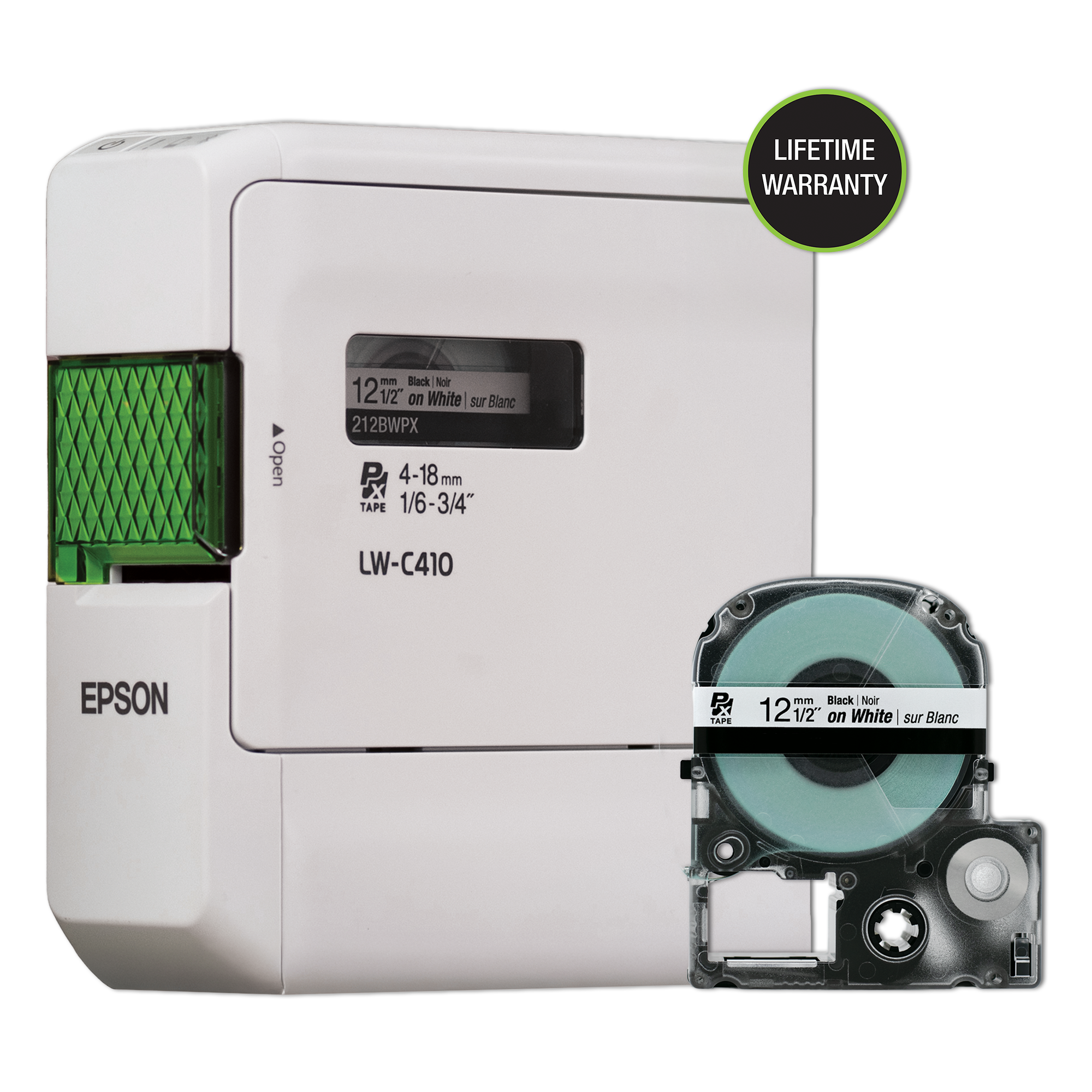
There is a regional name detail worth noticing. The official setup sheet says the printer name varies by market and identifies LW-C410PX as the U.S. and Canadian version, while Epson’s product image shows the housing marked “LW-C410.” The same sheet distinguishes its tape rule: use dedicated PX supplies for the C410PX, not the LK cassettes associated with the differently named regional C410. This is not a cosmetic distinction; if you already own label cartridges, check the logo and part number rather than choosing by width alone.
A compact 18 mm PX machine
The C410PX accepts Epson PX cassette widths from 4 through 18 mm. Epson rates its resolution at 180 dpi and lists a 10 mm minimum margin. Those numbers suit ordinary storage, craft and small identification labels, but they do not establish maximum character height or line count. A 12 mm cassette is included in the U.S. package: black-on-white vinyl. Epson also presents compatible Designer supplies and selected Industrial PX media, so decorative colors and specialty tape can expand the jobs; confirm the exact PX cartridge’s width and intended material before committing to a project.
The width limit is one of the clearest reasons to compare it with the LW-C610PX. The C610PX reaches 24 mm and 360 dpi, while the C410PX stops at 18 mm and 180 dpi. If your label needs a wider face, smaller type, or more room for information, the C610PX is the more capable Epson C-series alternative. If you need a full-color photograph or a specified print height, neither the different color choices of label media nor the stated tape width proves that requirement for the C410PX; Epson’s reviewed specifications leave full-color output and maximum text height unconfirmed.
Automatic cuts, but plan for batteries
The full cutter is automatic, which is convenient when making a run of separate labels. A shopper requiring a hand-operated cut button or lever should not assume this machine has one; the reviewed sources document automatic cutting, not a human-activated cutter. The 10 mm minimum margin is also a real consumable tradeoff. It reduces the blank lead compared with a longer margin, but does not mean a new label starts with zero tape waste.
The body is roughly 54 × 134 × 145 mm and 410 g before batteries and cassette, or about 2.13 × 5.28 × 5.71 inches and 0.9 lb. That is easy to place on a craft shelf or carry between rooms, but the power routine is less compact: Epson specifies six AA alkaline cells, which are not included. No internal rechargeable pack or AC-adapter route is confirmed in the reviewed C410PX material. If you need a rechargeable printer or a fixed adapter-powered station, do not treat six replaceable cells as an equivalent answer.
Who should choose it
Choose the LW-C410PX if you want to compose on a phone, print on Epson PX tape up to 18 mm, value a compact body and prefer the convenience of automatic full cuts. It is a sensible fit for kitchen containers, craft materials, school supplies, small storage bins and occasional personal labels when the user is already comfortable pairing a mobile device over Bluetooth. The included 12 mm black-on-white cartridge lets you start with an ordinary use case, while other PX supplies are a separate choice.
Look elsewhere if a built-in QWERTY keyboard, local preview, USB-connected computer, Wi-Fi, wider 24 mm tape, a documented internal rechargeable battery, or a manual cutter is essential. The LW-C610PX keeps the app/Bluetooth approach while adding wider PX tape and higher stated resolution. The LW-PX300 trades that phone-first workflow for on-device QWERTY entry and a person-pressed cut button. Those are practical differences, not a ranking: answer the finder’s keyboard, app, computer route, width and cutter questions before settling on the small C410PX.
Key details at a glance
| Maximum tape width | 18 mm |
|---|---|
| Compatible cassette | The exact U.S./Canada LW-C410PX uses dedicated Epson PX cassettes; the shared Epson setup guide distinguishes them from LK tapes used for the regional LW-C410. Supported widths are 4, 6, 9, 12 and 18 mm. Width describes cassette stock, not printable text height. Check the exact PX SKU for a specialty material. |
| Computer design route | Epson Label Editor Mobile on iOS/Android; current Epson Windows Label Editor V3.0 through Bluetooth only. Current Windows requirements: Windows 10/11. No Mac desktop compatibility is listed for this model on the reviewed current page. |
| Body dimensions | Epson U.S. product page gives 2.13 W x 5.28 D x 5.71 H inches; the official setup guide gives approximately 54 W x 134 D x 145 H mm. |
| What the base package supplies | The exact U.S. offer page lists the printer and starter cassette; six AA alkaline cells are required but not included. No adapter is listed in the package. The official product page image is not a complete package-content view. |
Use the exact model’s instructions for operating limits, supplied equipment and version differences.
Sources for this assessment
Put the device and its tape system together.
Match the exact model, cassette family, computer or network route and any optional power or touch-panel hardware before buying.