
On this page
Your needs, this model
Does it fit your priorities?
Do you need phone-app design instead of a keyboard on the machine?
This C610PX package uses Epson Label Editor Mobile over Bluetooth and has no built-in typing keys; an on-printer keyboard must be required on another model.
Explore this need in the finder →For computer design, can you use Bluetooth, or is a USB cable essential?
The exact printer shares the documented C610PX Windows Label Editor Bluetooth route. The current Epson download page lists the model via Bluetooth only; USB is not documented, and the current Mac list omits it.
Explore this need in the finder →Do Epson PX cassettes meet your tape needs, including widths up to 24 mm?
The C610PX uses the PX cassette family in widths from 4 through 24 mm; it does not use Brother TZe. Maximum cassette width is not print height.
Explore this need in the finder →Must the AC adapter be included, or do you need a rechargeable battery pack?
This exact package includes Epson’s dedicated AC adapter; six AA cells can also power the same device but are not included. No internal rechargeable pack is documented.
Explore this need in the finder →Is automatic cutting acceptable, or is a hand-operated cutter essential?
Epson specifies an automatic full cutter. The app can disable automatic cutting, but no manual cutter lever is documented.
Explore this need in the finder →Epson LW-C610PX-BLK Printer with Adapter review
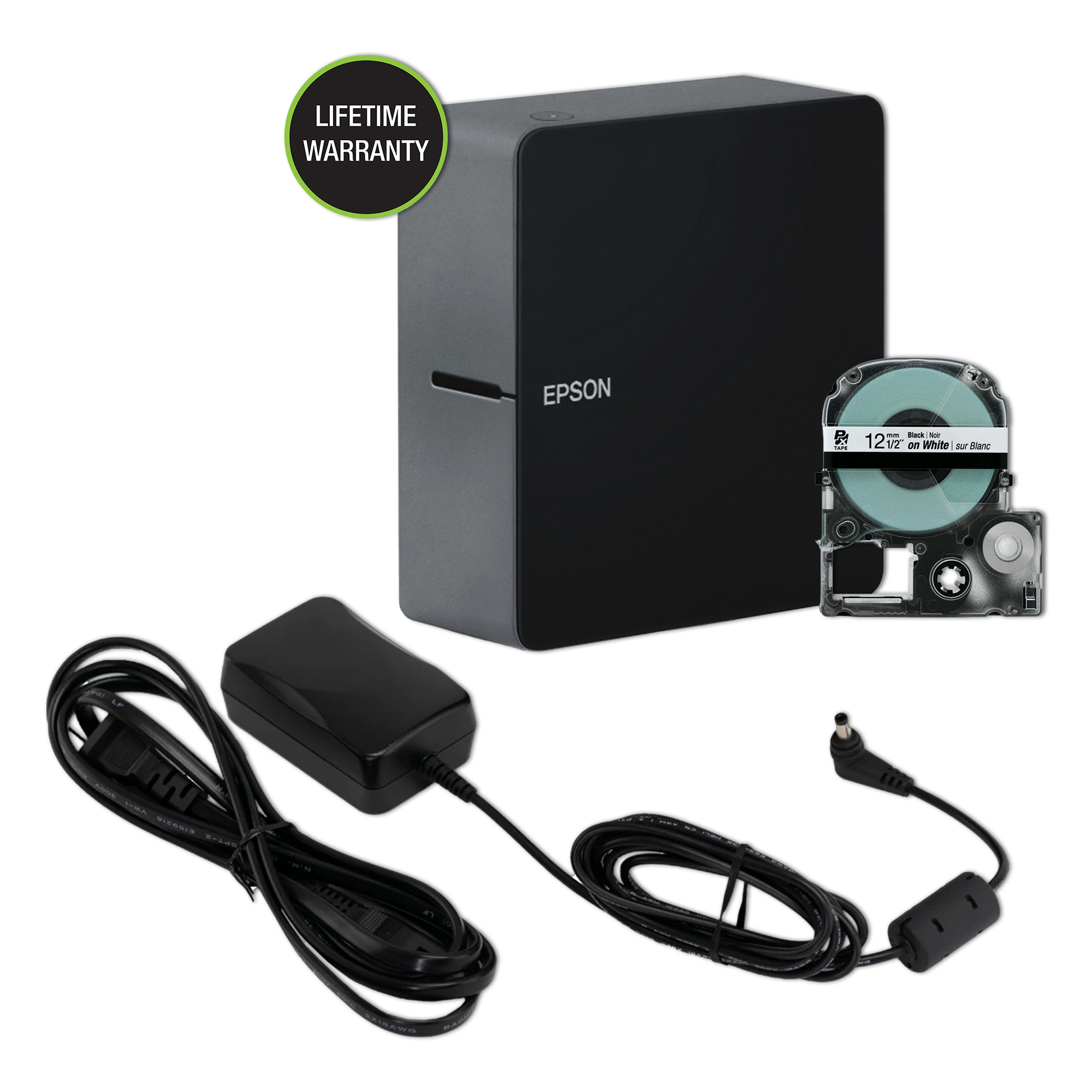
This is the black Epson LabelWorks LW-C610PX home-and-hobby printer sold with its AC adapter and one black-on-white PX cassette. The bundle matters more than the color: the standard C610PX offer leaves the adapter out, while this listing puts the desk-power option in the box. The body itself remains the compact app-first C610PX, not a different printer mechanism. Epson’s title and kit text shift the letters in the model name, so use the page’s SKU, LW-C610PXADPT-BLK, when checking the exact offer rather than assuming every C610PX-BLK listing has the adapter.
A small PX printer, not a keyboard labeler
The C610PX has no built-in typing keyboard. Epson’s Label Editor Mobile app lets you design on a phone or tablet and print over Bluetooth; the manufacturer’s regional guide also documents a Windows-computer route over Bluetooth. Epson’s current Windows Label Editor download page includes LW-C610PX, but says this printer connects by Bluetooth only. Its current Mac desktop compatibility list does not name the C610PX. Some Epson product copy describes the machine as mobile-app-only, so a Windows buyer should verify the current software package before relying on desktop composition. I found no documented USB, Wi-Fi or Wireless Direct route for this configuration.
That input choice shapes everyday use. A phone-first craft table can build text, symbols, barcodes or a batch of labels away from the printer, then send them wirelessly. But this is not the quick “walk up, type, cut” experience of a handheld with keys. If other people need to make a label without pairing a device, or if a wired USB connection is non-negotiable, compare an on-device keyboard option such as the larger Epson LW-K740PX before buying. The C610PX’s software selector also uses the shorter “LW-C610” name even for the U.S. LW-C610PX; don’t mistake the tape-platform suffix for a separate app profile.
What the adapter bundle changes
The package page identifies SKU LW-C610PXADPT-BLK and lists a black LW-C610PX printer, a half-inch black-on-white tape cartridge and one AC adapter. The pictured cartridge is marked 12 mm, which is the same as half an inch; the product page does not promise a spare roll. This is a useful bundle for a stationary desk because the printer can run from the included adapter without a separate power-accessory decision. It is still not a rechargeable printer: the guide gives a second route of six AA alkaline cells, which are not included. That option can help when moving the machine between rooms, but you supply the cells and carry the extra power source yourself.
The adapter bundle does not add a keyboard, a wider print engine or different media compatibility. Epson rates the printer at 360 dpi, lists an automatic full cutter and gives a 10 mm minimum front margin. Epson’s regional guide lists PX cassette widths of 4, 6, 9, 12, 18 and 24 mm. A 24 mm cassette is a maximum tape width, not a documented printable height or edge-to-edge print area; the exact page does not establish maximum line count or print height. If a label must fit a narrow control panel or meet a required letter height, verify a layout before ordering. The resolution number also does not mean full-color printing: ink or imprint colors in the media collection are not evidence that this printer makes full-color images.
Media and limits to check before checkout
The C610PX uses Epson LabelWorks PX cassettes, not Brother TZe or Epson’s separate LK tape family. The manufacturer page says it supports LabelWorks Designer supplies up to 1 inch and selected industrial PX material, including options such as magnetic labels and heat-shrink tubing. “Selected” matters: check the exact cassette or tubing instructions for the surface, wire size and task instead of treating every PX item as interchangeable. The built-in automatic cutter suits ordinary cut labels, but Epson’s product page does not document a hand-operated cutter. The mobile app can turn automatic cutting off; that is not a manual-lever mode.
Epson gives the body dimensions as about 2.17 by 5.24 by 5.75 inches and lists a weight of 1.04 pounds. That is a compact desktop footprint, but the included adapter and cord make it less of a self-contained travel kit than the bare printer photograph might suggest. Epson advertises a lifetime warranty on the listing; consult the warranty terms for the actual coverage and exclusions. The source image for this exact package shows the black printer, 12 mm cassette and adapter together, but Epson does not say whether its product image is a photograph or a render.
Who should choose this exact package?
Choose the LW-C610PX-BLK with Adapter if you want the C610PX’s compact Bluetooth workflow and Epson PX media, and would rather have the dedicated adapter included than buy it separately. It is a particularly sensible fit for a phone-led labeling station or a Windows desk where Bluetooth is acceptable and there is no need to type at the machine. The ready-to-use cassette also makes the in-box configuration clearer than a used or incomplete listing, although the page names only one roll.
Choose another configuration if the lowest-cost base unit matters and you already have the compatible adapter, or if you specifically want a white/light-finish model. Look beyond the C610PX if built-in keys, a USB cable, a confirmed Mac desktop connection, an internal rechargeable pack, a manual cutter, specified print height or full-color output are essential. This adapter kit solves one real ownership question—what power accessory arrives—without changing the printer’s app-first strengths or its PX-tape limits.
Key details at a glance
| Maximum tape width | 24 mm |
|---|---|
| Compatible cassette | The exact U.S. model is LW-C610PX and uses Epson PX cassette media. The exact collection page lists Designer media and selected Industrial PX media; the official manual says model-specific cassette logos are not interchangeable. A 24 mm cassette width is not a documented print height or printable width. |
| Computer design route | Label Editor Mobile on iOS/Android; current Epson Windows Label Editor V3.0 via Bluetooth only. Epson collection copy says mobile app only, in conflict with its current manual/download page. Current Mac desktop compatibility list does not name LW-C610PX. |
| Body dimensions | Approximate W × D × H from Epson’s exact model page/user guide; the product-page inch measurements are rounded. |
| What the base package supplies | The exact U.S. page title is LW-C610PX-BLK Printer with Adapter and SKU LW-C610PXADPT-BLK; its kit description writes the product name LW-C610PX-BLKADPT. These are identifiers from the same exact offer page, not a claim of a different printer. Compared with the base LW-C610PX package, this exact configuration includes the dedicated AC adapter and black-finish printer. Six AA cells remain a separate supported route and are not included. |
Use the exact model’s instructions for operating limits, supplied equipment and version differences.
Sources for this assessment
- Official Epson LabelWorks U.S. All Printers listing, page 1; row 5
- Epson LW-C610PX-BLK Printer with Adapter exact U.S. product page
- Official Epson LabelWorks LW-C610PX product/collection page for the shared printer body
- Official Epson LW-C610/LW-C610PX regional user guide M00148101 EN
- Current Epson Label Editor and app downloads page
- Official Epson LabelWorks page-linked image for exact SKU LW-C610PXADPT-BLK

Put the device and its tape system together.
Match the exact model, cassette family, computer or network route and any optional power or touch-panel hardware before buying.