
On this page
Your needs, this model
Does it fit your priorities?
Do you want to compose labels on a phone, or type directly on the label maker?
The LW-C610PX uses Epson Label Editor Mobile over Bluetooth, but has no documented built-in typing keyboard. The ordinary local-keyboard request must not be inferred from the model name or software.
Explore this need in the finder →If you design on a computer, does Bluetooth work for you, or is a cable essential?
The official guide and current software page document Windows design over Bluetooth only. Epson’s product-copy app-only statement conflicts with these sources, so confirm current Windows software; no USB route is documented.
Explore this need in the finder →Do you need Epson PX tape, and does it need to reach 24 mm?
The exact U.S. C610PX takes Epson PX cassette media from 4 through 24 mm. That is not the same as a specified printable height. Epson LK and PX are separate tape families.
Explore this need in the finder →Is automatic cutting acceptable, or do you require a hand-operated cutter?
The LW-C610PX has automatic full cutting by default; Epson says the mobile app can turn tape cutting off. A manual lever is not documented and must not be treated as an essential match.
Explore this need in the finder →Would an AC-adapter route work if the base printer package leaves the adapter out?
The unit supports the dedicated AST1116Z2-1 adapter, sold separately in the base offer, or six AA alkaline cells. Neither an adapter in this package nor an internal rechargeable battery is documented.
Explore this need in the finder →Epson LabelWorks LW-C610PX review
The Epson LabelWorks LW-C610PX is an app-first cassette printer rather than a handheld labeler with its own typing keyboard. Its appeal is the combination of a compact body, Epson PX tape, Bluetooth input and 360-dpi resolution. A phone-centered household or craft desk can use it for small, neat identification labels and decorative runs; a shopper who wants to type directly on the printer should look at a different layout before choosing it.
Choose the connection before choosing the label
Epson documents Label Editor Mobile on iOS and Android, with Bluetooth connecting the printer to the phone or tablet. The LW-C610PX’s own online guide also describes a Windows computer workflow: install Epson Label Editor and its driver, then pair over Bluetooth. Epson’s current download page lists the C610PX for the Windows version of Label Editor, and says this model connects by Bluetooth only. The current Windows release names Windows 10 and 11; the older online guide is broader, so check the present download requirements for the computer you actually own.
There is a real inconsistency in Epson’s own product copy: the home-and-hobby collection page says this printer is for the Label Editor Mobile app only, while the user guide and the current software list document Windows desktop design over Bluetooth. The safe distinction is connection type, not a promise that every version works on every computer. I found no USB design route for the C610PX, and Epson’s current Mac desktop compatibility list does not name it. If a wired USB workflow is essential, the keyboard-equipped LW-K740PX is a different PX option; it has a larger body and a local QWERTY keyboard.
Setup uses a small but consequential naming detail. Epson’s guide says to choose “LW-C610” in the mobile app or Windows software even when the machine itself is the U.S. LW-C610PX. The PX suffix matters for tape compatibility, but not for that software selector. That is worth knowing if a pairing menu seems not to show the full U.S. model name.
Fine detail, but still cassette tape
Epson rates the printer at 360 dpi and lists compatible widths of 4, 6, 9, 12, 18 and 24 mm. The included cartridge is a 1/2-inch black-on-white vinyl cassette. The maker also lists Designer media and selected industrial PX supplies, including magnetic tape and heat-shrink tubing. Those choices make the printer more versatile than a machine restricted to one ordinary white tape, but “PX compatible” does not make every cartridge suitable for every material, surface, or job; check the exact tape SKU and its instructions.
A 24-mm cassette is the maximum media width, not a guarantee that a design can print to the very edges or at any height. Epson lists a minimum front margin of 10 mm and does not give this exact product page a maximum line count or print-height figure. If a label has to fit a narrow panel, a specific multi-line layout, or a prescribed character height, confirm that requirement with a test layout rather than treating tape width or dpi as a substitute for those missing dimensions. The 360-dpi figure describes resolution, not full-color output; Epson discusses different label and imprint colors as supply choices, but I found no specification establishing full-color printing from this model.
Automatic cutting, six cells, and a lean base package
The LW-C610PX has an automatic full cutter, which is useful for repeated individual labels. Epson says automatic cutting is the default and can be turned off in Label Editor Mobile. That is not the same as a hand-operated cutter lever, so it is a poor match if a manual cutter is essential. A 10-mm minimum front margin also means the printer does not promise a zero-waste start for each strip; for frequent short labels, this can matter more than the headline maximum width.
Power is the less glamorous part of the purchase. Epson’s guide specifies six AA alkaline batteries or its dedicated AST1116Z2-1 AC adapter. The standard C610PX package page lists the printer and one black-on-white cassette; it says batteries are not included and the adapter is sold separately. There is no internal rechargeable pack documented. A desk user can plan around the adapter, but it is an extra for the standard printer offer; a battery user needs to supply six cells. Do not confuse the base package with the separately listed adapter bundle or a black-finish variant.
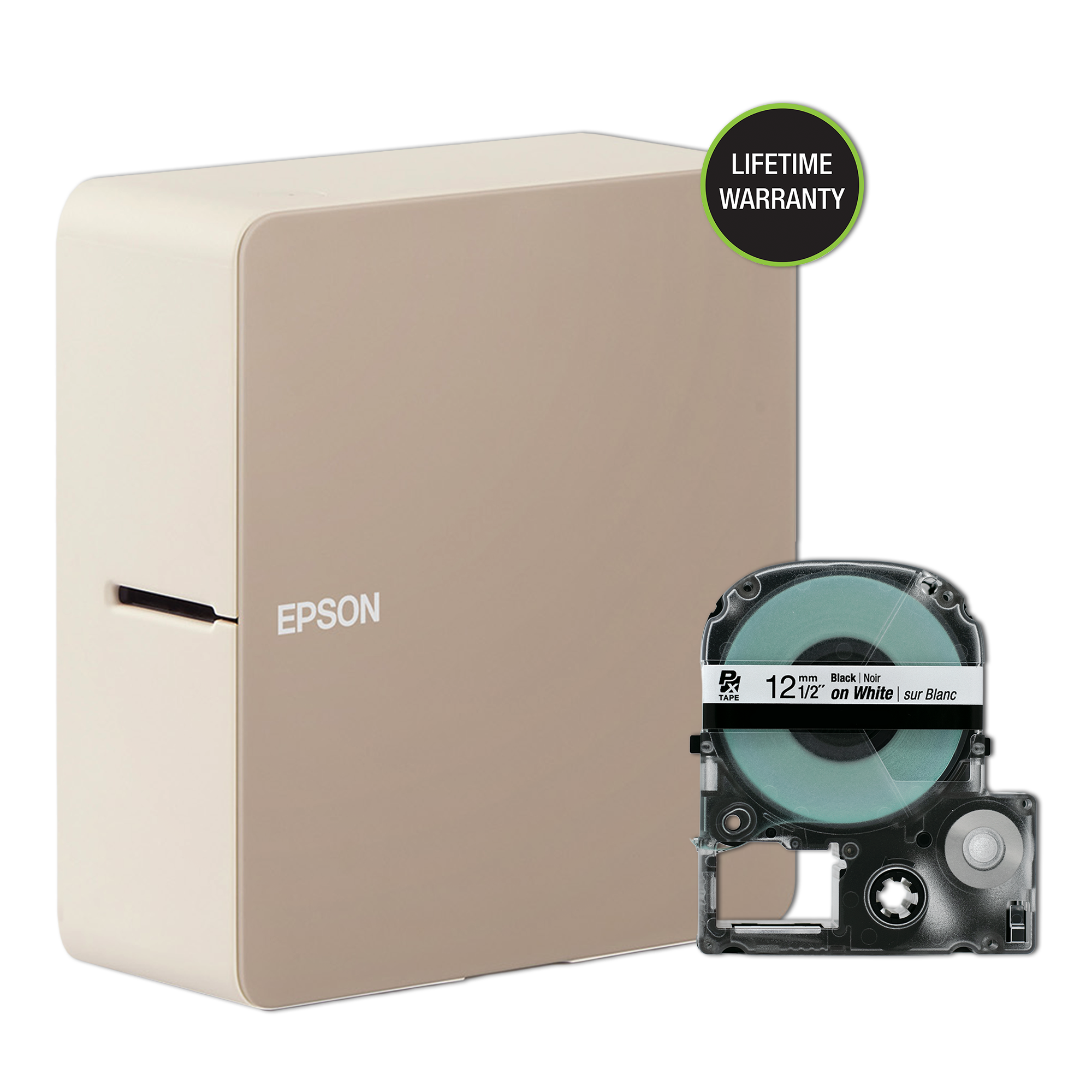
The official dimensions are 55 × 133 × 146 mm and 470 g before batteries and tape; Epson’s product page also gives about 2.17 × 5.24 × 5.75 inches. It is much smaller than the K740PX keyboard machine, though a six-cell battery supply adds weight and bulk. The light-finish image on Epson’s page shows the C610PX beside a 12-mm PX cassette; it does not establish what accessories are in a used listing, or whether the image is a photograph or a digital render.
Who should choose it
Choose the LW-C610PX if your normal design starts on a phone, Bluetooth is acceptable, you want finer nominal resolution than the 180-dpi K740PX, and Epson PX media up to 24 mm covers the work. It is especially compelling when labels are short enough that a compact body and automatic cutter matter more than typing on the printer. Check the specific supply before buying for decorative ribbon, magnetic labels, or heat-shrink applications.
Look elsewhere if you need on-machine text entry, a USB cable to the computer, a confirmed Mac desktop app, an internal rechargeable pack, a hand cutter, documented print-height or line-count limits, or full-color output. Epson’s own software descriptions are inconsistent about whether the phone app is the only route, so Windows users should confirm the current Label Editor download before purchase; Bluetooth is the documented PC connection, not USB. The LW-C610PX is best understood as a small PX printer built around Bluetooth composition, with useful media choices and a real power-accessory cost to plan for.
Key details at a glance
| Maximum tape width | 24 mm |
|---|---|
| Compatible cassette | The exact U.S. model is LW-C610PX and uses Epson PX cassette media. The exact collection page lists Designer media and selected Industrial PX media; the official manual says model-specific cassette logos are not interchangeable. A 24 mm cassette width is not a documented print height or printable width. |
| Computer design route | Label Editor Mobile on iOS/Android; current Epson Windows Label Editor V3.0 via Bluetooth only. Epson collection copy says mobile app only, in conflict with its current manual/download page. Current Mac desktop compatibility list does not name LW-C610PX. |
| Body dimensions | Approximate W × D × H from Epson’s exact model page/user guide; the product-page inch measurements are rounded. |
| What the base package supplies | The official base-product page uses “LW-C610 Home & Hobby” in the kit description while its exact listing and SKU identify the U.S. product as LW-C610PX; the official regional manual confirms the U.S./Canada LW-C610PX uses PX media. Adapter-bundled and black-finish offers are separate observed rows and are not included in this base offer. |
Use the exact model’s instructions for operating limits, supplied equipment and version differences.
Sources for this assessment
- Official Epson LabelWorks All Printers listing, page 1; LW-C610PX row
- Epson LabelWorks exact LW-C610PX product page
- Official Epson LabelWorks LW-C610PX collection/package page
- Epson LW-C610/LW-C610PX User’s Guide, official online edition M00148101 EN
- Epson current Label Editor/App downloads page
- Epson exact-model product-page image
- Epson LabelWorks PX/LK tape-family FAQ

Put the device and its tape system together.
Match the exact model, cassette family, computer or network route and any optional power or touch-panel hardware before buying.