
On this page
Your needs, this model
Does it fit your priorities?
Do you want to compose labels in a phone app rather than at a machine keyboard?
Epson documents Android/iOS app printing over Bluetooth. The LW-PX400 has no LCD or keyboard, so the app or computer is the actual design surface.
Explore this need in the finder →Is computer design over Bluetooth essential, rather than an older serial connection?
Epson documents Windows PC printing over Bluetooth as well as USB. Bluetooth is distinct from Wi-Fi/Wireless Direct, and the manual says it cannot communicate with a phone app while USB is connected to a computer.
Explore this need in the finder →Do you need the Epson PX cassette system at its 24 mm maximum?
The exact model is documented for PX cassettes from 4 to 24 mm; tape width is not maximum printable text height, and other cassette families are incompatible.
Explore this need in the finder →Do you need automatic full cutting, with specialty-tape exceptions understood?
Epson specifies automatic full cut, but the installation manual warns that some PX tapes cannot be cut by the cutter. No hand-operated cutter lever is documented.
Explore this need in the finder →Is an included AC adapter useful, or is a carry case essential in the original package?
The exact Epson page lists the adapter in the printer package but does not list a carry case. A used listing may not retain all original pieces.
Explore this need in the finder →Epson LabelWorks LW-PX400 review
The LW-PX400 is a compact field printer for people comfortable composing labels on a phone or computer. It accepts Epson PX cassettes up to 24 mm, Bluetooth or USB jobs, and software layouts for cable, panel and wire-identification work. It is not a small keyboard labeler: Epson lists no LCD, keyboard or internal memory. That makes it a more natural fit for an electrician, technician or connected small office than for someone seeking a self-contained pantry-label machine.
Choose your design device first
Epson lists Label Editor Mobile, iLabel and Datacom for Android and iOS, plus Label Editor software for Windows computers. A phone sends labels over Bluetooth; Epson also documents Windows computer printing by USB or Bluetooth. The machine has indicator lamps but no screen, character keyboard or onboard store. A phone or computer is part of the operating setup, not just an optional way to add design features.
The current Epson download page names the LW-PX400 among the printers supported by Label Editor V3.0 for Windows 10 and 11. The older LW-PX400 installation manual and brochure also describe a USB connection to a Mac through Label Editor Lite, but that older software route is not listed with the current V3.0 download. Mac users should verify that the relevant current driver and application remain available before counting on it. The manual also says that connecting the printer to a computer by USB interrupts Bluetooth communication with a mobile device; treat the phone and computer as alternative ways to send jobs, not simultaneous clients.
PX tape and technical layouts
This is an Epson LabelWorks PX cassette printer, not a TZe, DYMO D1 or photo printer. Epson lists cassette widths of 4, 6, 9, 12, 18 and 24 mm, including standard polyester as well as specialty PX supplies such as self-laminating wraps and heat-shrink tubing. Its product page identifies the small heat-shrink sizes separately, from 3 to 14 mm; those are tube widths, not a different maximum label height. A 24 mm cartridge therefore tells you the cassette size, not how tall a line of printed text can be. The Epson material reviewed here does not establish a maximum line count or combined print height for the PX400.
Label Editor and Epson’s apps provide repeated and incremented labels, data import, numbering, cable-wrap/cable-flag formats, panel layouts, barcodes and QR codes. Epson lists nine barcode types through its apps and says its software can prepare spreadsheet batches. Those tools suit wire markers or a panel schedule, but they are not machine-side templates or a replacement for checking each cassette’s code and material.
Cutting and tape waste are real tradeoffs
The PX400 uses an automatic full-cut mechanism, which is convenient when individual labels need to be separated as they print. The installation manual warns that some PX cassette types cannot be cut by the printer’s cutter, so automatic cutting is not a universal promise for every specialty supply; check that tape’s instructions and keep scissors available when needed. The brochure lists a 10 mm leading margin on standard industrial tape and a 1 mm gap between labels, with specialty-supply margins varying. That lead margin can matter when a job contains many short labels. Epson gives a top speed of 15 mm per second with the AC adapter, so a large run should be planned around this model’s stated pace rather than assumed to be a high-throughput desktop printer.
What is in the LW-PX400 package?
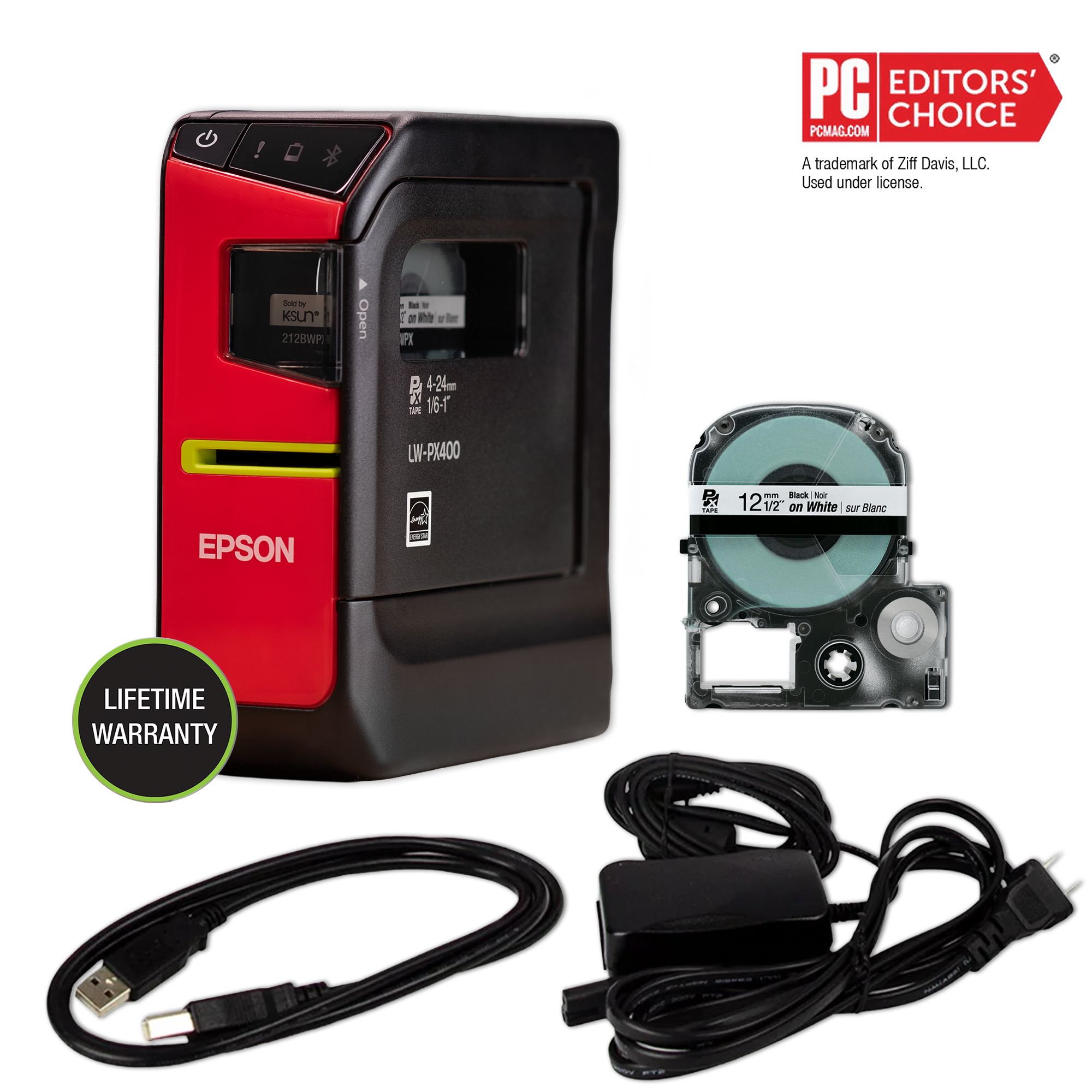
The exact U.S. page lists a 12 mm black-on-white cartridge, rubber drop-guard cover, AC adapter, USB cable, software and manual in the kit. Epson’s brochure identifies the starter tape as 212VTBWPX, a vinyl PX cassette. Six AA alkaline cells are an optional route, not included; neither a dedicated rechargeable pack nor carry case is listed. Check accessory completeness if comparing with a used unit.
The manual lists the guarded body at about 60 × 137.4 × 151 mm and 590 g, excluding tape and batteries. It is easier to carry than the keyboard-equipped LW-PX700, but remains a work tool rather than a pocket labeler. Epson advertises a lifetime warranty; check its current U.S. terms and registration conditions rather than treating the claim as a reliability test.
Who should choose it?
Choose the LW-PX400 when you want a small Epson PX machine that can be driven from mobile apps or Windows software, need a 24 mm maximum PX cassette, and expect to use cable, wire or panel formats. Its straightforward package supplies both a USB cable and adapter, while battery operation lets the printer move away from an outlet when you provide six AA alkaline cells. The connected workflow makes spreadsheet-based or sequential runs more practical than repeatedly typing labels at a handheld keypad—there is no keypad to type on.
Consider the LW-PX700 instead if you want a local QWERTY keyboard, a display and dedicated panel/cable modes on the printer itself; that larger model also reaches 24 mm PX tape. If you want a simple household device for occasional bin or school labels, a consumer cassette model such as the Brother PT-D220 offers on-device typing, but uses Brother TZe cassettes and is not a substitute for the PX400’s technical media. Do not select the PX400 for Wi-Fi/Wireless Direct, full-color output, a documented manual lever, on-printer templates or a confirmed maximum line height: Epson’s reviewed specifications do not establish those needs.
Key details at a glance
| Full-color output | No |
|---|---|
| Print process | thermal transfer |
| Maximum tape width | 24 mm |
| Compatible cassette | Epson specifies dedicated PX cassettes. PX is not Brother TZe or DYMO D1. Cassette width is not a maximum text height; the reviewed PX400 sources do not state maximum line count or combined print height. |
| Built-in templates | 0 |
| On-device preview characters | 0 |
More specifications and setup details
| Display type | No LCD |
|---|---|
| Line-count note | No maximum line count was established in the exact page, two-page installation manual or reviewed brochure. |
| Computer design route | Epson Label Editor V3.0 for Windows; Epson's earlier LW-PX400 guide also describes Label Editor Lite for Mac over USB, but the current downloads page does not confirm a current Mac release. |
| What the base package supplies | The exact U.S. product page lists the printer package and included AC adapter/USB cable, but not a carry case or rechargeable pack. Contents of a used/seller-created bundle may differ. |
| Carry case in original package | No |
Use the exact model’s instructions for operating limits, supplied equipment and version differences.
Sources for this assessment
- Epson LabelWorks all-printers U.S. listing, page one, row 3
- Epson LabelWorks exact LW-PX400 product page and package contents
- Epson LabelWorks LW-PX400 User's Manual - English (installation manual, two pages)
- Epson LabelWorks LW-PX400 brochure - English
- Epson LabelWorks current downloads and Label Editor V3.0 compatibility
- Epson LabelWorks exact LW-PX400 product-page image

Put the device and its tape system together.
Match the exact model, cassette family, computer or network route and any optional power or touch-panel hardware before buying.