
On this page
Your needs, this model
Does it fit your priorities?
Would you like both on-device typing and a wired desktop-design option in the same printer?
The guide documents a built-in QWERTY keyboard and a USB Label Editor route on this LW-PX700 body. Each job is composed from one route; a computer connection is not wireless synchronization.
Explore this need in the finder →Do you use Epson PX tape and need the printer to accept a 24 mm cassette?
Epson specifies PX cartridges through 24 mm for the LW-PX700. The cassette width is not a maximum printable text height, and Brother TZe or DYMO D1 tape is a different system.
Explore this need in the finder →Are dedicated cable and panel layouts, plus on-printer barcode creation, useful for this job?
The guide gives specific formats for patch panels, Block-66, faceplates, punch blocks, cable wraps and flags, as well as barcode and QR creation. The exact cassette and material still determine how a label should be used.
Explore this need in the finder →Is an included adapter enough, or is a carry case essential in the original package?
The printer-only offer lists the dedicated AC adapter. It does not list the PCD kit’s hard case; choose the Deluxe offer only if that case or its other bundle pieces matter.
Explore this need in the finder →Epson LabelWorks LW-PX700 review
The LW-PX700 is a substantial handheld label printer with two real ways to compose a job: type on its own QWERTY keyboard or connect it to Epson’s desktop label software over USB. That makes it a different proposition from a phone-first pocket printer. Its dedicated PX cassette system, cable and panel formats, and field-friendly battery options suit equipment rooms, maintenance work and organized home workshops. The ordinary printer package is the sensible starting point if you want the machine and adapter without the carrying case and rechargeable pack in the separate PCD kit.
A keyboard machine that can also use a computer
You do not need a phone to start a label. The printer has its own character keyboard, monochrome backlit display and dedicated keys for several technical layouts. The printed guide shows the familiar QWERTY arrangement. For longer or more complex layouts, the LW-PX700 also has USB and works with Epson Label Editor desktop software. Epson’s current download page lists the model for its Windows software and for Label Editor on Mac; software requirements change, so check that page against your computer before buying. The older owner’s guide calls the application Label Editor Professional, which is a useful reminder that the manual predates the current software release.
This is a wired choice, not a documented phone-app machine. Epson’s current list of Label Editor Mobile-compatible models does not name the LW-PX700, and its exact specifications identify USB rather than Wi-Fi or Bluetooth. I would not choose it for a wireless phone workflow: type on the unit, or connect it to a computer for that job.
Why the special formats matter
The main reason to choose this PX model over a basic text labeler is its set of guided formats: patch panel, Block-66, faceplate, punch block, cable wrap and cable flag. The printer also creates barcodes and QR codes, with the manual listing specific barcode types and limits. For household bins those shortcuts may be unnecessary; for a rack or a collection of cables, they reduce setup steps and keep repeated identifiers organized.
It is still a cassette printer, not a general-purpose sign machine. Epson specifies thermal-transfer printing on its dedicated PX supplies, from 4 to 24 mm wide. The product page lists 180 dpi, an 18.1 mm print head and a maximum speed of 30 mm per second when using the AC adapter. Epson’s brochure gives a 4 mm leading margin on standard industrial tape, but says specialty supplies can differ. A 24 mm cassette is not a promise of 24 mm printable height, and the sources do not establish a maximum line count or combined character height for this exact model. If a panel opening or required type size is tight, check the format and actual tape width rather than treating cassette width or resolution as a print-height specification.
Plan the tape and cutter together
PX cartridges are not interchangeable with Brother TZe or DYMO D1 cassettes. Epson lists standard polyester, vinyl, magnetic, self-laminating, nylon and heat-shrink supplies, but each has its own width, code and handling directions. The guide warns that some cartridges are unsuitable for the built-in cutter; Epson recommends scissors for magnetic, nylon and heat-shrink supplies. Full and half cuts are convenient for ordinary tape, but a manual lever is not documented for this model.
The guide also cautions that labels can peel, discolor or damage a surface depending on conditions. Test the chosen supply on an inconspicuous area before a large run; the printer cannot decide whether a given adhesive suits a particular surface.
What the printer-only package includes
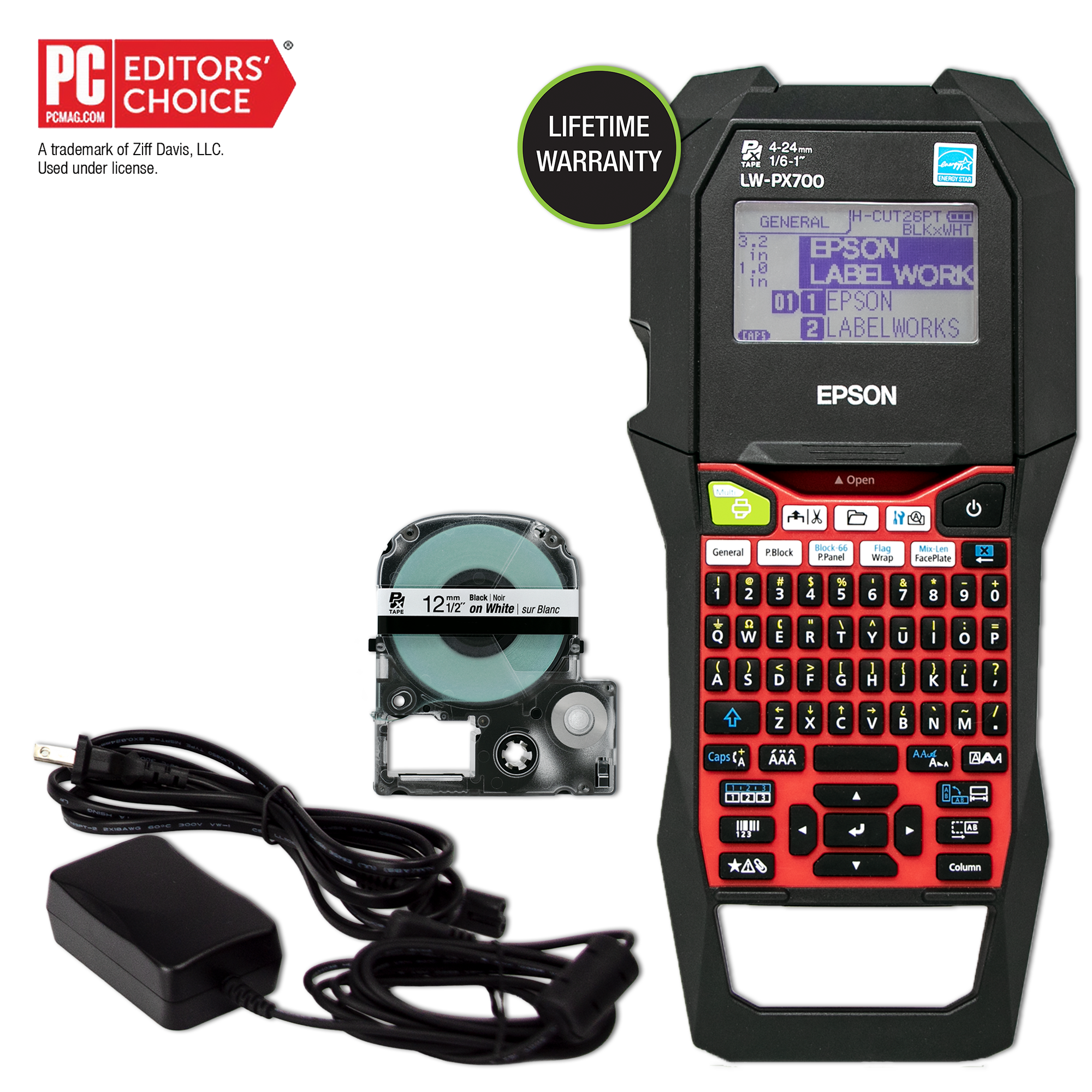
The exact LW-PX700 printer offer lists the machine, a 12 mm black-on-white cartridge, AC adapter and owner’s manual; Epson also offers Label Editor software as a download. The device itself can run from six AA alkaline cells or Epson’s dedicated rechargeable Li-ion pack, but the base package does not list that pack. Epson lists it in the LW-PX700PCD Deluxe Kit instead. The same distinction matters for the USB cable, hard case and removable magnets: do not assume they come with a printer-only listing because they appear in a PCD image or another seller’s bundle.
The body measures about 136 × 298 × 90 mm and weighs about 1,110 g before batteries and tape. That is a meaningful handheld tool, not a pocket labeler. The larger keyboard and built-in formats make sense if the printer moves between equipment locations; they are less attractive if you only need occasional pantry labels and want something small enough to keep in a drawer. A rechargeable pack is compatible with the machine, but buyers of this base offer should account for the fact that it is not listed in the box.
Who should pick the LW-PX700?
Choose the printer-only LW-PX700 when you want a self-contained QWERTY machine that can also connect by USB, need PX tape up to 24 mm, and expect to use its cable or panel formats. The included adapter is useful at a bench; six AA cells or a separately obtained dedicated battery give you other power options. Barcode and QR support, sequential numbering and half-cut output help with repeat technical work, while the many specialty PX supplies let you choose a material for the job instead of assuming one tape suits every surface.
Look at the LW-PX700PCD Deluxe Kit if the original rechargeable pack, USB cable, hard case and two magnet attachments are important; it is the same printer body in a more complete package. The LW-K740PX is a different Epson keyboard/PX option with a smaller, lighter body, while the LW-PX900PCD goes to a wider 36 mm cassette ceiling and has a separate feature set. None of those alternatives should be substituted just because the model names look alike. If you need a confirmed phone app, wireless printing, full-color output, a manual cutter or documented line-height limits, this LW-PX700 evidence does not establish those requirements.
Key details at a glance
| Print process | thermal transfer |
|---|---|
| Maximum tape width | 24 mm |
| Compatible cassette | The exact LW-PX700 guide says to use dedicated PX tape. Width refers to cassette width, not guaranteed text height or printable area; PX is not interchangeable with Brother TZe or DYMO D1. |
| Built-in templates | 6 |
| Computer design route | Epson Label Editor desktop; the current downloads page lists LW-PX700 for Windows 10/11 and Mac. The 2016 guide names the prior Label Editor Professional release. |
| What the base package supplies | The exact product page lists this package; the base and PCD are separate Epson offer SKUs for the same LW-PX700 body. Do not infer the PCD accessories from a printer-only listing or from a used seller’s photograph. |
More specifications and setup details
| Letter-key arrangement | qwerty |
|---|---|
| Carry case in original package | No |
Use the exact model’s instructions for operating limits, supplied equipment and version differences.
Sources for this assessment
- Epson LabelWorks all-printers U.S. listing, page one; exact card and link
- Epson LabelWorks exact LW-PX700 product page and package contents
- Epson LabelWorks LW-PX700 User’s Guide, English, Version 01
- Epson LabelWorks LW-PX700 brochure
- Epson LabelWorks Product Brochures & Manuals page
- Epson LabelWorks current software downloads and compatible printers
- Epson LabelWorks exact LW-PX700 product-page image

Put the device and its tape system together.
Match the exact model, cassette family, computer or network route and any optional power or touch-panel hardware before buying.