
On this page
Your needs, this model
Does it fit your priorities?
Do you want to compose labels in a phone app rather than type at the machine?
Epson lists mobile label-design apps for this exact model, but the LW-PX800 has no LCD or physical keyboard; a phone or computer is the design surface.
Explore this need in the finder →Do you need USB computer design plus an Ethernet or Wi-Fi connection from the same printer?
Epson documents USB, wired LAN and wireless LAN on the LW-PX800. These are alternate job routes to one printer, not a promise of simultaneous printing sessions; Bluetooth computer design is not documented.
Explore this need in the finder →Is a 36 mm Epson PX cassette essential, or must a different cassette family work?
The exact model accepts Epson LabelWorks PX widths through 36 mm. PX cassettes are not interchangeable with Brother TZe; 36 mm cassette width also does not establish printable height or a 36 mm heat-shrink tube.
Explore this need in the finder →Is automatic cutting suitable, or do you require a hand-operated cutter lever?
The LW-PX800 specifies an automatic cutter with half-cut and its software can disable cutting. Epson documents no hand lever; the separate PeelGuard corner trimmer also cannot process tape 6 mm wide or narrower.
Explore this need in the finder →Does the exact package need an adapter, or must it travel with a rechargeable battery and case?
Epson’s exact printer kit includes the dedicated AC adapter, but no battery or carrying case is listed. This is an outlet-powered desktop model, not a battery/case field kit.
Explore this need in the finder →Can barcode creation live in connected software, or must templates be stored on the printer?
Epson lists QR codes, 15 barcode types and spreadsheet data import, but its specification lists internal memory as not applicable and gives no built-in template count. Software features do not prove on-printer template storage.
Explore this need in the finder →Epson LabelWorks LW-PX800 review
The LW-PX800 is a network-capable desktop printer for Epson’s industrial PX cassette system, not a self-contained keyboard labeler. It accepts PX tape up to 36 mm, sends jobs by USB, wired LAN or wireless LAN, and is designed around connected software. That combination suits a bench, equipment room or shared work area where people prepare technical labels in batches. It is a poor match if you want to type at the printer, carry it between jobs without a power outlet, or reuse Brother TZe or DYMO D1 tapes.
Choose your design device before choosing the printer
There is no LCD or printer-side keyboard. Epson lists USB, wireless LAN and LAN connections, and the included software is part of the workflow: the current product page lists Epson Label Editor for Windows 7 through 11, Label Editor Lite for iOS, and Label Editor Mobile for Android and iOS. The same page lists Excel data import, batch-oriented features, numbering, QR codes and barcodes. The two-page setup sheet describes a legacy Label Editor Professional installation and mentions Mac OS X, but the current product-page software list does not name a Mac desktop package. I would not treat that older reference as confirmation of current Mac compatibility.
Wireless setup has more in common with installing a small network printer than with a pocket label maker. Epson’s setup sheet describes infrastructure and access-point modes, while the product page says wireless access can serve multiple users. A USB computer route is also available, and the back of the printer has a 10/100 Ethernet port. If your ordinary question is “Can I design from a phone or computer?”, the answer is yes; if it is “Can I compose directly on the machine?”, it is no. The printed line count and maximum combined text height are not established by the sources reviewed, so a wide cassette should not be mistaken for a promise about tall or multi-line text.
Wide PX media is the reason to consider it
The PX800’s documented cassette widths are 4, 6, 9, 12, 18, 24 and 36 mm. That is a materially wider ceiling than the 24 mm Epson LW-PX400 and LW-C610PX. PX is a dedicated Epson cassette family: a TZe, TZ or DYMO D1 cartridge is not an interchangeable substitute. Epson lists magnetic media and heat-shrink tubing among its uses, but tube sizes have their own limits. The PX800 page lists compatible heat-shrink supplies up to 21 mm; it does not establish a 36 mm heat-shrink option. Check the material and width for the particular cassette rather than transferring the printer’s widest general tape figure to every specialty supply.
Epson specifies thermal-transfer printing at 360 dpi, a 27.1 mm printhead and maximum speed of 35 mm per second. These are manufacturer specifications, not independent measurements. A 36 mm cassette is wider than that stated printhead, so 36 mm stock does not mean 36 mm of printable width; Epson also does not state a maximum printed height here. Standard industrial tapes have a 10 mm leading margin, with specialty media varying. That setup margin can matter when many short cable labels are printed.
Batch tools, cuts and what is not on the printer
The feature list includes repeat printing, auto-increment, number serialization, data import, mixed label lengths, vertical printing, cable-wrap and flag layouts, QR codes and 15 barcode types. Those are connected-software tasks: there is no screen or internal memory for storing and selecting finished layouts on the printer itself. The page lists an automatic cutter with half-cut, useful when a run of labels should remain joined on one backing strip for easier peeling. The installation sheet shows that the automatic cutter can be set to “Don’t cut” in software; it does not document a hand-operated cutter lever. PeelGuard is a separate tape-corner trimmer, and Epson’s sheet says that trimmer cannot process tape 6 mm wide or narrower. That detail matters if your work mixes narrow wire labels with finished, rounded corners. Neither cut feature makes every PX adhesive suitable for every surface.
Power and package details
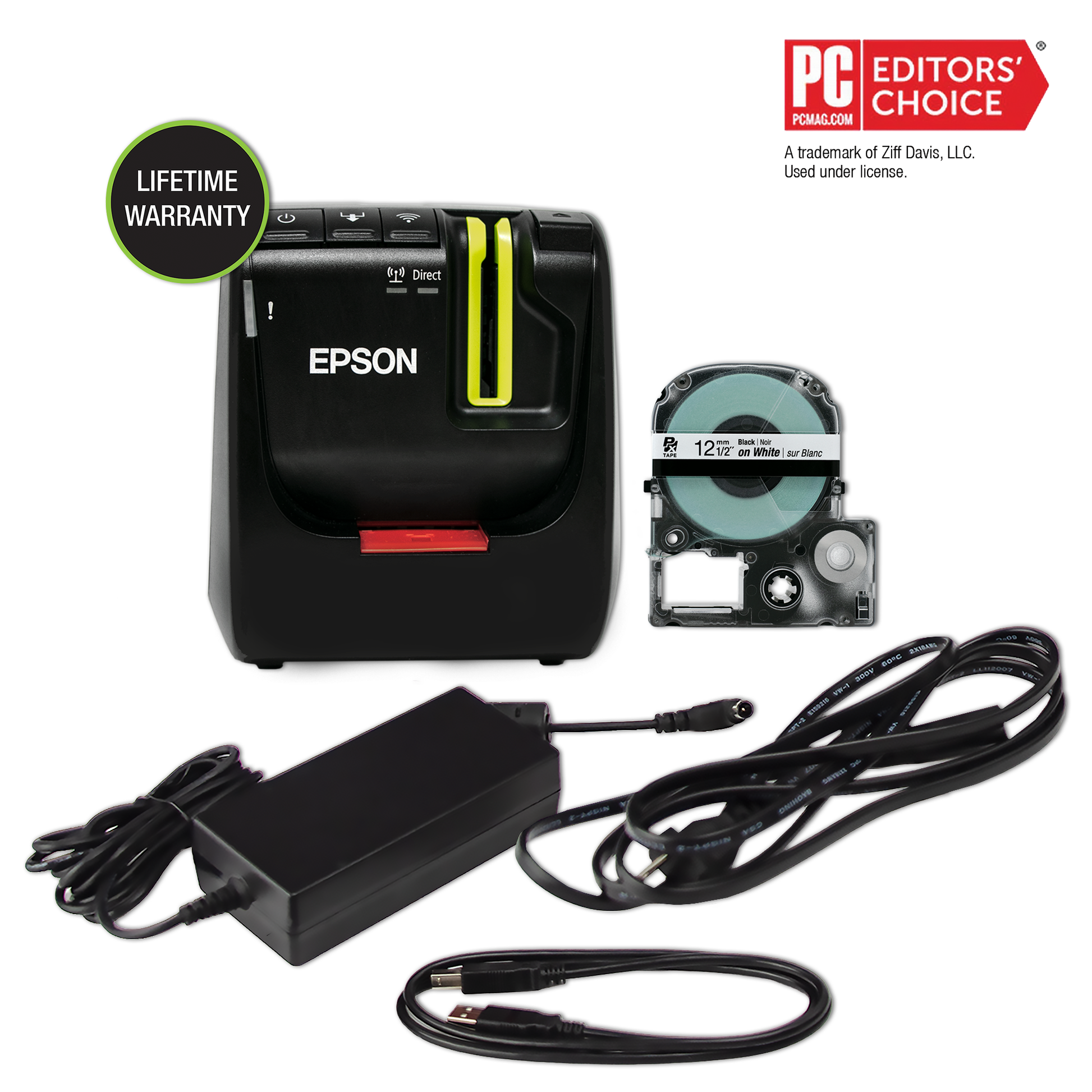
The exact LW-PX800 kit page lists the printer, a 12 mm black-on-white starter cassette, Label Editor software, AC adapter, USB cable and manual. The installation sheet identifies the adapter as AST1527Z1-1 and gives an input range of 100–240 V. It lists no battery route; Epson’s specification page says battery is not applicable. This is consequently a powered workstation tool, not a rechargeable field unit. The manual gives approximate dimensions of 123 × 153 × 139 mm and a weight of about 1,080 g. The listed package does not include a carry case, so a used or open-box unit should be checked for the adapter, USB cable and cassette rather than assumed complete.
Who should choose it, and what to compare
Choose the PX800 when a wide Epson PX cassette, networked computer/phone creation, barcode or QR output, and repeated technical labels all matter more than local typing or battery operation. It makes the most sense as a stationary shared printer with the correct PX supplies already part of the plan. If you need a built-in QWERTY keyboard and the same 36 mm PX ceiling, compare the LW-PX900PCD package; its keyboard and included rechargeable battery change the way it can be used away from a desk. If 24 mm is enough and you prefer a smaller phone-led printer, compare the PX400 or C610PX instead, paying attention to their different USB/Bluetooth routes. If you already stock TZe or D1 cassettes, choose a printer for that cassette system rather than buying the PX800 and expecting those supplies to fit.
Key details at a glance
| Full-color output | No |
|---|---|
| Print process | thermal transfer |
| Maximum tape width | 36 mm |
| Compatible cassette | Epson PX cassette media only. The 36 mm value is cassette width, not documented print width or text height; it is not Brother TZe or DYMO D1 media. |
| On-device preview characters | 0 |
| Display type | No LCD |
More specifications and setup details
| Line-count note | Neither the exact product page nor the two-page installation manual establishes a maximum printed line count. Do not infer one from cassette width or the external editing software. |
|---|---|
| Saved label files | 0 |
| Computer design route | Epson Label Editor for Windows (the product page lists Windows 7, 8, 8.1, 10 and 11). The two-page older installation sheet describes Label Editor Professional and mentions Mac OS X, but current Mac desktop support is not confirmed by the exact product-page software list. |
| Power choices | AC adapter only; no battery route is listed for this exact model. |
| Body dimensions | Approx. 123 × 153 × 139 mm (W × D × H), or about 4.84 × 6.02 × 5.47 in; installation manual gives approx. 1,080 g. |
| Tape cutting | Automatic full/half cutting is documented; software can set “Don’t cut.” The separate PeelGuard corner trimmer cannot process tape widths of 6 mm or less; a hand-operated lever is not documented. |
| What the base package supplies | The exact U.S. page lists a printer kit containing the 12 mm black-on-white PX cassette, software, dedicated AC adapter, USB cable and manual; it does not list a carry case. Resale packages may be incomplete. |
| Wired Ethernet | Yes |
| Specialist media limits | The exact page lists heat-shrink supply widths of 3, 5, 8, 10, 12, 14 and 21 mm. Those are not a 36 mm heat-shrink option; check the individual cassette for material and cut instructions. |
| Carry case in original package | No |
Use the exact model’s instructions for operating limits, supplied equipment and version differences.
Sources for this assessment

Put the device and its tape system together.
Match the exact model, cassette family, computer or network route and any optional power or touch-panel hardware before buying.