
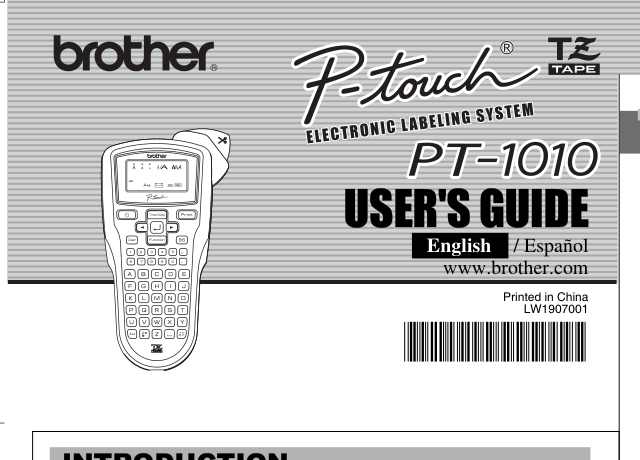
Your needs, this model
Does it fit your priorities?
Do you prefer to compose short labels on a physical QWERTY keyboard rather than on a phone?
The exact RDT page identifies QWERTY and the PT-1010 guide depicts direct keyboard entry. The sources checked do not document a phone app or computer-design route; this is a local-input fit, not a connected workflow.
Explore this need in the finder →Would two lines be enough if a hard print-height minimum is not essential?
The exact listing gives two lines, while the family guide limits two-line output to 9 and 12 mm tape and does not supply a millimeter print-height value. A 9 mm minimum-height need therefore remains unknown and fails a hard constraint.
Explore this need in the finder →Can you verify whether the actual PT1010RDT takes TZ or TZe before stocking tape?
The exact U.S. RDT page lists TZe, but the PT-1010 guide says to use TZ only; Brother's direct parts-reference PDF for the suffix now returns 404. Treat these as separate evidence profiles and inspect the cassette code before relying on either route.
Explore this need in the finder →Do you need an outlet-powered route, or must the adapter itself be in the original package?
The PT-1010 guide supports an optional AD-24, but the RDT listing does not confirm that adapter is included. Power compatibility and in-box contents are separate questions; an essential in-box adapter requirement fails because the exact package is unknown.
Explore this need in the finder →A useful older keypad, with two details to verify before treating it as a bundle
Brother’s U.S. listing identifies the PT1010RDT as a discontinued P-touch labeling system. The exact page confirms a QWERTY keyboard, laminated thermal-transfer printing, a two-line maximum and a label-length setting. Its most important limitation for a prospective buyer is not a missing feature count: the current product-page table says TZe tape, while the older PT-1010 U.S. User’s Guide says “use only Brother TZ tapes.” Brother’s available material associates the PT-1010 guide with the RDT suffix but does not establish whether this exact suffix accepts one or both cassette families. A width by itself does not tell you which cassette family is right. If you are considering a used PT1010RDT, check the exact model label and the code on its tape cassette before buying refills.
The exact product page also displays “Standard Memory 15” without a unit or explanation. The PT-1010 guide separately says that up to nine original labels can be saved and recalled. Those are not interchangeable claims: do not interpret the unexplained 15 as fifteen stored designs. The guide gives a more useful operational picture: a 12-character, one-row display; up to 80 entered characters; six fixed Auto Format lengths; time-and-date insertion in eight formats; and a manual cutter lever. This is a small standalone machine for text-first labels, not a modern app or desktop design workflow.
Choose it for direct entry and modest label jobs
If you want to type at the machine instead of reaching for a phone, the QWERTY layout is the PT1010RDT’s clearest fit. The PT-1010 guide’s functions include label-length adjustment from 30 to 300 mm, tabs, multiple type treatments, frames, symbols, mirror printing for clear tape, copies, sequential numbering and chain printing. The six Auto Format presets are fixed application lengths rather than a connected design library: examples include VCR/VHS, CD spine, Mini DV, file tab, audio and divider labels. That set can still be useful for filing, household storage and older media collections, but it should not be mistaken for a general-purpose template app.
Line count is more constrained than “two lines” suggests. The PT-1010 guide allows two lines only with 9 mm or 12 mm tape; it says 3.5 mm and 6 mm cassettes cannot print two-line text. Brother’s RDT product table gives a two-line maximum and 3.5/6/9/12 mm widths, which is consistent with that narrower behavior. The sources do not state a physical maximum text height in millimeters, so a requirement such as “at least 9 mm of combined print height” cannot be marked satisfied from the line count alone. A measured type-height constraint should send you to a model with an explicit value instead.
Power, cutting and the difference between a printer and its package
The PT-1010 guide describes six AAA alkaline batteries or an optional AD-24 adapter. It recommends leaving alkaline batteries in place during adapter use for memory backup. That gives the machine a portable power route, but the six-cell count is a practical tradeoff and there is no evidence in Brother’s exact RDT page that either batteries or the adapter came in the package. The adapter is compatible, not confirmed as included. If an in-box supply is essential, require a photo of the package label or contents rather than accepting a seller’s generic PT-1010 description.
Cutting is manual. The guide says to feed the tape before using the cutter and warns against pressing the lever while printing. That is manageable for occasional labels but slower than an auto-cutter when producing long batches. Chain printing can reduce the large gaps between consecutive labels, but it still calls for feeding and cutting at the end. The documentation also warns that text, formats and time/date settings can be cleared after power has been disconnected for more than two minutes; this is worth knowing if the unit is left without batteries between projects.
The sources do not establish what was in the PT1010RDT retail box. A possible accessory or compatible part is not proof that every package included it. For a used unit, verify the model label and ask separately about the stand, starter tape, batteries and adapter instead of relying on a listing title.
Who should keep one, and what to compare
The PT1010RDT is most defensible for someone who already has a working machine, prefers a local keyboard, wants simple laminated tape labels and can verify the cassette family on the actual unit. Its date-and-time function, short fixed-format options and manual label-length setting serve occasional organization better than a busy shared label station. Before depending on a used example, check that its display, keyboard, feed and cutter work; no stock, seller condition or replacement-parts availability is assumed here.
It is a poor fit if you need phone composition, a computer design route, automatic cutting, a guaranteed adapter or starter cassette in the box, a specific stand, or an unambiguous supply ecosystem without inspecting the actual machine. The exact listing’s TZe table is useful evidence, but the guide’s TZ-only instruction is a real conflict, not permission to treat tape types as equivalent. A newer PT-H110 is a more current-reference handheld alternative when a simple on-device routine is enough; the PT-D220 offers a different TZe-based comparison. Neither successor is a drop-in copy of the old PT1010RDT bundle, so compare its documented cassette system and package rather than choosing by width or similar name.
Key details at a glance
| Full-color output | No |
|---|---|
| Print process | thermal transfer |
| Maximum tape width | 12 mm |
| Compatible cassette | Two Brother U.S. records disagree on cassette-family naming. The exact PT1010RDT product page says TZe at 3.5/6/9/12 mm; the PT-1010 User's Guide says use only TZ at the same widths, and Brother's indexed parts-reference excerpt associates that guide with the RDT suffix although the source PDF currently returns 404. Keep these claims in separate profiles; do not assume that a familiar width makes TZ and TZe interchangeable. Check the exact cassette marking on the actual unit. |
| Built-in templates | 6 |
| On-device preview characters | 12 |
| Display type | Monochrome LCD, one row of 12 characters; backlighting not specified |
| Maximum lines per label | 2 |
| Line-count note | The exact product page lists a two-line maximum. The PT-1010 U.S. guide permits two lines on 9 or 12 mm tape and says 3.5 and 6 mm tape cannot print two lines; that guide's association with RDT is visible in Brother's indexed parts reference but the direct parts PDF is currently unavailable. |
| On-device frames | 6 |
| Saved label files | 9 |
| Power choices | Brother's PT-1010 guide specifies six AAA alkaline batteries or an optional AD-24 adapter. It does not identify the batteries or adapter as included in the PT1010RDT retail package. The manual recommends leaving alkaline cells in place for memory backup when using the adapter. |
| Body dimensions | The PT-1010 U.S. guide gives approx. 4.3 x 8.1 x 2.3 in (W x D x H) and 0.80 lb without batteries or cassette. Brother's indexed parts reference associates this guide with PT1010RDT, but the RDT-specific parts reference is currently a 404; these are device dimensions, not package dimensions, and should be checked against a physical unit for a hard-fit requirement. |
| Tape cutting | The guide instructs the user to feed tape before cutting and then press the manual lever; it warns not to touch the lever while printing. This is not automatic cutting. |
| What the base package supplies | The exact U.S. page does not give a contents list or confirm tape, batteries, an AD-24 adapter or a stand in the original box. Brother's indexed parts-reference excerpt lists a stand assembly associated with 1010RDT, but the direct Brother PDF currently returns 404 and an attachment/parts listing is not proof the stand shipped with every retail package. Verify any used listing and package label. |
| Letter-key arrangement | qwerty |
| Built-in type styles | 9 |
Use the exact model’s instructions for operating limits, supplied equipment and version differences.
Sources for this assessment
- Brother U.S. exact PT1010RDT product page
- Brother U.S. exact PT1010RDT support page
- Brother U.S. PT-1010 model manual index
- Brother U.S. PT-1010 User's Guide v01, English/Spanish
- Brother U.S. PT-1010/1010-family parts reference (direct PDF currently unavailable)
- Brother U.S. Office & Home observed PT1010RDT catalogue tile
Put the device and its tape system together.
Match the exact model, cassette family, computer or network route and any optional power or touch-panel hardware before buying.