
Your needs, this model
Does it fit your priorities?
Do you want to type directly on a QWERTY label maker and have the tape cut automatically?
Brother's PT-1900 guide and U.S. specification show a QWERTY keyboard and automatic cutter. The specification says there is no PC connection, so this is a local-entry workflow rather than computer label design.
Explore this need in the finder →Is original TZ through 18 mm the supply path you need, or do you require TZe specifically?
The PT-1900/1910 guide says use only TZ and lists 6/9/12/18 mm. The current exact PT-1900 page's separate structured table lists TZe only at 3.5/6/9/12 mm. The 18 mm limit belongs to the TZ plan, not the TZe plan.
Explore this need in the finder →Do you need four lines, and are you willing to use 18 mm original TZ rather than assume the narrower TZe table allows it?
The exact manual allows four lines on 18 mm TZ, three on 12 mm, and two on 6/9 mm. Its TZe page-table profile is capped at two lines and 12 mm. The compact 10x2 display shows only part of longer text during entry.
Explore this need in the finder →Would six AA cells or an optional AD-60 adapter work, or must an adapter already be in the package?
Brother documents six AA alkaline cells and an optional AD-60 AC adapter. Optional adapter compatibility is not the same as an adapter included with an older unit.
Explore this need in the finder →Brother P-touch PT-1900 review
The PT-1900 is an earlier desktop label maker for someone who wants to type at the machine, use a familiar QWERTY keyboard and have the tape cut automatically. Brother marks this exact U.S. model discontinued. Treat it as an existing-machine reference or a used/leftover-unit decision, not as a current product with assured stock or support.
The important difference is the cassette plan
Brother's own PT-1900 page contains two different media records, so a buyer should not collapse them. The older narrative, the detailed U.S. specification and the PT-1900/1910 guide identify original TZ tape at 6, 9, 12 and 18 mm. The guide says to use Brother TZ only and gives width-specific line limits: two on 6 or 9 mm, three on 12 mm, and four on 18 mm. A separate structured table on the current exact-model page lists TZe widths of 3.5, 6, 9 and 12 mm with a two-line maximum. The first profile is the manual-backed legacy TZ workflow; the second is the later page-table TZe profile. Neither source establishes 18 mm TZe or four-line TZe output. If the cassette already in your drawer is essential, check the logo printed on that cassette and stay with the matching family and width rather than buying by color or model name alone.
That distinction changes who might choose this machine. For a carefully checked PT-1900 used with original 18 mm TZ, the manual documents room for up to four lines. At 12 mm TZ it falls to three lines; narrower TZ is two. The product page's TZe listing is more modest: widths through 12 mm and two lines. The manual also describes a 52-point capital-letter option on 18 mm tape. These are useful format boundaries for file, shelf or storage labels, not a promise that every font, line count and media width can be mixed freely.
Local typing, compact display and formatting
This is self-contained entry rather than a computer workflow. Brother specifies a 51-key QWERTY keyboard and a 10-character by two-line LCD. That is enough to enter a short identifier without opening another device, but a long line is viewed through a very small window; the manual's maximum 91-character buffer does not make the screen a full-width preview. The manual describes two fonts, several character sizes and styles, frames, numbering, mirror printing and a memory area for up to ten text files or about 300 characters in total. Label length can be set from 40 to 300 mm. Those controls make it more than a one-button strip printer, while still requiring the user to move around a small physical screen and keyboard.
The detailed specification gives 180 dpi and a listed 10 mm-per-second speed. It also identifies an automatic cutter, six AA alkaline batteries, and an optional Brother AD-60 adapter. The exact specification says there is no PC connection. The AD-60 is a compatible power route, not an adapter-in-box promise. The older machine therefore suits direct, occasional label jobs better than a workflow built around designing a large batch on a modern computer or phone.
Desktop footprint and older-unit checks
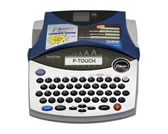
Brother lists a body about 181 by 232.5 by 61.4 mm (roughly 7.1 by 9.2 by 2.4 inches) and a weight of 363.6 g before a cassette and batteries are installed. It is a modest desktop footprint, not a pocket tool. The support image is a small 168 by 134 pixel picture, so use it to identify the device rather than judge cosmetic condition or exact bundle contents.
The guide covers the PT-1900 and PT-1910 together and says their functions are the same; it distinguishes the PT-1910 by its carrying case and additional tape. Do not transfer those extras to a PT-1900 listing. The guide's standard-unit instructions mention a TZ cassette, but for any older unit check the physical cassette, power adapter, cutter operation and actual included items before relying on a seller's bundle description. The exact model page marks the PT-1900 discontinued, and a manual or replacement suggestion does not establish that parts, tape or service are currently available.
Who should consider it?
The PT-1900 is a reasonable reference for an owner who already has one, wants a built-in QWERTY keyboard, and can identify original TZ tape—or deliberately accepts the distinct TZe profile on Brother's exact page table. Its automatic cutter and width-dependent TZ line limits are attractive on paper for repeated desk and household labels. The tradeoffs are age, a small display, replaceable batteries or an optional adapter, and no documented PC connection. If you need current computer design, compare a current USB-capable P-touch such as the PT-D410; if a compact direct-keyboard model and current tape access are priorities, compare the PT-D220. They are alternatives for different workflows, not equivalent PT-1900 replacements. For this old machine, the exact unit condition and correctly identified cassette matter more than a listing's family resemblance.
Key details at a glance
| Full-color output | No |
|---|---|
| Print process | thermal transfer |
| Maximum tape width | 12 mm |
| Compatible cassette | Brother's exact PT-1900/1910 manual says use only Brother TZ at 6/9/12/18 mm and gives width-specific line ceilings 2/2/3/4. The current exact PT-1900 page's structured fields list TZe 3.5/6/9/12 mm and two lines. The media paths are modeled separately; 18 mm TZ is not 18 mm TZe. |
| On-device preview characters | 10 |
| Display type | LCD |
| Maximum lines per label | 4 |
| Line-count note | Line ceiling varies by the selected cassette plan: Brother's manual gives 2/2/3/4 for 6/9/12/18 mm TZ. The separately listed TZe profile is limited to two lines. |
| Letter-key arrangement | qwerty |
| Original TZ maximum width | 18 mm |
| Carry case in original package | No |
Use the exact model’s instructions for operating limits, supplied equipment and version differences.
Sources for this assessment
- Brother U.S. Office & Home directory row PT1900, offset 105/index 109
- Brother exact U.S. PT-1900 product page
- Brother exact U.S. PT-1900 support page
- Brother U.S. detailed PT-1900 specifications
- Brother U.S. PT-1900 manual index
- Brother U.S. PT-1900/1910 User's Guide v02
- Brother U.S. exact PT-1900 support image
Put the device and its tape system together.
Match the exact model, cassette family, computer or network route and any optional power or touch-panel hardware before buying.