
Your needs, this model
Does it fit your priorities?
Will a confirmed Brother M cassette in 9 or 12 mm cover the label job?
The PT-65 U.S. support specification and manual list M tape at 9 and 12 mm. The exact PT65SL page widget conflicts by listing TZe; the older model-family documentation is the conservative match.
Explore this need in the finder →Would you rather type short text on a built-in QWERTY keypad than design on a phone?
The PT-65 specification documents a 43-key QWERTY keyboard and says there is no PC connection. No app workflow is documented in the shared manual.
Explore this need in the finder →Is it acceptable to use an earlier device with a limited two-line format?
Brother documents two lines only at SIZE1 and NORMAL, with a 6.8 mm maximum print height. A required 9 mm height is not met.
Explore this need in the finder →A discontinued handheld with a specific media question
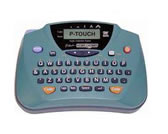
The PT65SL is an older Brother handheld label maker, not a current all-purpose P-touch. Brother’s U.S. product page marks this exact SKU discontinued and calls it a “PTouch Labeler.” The page describes a compact machine for general home use and, importantly, says it is for someone who wants an adhesive-backed label without the need for durable laminated labels. That description points toward a simple indoor identification job, but the page’s own specification widget conflicts with the older U.S. PT-65 documentation on tape family, width and construction. I would treat the PT65SL as an existing-owner or carefully checked used-unit reference, not as an easy new purchase recommendation.
Read the tape code, not just the Brother name
The PT-65 U.S. User’s Guide names Brother M cassettes and shows 9 mm and 12 mm tape. Brother’s detailed U.S. support specification likewise identifies M tape in those two widths. The page description’s non-laminated-label wording is consistent with that older documentation. Brother’s current PT65SL web widget, however, says TZe, laminated media and 3.5, 6, 9 and 12 mm widths. Those are materially different claims, and the page does not supply a PT65SL-specific user guide to settle them. I would therefore match this assessment to the guide-backed M system only. Do not infer TZe support because both cassette systems include a 12 mm width; the tape family and cassette shape matter as much as the width.
The manual describes adhesive-backed M cassettes and says to use tape bearing the P-touch logo; it does not make a laminated-tape durability claim. The SKU is discontinued, and the sources do not establish present refill availability. If supplies are essential, confirm a physical cassette code and test one before relying on a batch. For damp, frequently cleaned or outdoor surfaces, choose a system that documents that use rather than assuming this tape will hold up.
Compose on the device, with an intentionally small preview
The official specification lists a 43-key QWERTY keypad and an eight-character, single-line LCD. It reports a maximum 55-character text buffer. That combination is workable for short drawer, pantry, shelf or home-office identifiers typed at the machine. It is less convenient when you want to compose from a full keyboard, see an entire label layout before printing, or build a long instruction. The U.S. support specification says there is no PC connection, and the shared PT-65 guide gives no phone-app workflow. A required mobile or computer design route is a reason to choose another model.
Two lines are documented, but they are not an unrestricted layout mode: the manual says two-line text can be printed only with SIZE1 and NORMAL style. The small maximum print height is 6.8 mm, so the line-count field should not be confused with large lettering. The manual gives five text sizes, several styles and nine preset formats, plus frames and symbols. Those options add variation without a phone or desktop editor, but they do not turn the one-line display into a full preview. Brother’s detailed support table says there is no label-length setting; it does allow the current text length to be viewed. That distinction matters if you need a fixed-length label rather than merely a readout.
Battery power and hand cutting shape the pace
The family guide specifies six AA alkaline cells. It does not establish that batteries came in the PT65SL package or document an AC adapter for this configuration. Printing is thermal transfer, and each label is cut manually. There is no automatic cutter, so an occasional label is straightforward while a batch requires individual handling.
The support specification lists a body about 6.0 inches wide, 4.2 inches deep and 2.4 inches high, with weight around 0.68 lb including the starter tape. That is a small handheld footprint, but a used machine’s condition and contents still matter. Inspect the battery bay for leakage, verify the tape cassette seats and feeds, print a short sample, and check that the cutter leaves a clean edge. Those are checks for a buyer or current owner to perform; the documentation is not evidence that any particular used unit is in working order.
Do not let the suffix stand in for a package list
The PT65SL page gives no reliable description of what was supplied with this SKU. The shared PT-65 manual mentions a starter cassette for the Home & Hobby machine, and it lists carrying case 6991 among available accessories; neither statement proves that a PT65SL-branded used unit still has tape or that a case was included. Check the actual seller’s photos and inventory if you are considering one, and treat a missing or unverified cassette as a separate supply cost and compatibility question. The manufacturer pages also do not state the suffix’s bundle distinction.
When an M95 or a different tape system is a better fit
Brother’s PT-M95 is the more relevant comparison if you want to stay with non-laminated M tape but prefer a larger 12-character display, a longer text buffer and documented templates. Read the PT-M95 assessment for its own cassette, power and formatting limits; a shared M-tape family does not make the machines’ cassettes or package contents interchangeable. If your real need is standard laminated TZe tape, compare a current-reference model such as the PT-D220 instead. It is a different supply system, not a drop-in PT65SL substitute.
Bottom line
The PT65SL makes sense only when the earlier-device tradeoff is acceptable, the intended work is short direct-keyboard labeling, and you can verify original M cassettes in 9 or 12 mm. It is not a match for an essential TZe refill, laminated media, phone or computer composition, large text, or automatic cutting. Its product page’s newer widget does not resolve the conflict with the PT-65 manual and support specification. Confirm the tape label and the condition of the individual machine rather than buying from the model suffix or width alone.
Primary references: Brother’s PT65SL U.S. product page, the PT-65 U.S. support specification, the PT-65 U.S. manual index and its 2004 U.S. User’s Guide. The current product-page widget’s TZe, laminated and width claims conflict with the M-tape family guide and detailed specification; the profile uses the model-family documentation and keeps package contents unconfirmed.
Key details at a glance
| Full-color output | No |
|---|---|
| Print process | thermal transfer |
| Maximum tape width | 12 mm |
| Compatible cassette | The shared PT-65 U.S. User’s Guide and detailed support specification identify non-laminated Brother M tape at 9 and 12 mm. Each exact current product page instead displays a specification widget listing TZe, laminated tape and 3.5/6/9/12 mm. Because that widget conflicts with the older family manual and detailed specification, this fact profile supports M only; a same-width TZe cassette is not inferred compatible. Present-day M cassette availability is not established. |
| Built-in templates | 9 |
| On-device preview characters | 8 |
| Display type | LCD |
| Maximum combined print height | 6.8 mm |
| Maximum lines per label | 2 |
| Line-count note | Brother’s U.S. specification reports two lines. The PT-65 User’s Guide restricts two-line text to SIZE1 and NORMAL style; this is not an unrestricted multi-line layout. |
| On-device frames | 6 |
| On-device symbols | 178 |
| Power choices | The official PT-65 User’s Guide says to use six AA-size alkaline cells. Neither exact suffix page nor the shared manual establishes a PT65SL/PT65SCCP package battery count or adapter in-box; no AC adapter route is credited. |
| Body dimensions | Brother U.S. support specification gives 6.0 × 4.2 × 2.4 in (152 × 106 × 62 mm). |
| Tape cutting | The PT-65 support specification and guide show a user-operated cutter; automatic cutting is not documented. |
| What the base package supplies | Exact PT65SL/PT65SCCP suffix-specific package contents are not listed on the product pages. The generic PT-65 manual refers to a 4 m starter tape for the family and names carrying case 6991 as an available accessory; neither statement proves either item shipped with a particular suffix or a current/used listing. |
| Letter-key arrangement | qwerty |
| Wired Ethernet | No |
| Built-in type styles | 8 |
Use the exact model’s instructions for operating limits, supplied equipment and version differences.
Sources for this assessment
- Brother Office & Home directory, exact PT65SL catalogue row
- Brother exact U.S. PT65SL product page
- Brother exact U.S. PT65SL product-support landing page
- Brother U.S. PT-65 detailed support specification
- Brother U.S. PT-65 User’s Guide v01 (2004-03-22)
- Brother U.S. PT-65 manual index
- Brother U.S. PT-65 official family support image
Put the device and its tape system together.
Match the exact model, cassette family, computer or network route and any optional power or touch-panel hardware before buying.