
Your needs, this model
Does it fit your priorities?
Do you want to type at a QWERTY keyboard rather than compose labels on a phone?
The PT-1290 is built around local keyboard entry. Its exact U.S. guide supports original TZ tape; a phone-app route is not documented.
Explore this need in the finder →Are prepared label layouts and occasional two-line labels useful for your projects?
Brother lists 15 Deco Mode layouts, and the guide allows two lines on 9 or 12 mm TZ; the narrower 3.5 and 6 mm tapes are one-line.
Explore this need in the finder →Can you work within the PT-1290's original TZ tape widths rather than needing an 18 mm cassette?
The exact U.S. specification lists TZ through 12 mm; it does not establish an 18 mm TZ route.
Explore this need in the finder →Would an optional AC-adapter route help if you do not need the adapter in the original box?
Brother documents the AD-24ES as optional and lists six AAA alkaline cells. Its product description says the adapter is not included.
Explore this need in the finder →Brother P-touch PT-1290 review
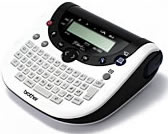
The PT-1290 is an earlier handheld for people who want to type at the machine, add a decorative layout, and print short labels from a small QWERTY keyboard. Its strengths are self-contained operation and simple formatting, not connectivity. Brother marks it discontinued, so treat it as a reference for an existing unit or a carefully checked used/leftover listing—not as a current support or supply choice.
A small keyboard with more layout options than its age suggests
Brother’s U.S. description gives it a 15-character LCD, QWERTY keys, automatic tape-width detection, two fonts, and a Deco Mode key with 15 prepared layouts. The guide documents storage for up to nine labels and a fixed length between 30 and 300 mm. The current product page also displays “Standard Memory 15” as an unexplained field; that does not replace the manual’s description of nine saved label files. That is a useful mix for occasional household or desk labels: type a name, preview it, adjust the look, and print without opening a phone app or computer editor. The one-row screen still shows only a portion of an 80-character entry, so long text takes more cursor work than it would on a full-size display.
The format choices are concrete rather than unlimited. The detailed U.S. specification lists Helsinki and Bohemia fonts, three text sizes, eight styles, and seven frame choices. Numbering, mirror printing, copies, and vertical text are documented; a barcode function is not. Deco Mode is useful for a few prepared decorative layouts, but it is not a general-purpose desktop design program. The guide says Deco Mode needs 12 mm tape, while two lines of ordinary text fit on 9 mm or 12 mm. On 3.5 mm and 6 mm tape, plan on one line. That width distinction matters if you are choosing the PT-1290 specifically for compact labels.
Confirm the cassette family, not just the width
The reliable operating plan in the detailed U.S. specification and the model’s User’s Guide is original Brother TZ laminated tape in 3.5, 6, 9, or 12 mm. The instructions say to use only Brother TZ. A newer specification table on Brother’s PT-1290 page says TZe, however, while the page description and the older detailed U.S. specification say TZ. Because the printed cassette family is a compatibility boundary, do not treat this as a TZe-first model or assume that matching width means the cassette is right. If TZe is essential to your planned supply stock, choose a current model whose exact documentation and accessories agree instead.
With 9 or 12 mm TZ, the PT-1290 can print up to two lines and the listed print height is 9 mm. The 3.5 and 6 mm cassettes are narrower but not a way to squeeze in a second line. The printed label can be set to a fixed length up to 300 mm, which is helpful for a tidy row of matching labels; it does not create room for more content than the width and font size allow. Its documented print speed is 10 mm per second, so it is aimed at one-off labeling rather than a fast production queue.
Hand-finished labels and replaceable power
After printing or feeding, you push the cutter lever yourself. There is no automatic-cut workflow to remove that finishing step, and the device has no PC connection in the detailed U.S. specification. It is best for someone who is happy to type, preview, feed, and hand-cut each label at the bench. The power choices are six AAA alkaline batteries or an optional AD-24ES adapter. Brother’s standard PT1290 product page says neither batteries nor adapter is included, and it does not specify a starter cassette or carrying case. Brother separately lists PT1290BT3 as a discontinued “with Bonus Tape” bundle, but that exact page does not identify the extra cassette or its width. Treat it as the same printer with an unspecified accessory, not as a separate printer or a verified tape-family upgrade; check the physical cassette marking and what is actually in the box before paying for an older unit.
Its body measures about 6.26 by 6.18 by 2.43 inches, and Brother gives its weight as 485 g without batteries or a tape cassette. That footprint is manageable in a drawer, but it is not a tiny pocket labeler. A used machine deserves a basic condition check: confirm that the LCD segments are visible, keys respond, the cassette cover closes, tape feeds straight, and the cutter lever moves freely. Those checks matter more than an attractive listing photo when replacement supplies and parts may be less convenient than on current models.
Who should choose it—and what to compare
The PT-1290 makes sense if you already own one, can verify original TZ supplies, and want a standalone keyboard with decorative templates and occasional two-line output. It is a poor fit when you need a current product warranty, phone-app composition, computer design, automatic cutting, barcodes, or tape wider than 12 mm. Unknown bundle contents should not be treated as included just because a seller uses the model name.
For a present-day computer workflow, compare the Brother PT-D410: its documented operating setup adds USB-connected P-touch Editor and standard TZe tape up to 18 mm, while retaining on-device typing and manual cutting. If phone entry matters instead, the PT-D460BT documents Bluetooth app/computer paths and TZe through 18 mm. Those are not direct substitutes for the PT-1290’s 15 Deco layouts; they are better starting points when current media, connectivity, or a wider label is the priority. The PT-1290’s attraction is the simpler local workflow—provided its cassette family and condition suit the job.
Key details at a glance
| Print process | Thermal transfer |
|---|---|
| Maximum tape width | 12 mm |
| Compatible cassette | The PT-1290 U.S. detailed specification and model-specific guide name original Brother TZ, 3.5/6/9/12 mm, and the guide says use TZ only. Brother's current general page table lists TZe, so that conflicting table is retained in the dossier but is not used to assert an independent TZe plan. |
| Built-in templates | 15 |
| On-device preview characters | 15 |
| Display type | LCD |
| Maximum combined print height | 9 mm |
| Maximum lines per label | 2 |
| Line-count note | The exact manual and Brother FAQ limit two-line labels to 9/12 mm; 3.5/6 mm output is one line. |
| On-device frames | 7 |
| On-device symbols | 80 |
| Power choices | The guide and specification list six AAA alkaline cells or optional Brother AD-24ES. Brother's product description says neither batteries nor the optional adapter are included. |
| Body dimensions | Brother gives 159 × 157 × 61.7 mm (W × D × H); inches are converted for the fit questionnaire. |
| Tape cutting | The guide shows and describes a manual tape-cutter lever; the machine does not document automatic cutting. |
| Letter-key arrangement | qwerty |
| Built-in type styles | 8 |
Use the exact model’s instructions for operating limits, supplied equipment and version differences.
Sources for this assessment
- Brother U.S. Office & Home directory row, offset 105/index 108
- Brother U.S. PT-1290 product page
- Brother U.S. PT-1290 detailed specification
- Brother U.S. PT-1290 manual index
- Brother PT-1290 User's Guide, U.S. English, version 01
- Brother U.S. FAQ: PT1290 Line Limit message
- Brother U.S. exact PT-1290 support image
- Brother U.S. PT1290BT3 product page (bonus-tape bundle row)
Put the device and its tape system together.
Match the exact model, cassette family, computer or network route and any optional power or touch-panel hardware before buying.