
Your needs, this model
Does it fit your priorities?
Would an alphabetical handheld keyboard and equipment-specific formats suit the task better than QWERTY or automatic cutting?
The exact support spec and PT-1600 guide show an ABCD/alphabetical keyboard, barcode and equipment formats; the cutter is manual. The current PT-1600 page's QWERTY field conflicts with those sources.
Explore this need in the finder →Can your job use original Brother TZ through 24 mm, rather than requiring 24 mm TZe?
The combined guide identifies original TZ widths at 6/9/12/18/24 mm. Brother also confirms TZe compatibility in an exact PT-1600 FAQ, but the page-table TZe limit is only 12 mm; do not transfer 24 mm from TZ to TZe.
Explore this need in the finder →Do ten on-device templates and an optional AC route help, provided the adapter need not be in the box?
Brother's manual documents ten on-device Auto Format templates. The exact support spec lists six AA cells or optional AD-60 adapter; compatible power does not prove an adapter is included.
Explore this need in the finder →Is a self-contained handheld enough, or are computer, phone or automatic-cut workflows essential?
The exact PT-1600 spec says no PC connection, the combined manual assigns USB to PT-1650 only, and the PT-1600 cutter is manual. Phone-app support is not documented.
Explore this need in the finder →Brother P-touch PT-1600 review
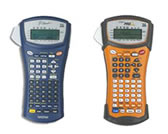
The PT-1600 is a discontinued, self-contained handheld label maker for users who expect to type and format labels at the machine. Brother positions it for telecom, datacom, electrical equipment and on-the-spot asset identification, while also listing general office use. Its strongest reason to consider one is not a modern connection feature: it is the combination of a 56-key alphabetic keypad, purpose-built cable and panel formats, and a much wider original-TZ cassette range than a pocket home labeler.
A field-focused handheld, not a computer printer
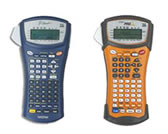
Brother's U.S. support specification calls the PT-1600 a handheld thermal-transfer printer with a graphic 132-by-48-dot LCD, 180-dpi head, and listed print speed of 10 mm per second. The PT-1600/1650 guide labels the PT-1600’s physical keyboard; it is an ABCD-style alphabetical grid with numeric keys, not the QWERTY layout reported in the newer product-page table. The same guide marks the USB port as PT-1650 only, and the PT-1600 specification says there is no PC connection. So this model is a fit when you want to enter a cable ID, asset code or panel text directly—not if computer-designed batches, a phone app or a wireless route are essential.
The standout functions are more specific than a generic set of decorative frames. The guide describes rotate and rotate-repeat modes for cable labels, a flag mode for a wrap-around flag, and separate port and panel modes for irregular components or evenly spaced switches, fuses and connectors. It also documents ten Auto Format templates, barcode entry and sequential numbering from 1 to 99. Those tools can reduce the steps for repeated equipment identifiers, but still require someone to key in and check the text on the small onboard display.
Choose a tape profile deliberately
Brother's original PT-1600/1650 guide says to use TZ tape and lists five widths: 6, 9, 12, 18 and 24 mm. It documents up to seven text lines in a block, but does not make that seven-line limit a promise that every width, template and print setting can use all seven lines. The guide recommends flexible ID tape for wrapping cables and gives specific diameter and overlap guidance; a material's adhesive and a cable's surface still matter. The manual's line and tape instructions are the safer basis for an older unit using original TZ.
There is newer, model-specific evidence for TZe as well: Brother's U.S. compatibility FAQ explicitly lists PT-1600 among printers that can use TZe. However, the current exact-model product table lists TZe widths only at 3.5, 6, 9 and 12 mm with a two-line maximum; the discontinued-model support specification instead groups TZ/TZe together and lists widths through 24 mm and up to seven lines. The original manual says TZ only. These records do not establish that 18- or 24-mm TZe, or seven-line TZe output, is safe to assume. If TZe is your requirement, keep to the exact product-table limits unless Brother confirms more for the particular machine; if you need the documented 24-mm route, choose the TZ plan and verify the cassette marking. Do not transfer the old TZ maximum to TZe by width alone.
Power, cutting and physical tradeoffs
The exact specification lists six AA alkaline or rechargeable cells, plus an optional Brother AD-60 AC adapter, with five-minute auto shutoff. Battery operation suits moving between locations; the adapter is the fixed-station alternative, not proof that one comes in a used package. Tape is cut manually, with a cut-pause option. That gives the operator more control over when separate labels feed, but is slower than an automatic-cutter routine. The machine weighs 615 g and measures 133 by 239 by 87 mm with the cutter button; it is portable compared with a desktop printer, but not a lightweight pocket device.
Brother's product copy describes rubber impact guards and a rugged carrying case, and the support specification lists an adjustable neck strap and case. That is evidence of field-oriented design, not a guarantee that an old secondhand unit is undamaged or that its case, strap, adapter or tape is included. The same manual tells users to avoid dust, direct sun, rain, high temperatures and humidity. Its handling guidance is more practical than taking broad “harsh conditions” marketing as a guarantee for every work site. The page also markets laminated label choices with standard, extra-strength and flexible-ID adhesives; material and adhesive selection still need to match the surface and exposure.
Who should consider it?
An existing owner or a careful used-unit buyer may value the PT-1600 if direct alphabetic entry, barcode/numbering tools, port-panel formats and original 18- or 24-mm TZ supplies solve a real field task. Before relying on a listing, inspect the exact keypad, cutter, cassette-family marking, battery contacts and included pieces; do not treat the PT-1650's USB port as part of a PT-1600. Brother marks the PT-1600 discontinued, so the review cannot promise current availability of supplies, service or a particular bundle.
If the job needs computer-created labels on standard TZe, compare a current USB desktop model such as the PT-D410. If you specifically need a 24-mm TZe workflow with Bluetooth or USB design, the PT-D610BT is a different current-reference route. Those models trade the PT-1600's older dedicated field formats and alphabetical handheld entry for more contemporary input options. The right choice depends on the actual tape family and how labels are composed—not on the PT-1600's “industrial” name by itself.
Key details at a glance
| Full-color output | No |
|---|---|
| Print process | thermal transfer |
| Maximum tape width | 12 mm |
| Compatible cassette | Brother's exact PT-1600 TZe compatibility FAQ confirms TZe is usable. The current exact product-page table lists TZe only at 3.5/6/9/12 mm; its two-line field is retained for that profile. The PT-1600/1650 U.S. User's Guide says TZ only and lists widths 6/9/12/18/24 mm. The detailed exact support spec combines TZ/TZe at 6/9/12/18/24 mm but does not assign widths by family. For a strict match, keep the newer page-table TZe path at 12 mm/two lines and the manual-backed TZ route through 24 mm/seven lines; do not merge their ceilings. |
| Built-in templates | 10 |
| Display type | graphic LCD |
| Maximum lines per label | 7 |
| Line-count note | The exact PT-1600 support spec and manual give a seven-line ceiling. The current PT-1600 product table says two lines, which is retained for the separate page-table TZe plan; no seven-line TZe or width-specific TZ limit is inferred. |
| Body dimensions | Exact U.S. support spec dimensions include the cutter button; the manual also lists a narrower width without it. |
| What the base package supplies | The exact PT-1600 product page mentions a rugged carrying case; its support specification lists a case and adjustable neck strap. Neither establishes the present contents/condition of an older used listing, nor that an adapter or batteries are included. |
| Letter-key arrangement | alphabetical |
| Original TZ maximum width | 24 mm |
Use the exact model’s instructions for operating limits, supplied equipment and version differences.
Sources for this assessment
- Brother U.S. Office & Home directory row PT1600, offset 105/index 111
- Brother exact U.S. PT1600 product page
- Brother exact U.S. PT-1600 support page
- Brother exact U.S. PT-1600 detailed support specification
- Brother U.S. PT-1600 manual index
- Brother PT-1600/1650 U.S. User's Guide version 03
- Brother U.S. PT-1600 TZe compatibility FAQ
- Brother exact PT-1600 U.S. support-key image
Put the device and its tape system together.
Match the exact model, cassette family, computer or network route and any optional power or touch-panel hardware before buying.