
Your needs, this model
Does it fit your priorities?
Would typing on a full QWERTY keyboard, without a phone app, fit your short household labels?
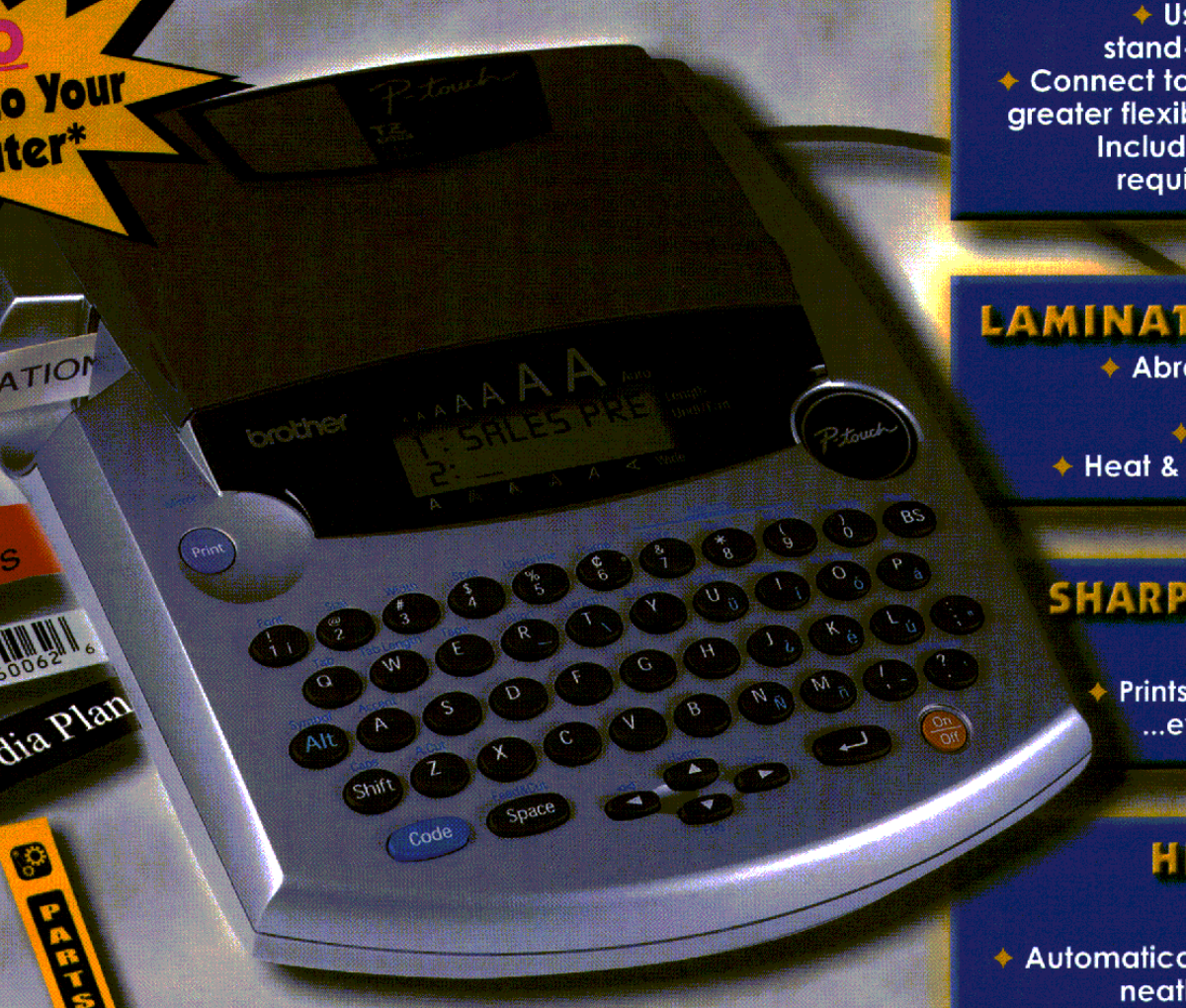
The PT-2300 has a local 51-key QWERTY keyboard and no documented phone app; computer layout is a separate USB route.
Does an original-TZ cassette at 18 or 24 mm meet the job?
The exact old guide and support specification document original TZ through 24 mm; keep that separate from the current TZe listing capped at 12 mm.
Can your actual computer still run a verified driver and editor for this discontinued USB labeler?
The guide describes legacy P-touch Editor 3.1 and older operating systems; verify the present official download and target OS before requiring computer design.
The Brother P-touch PT-2300 is a discontinued, desk-size label maker with two ways to work: enter text on its own QWERTY keyboard, or connect it by USB to a computer running Brother P-touch Editor. That flexibility once made it useful in a home office, workshop or small office where a physical keyboard and computer-designed graphics both had a place. It is now an earlier model to consider only when its exact cassette and software needs fit; it is not a current phone-first printer.
A real keyboard, not a phone-shaped workflow
The PT-2300 has a 51-key QWERTY keyboard and a 10-character by two-line semi-graphical LCD. That is enough to enter and check a short room, drawer or file label at the machine, but it is a small preview rather than a large layout screen. Brother’s discontinued U.S. support specification lists four built-in fonts, about 200 characters and symbols, several character sizes and styles, 15 templates, and memory for about 300 characters in nine areas. Its terse current online product table calls the standard memory “15” without a unit; that entry should not be converted into 15 saved labels.
For a tiny run, local entry avoids starting a computer. For repeated, carefully composed text or a simple graphic, the PC route offers more room to arrange a design. Brother documents a USB connection and the period P-touch Editor software, but the USB cable was not included. The original guide also describes installing the software and printer driver before connecting the labeler. It lists Windows 98/98SE, Me, 2000 and XP for that edition; do not take those legacy instructions as proof of compatibility with a present-day computer. Check Brother’s current support options and the computer you intend to use before making USB design essential.
Two cassette generations need two different checks
The model-specific User’s Guide and exact U.S. support specification document original Brother TZ cassettes at 6, 9, 12, 18 and 24 mm; the guide says to use only Brother TZ tape. Brother’s newer exact PT-2300 product page instead lists TZe at 3.5, 6, 9 and 12 mm and gives a generic two-line ceiling. Those are source-specific profiles, not a reason to treat a same-width cassette as interchangeable. For the older TZ setup, Brother’s guide allows two lines on 6 or 9 mm, three on 12 mm and as many as six on 18 or 24 mm. Do not transfer that six-line or 24 mm limit to the page’s narrower TZe profile. If you are looking at a used machine, match its marking, guide and cassette code before buying a stock of tape.
The print head is listed at 180 dpi and 10 mm per second, with a maximum print height of 15.8 mm in Brother’s support table. Those are model specifications, not a promise that every six-line design will read well at the width you have installed. A short test label is sensible before a long batch, especially after changing cassette, type size or margins. The machine has an automatic full cutter but no automatic half-cutter; each completed label can be cut, though it does not provide the more modern workflow of retaining a connected strip with selectable half-cutting.
Desk footprint and the old-box caveat
Brother lists the body at about 7.6 × 9.5 × 2.5 inches and 1.83 pounds before batteries and cassette. It is small enough for a fixed desk but not a pocket labeler. The exact PT-2300 brochure lists eight AA alkaline batteries, a CD-ROM, tape separator and two TZ samples: one 12 mm black-on-white and one 24 mm black-on-clear. The model-specific shared guide says the PT-2310 package includes an additional cassette, while the exact PT-2310 brochure lists the same two tape sizes as the PT-2300 brochure. Because the historical package lists disagree on the extra-cassette difference, regard the brochures as descriptions of original kits, not proof of what a used listing still contains. The PT-2300 specification says no carrying case is supplied. Its optional Brother AD-60 adapter is a separate purchase, not part of that original box.
On an existing unit, check that the cutter closes cleanly, the tape advances, and the print is even across its width. Inspect the battery compartment for leakage and test the USB port only if you need the computer route. The supported machine is discontinued; remaining condition, cassettes, adapter and usable software depend on the actual offer, and no current price or stock claim belongs in a recommendation.
Who should keep looking?
The PT-2300 fits someone who wants the QWERTY keyboard, automatic full cut and a documented original-TZ route up to 24 mm, or who already owns one and can verify its working state. It is a poor fit if a phone app, wireless printing, a case in the box, a 36 mm cassette, modern software support or certainty about TZe widths above 12 mm is essential. A current PT-D610BT is a more sensible comparison when you want a physical keyboard with a current TZe supply route and modern connected workflows; it is not a drop-in substitute for original TZ tape. For the package difference, compare the PT-2310 assessment and the PT-2300 versus PT-2310 guide.
Sources: Brother’s exact PT-2300 product page, U.S. support specification, manual listing, the PT-2300/2310 User’s Guide, and the PT-2300 brochure.
Key details at a glance
| Print process | Thermal transfer |
|---|---|
| Maximum tape width | 12 mm |
| Compatible cassette | Exact U.S. product page lists TZe at 3.5/6/9/12 mm; the PT-2300/2310 guide says use only TZ, and older U.S. support tables document TZ at 6/9/12/18/24 mm. The PT-2310 support table combines “TZ/TZe” with 6–24 mm without mapping each width to each tape generation. Keep the TZ route at 24 mm and TZe at 12 mm; do not infer 24 mm TZe compatibility or assume TZe works on a particular older unit without checking its exact documentation. |
| Built-in templates | 15 |
| On-device preview characters | 10 |
| Display type | Semi-graphical monochrome LCD |
| Maximum combined print height | 15.8 mm |
| Maximum lines per label | 6 |
| Line-count note | Brother guide and support table describe width-dependent original-TZ printing up to six lines; current exact product-page table separately lists a generic two-line maximum. Do not apply the TZ width rule to TZe. |
| On-device symbols | 200 |
| Computer design route | Brother P-touch Editor Version 3.1 and printer driver from the model-era CD-ROM; a current download route may differ |
| Power choices | The exact original brochures list eight AA batteries in the box; the AD-60 AC adapter is sold separately. |
| Body dimensions | About 7 3/5 in wide × 9 1/2 in deep × 2 1/2 in high; the case is an extra for PT-2310, not part of the PT-2300 body. |
| What the base package supplies | The exact PT-2300 brochure lists eight AA cells, CD-ROM, tape separator and two TZ sample tapes (12 mm black on white; 24 mm black on clear); its support spec lists no case. The shared guide says the PT-2310 has an additional cassette, but the two exact brochures list the same two tape sizes. Treat this historical package-count conflict as unresolved and verify the actual seller contents. |
| Letter-key arrangement | qwerty |
| Original TZ maximum width | 24 mm |
| Carry case in original package | No |
Use the exact model’s instructions for operating limits, supplied equipment and version differences.
Sources for this assessment
- Brother Office & Home observed PT2310 row at offset 150/index 161
- Exact Brother U.S. PT-2310 product page
- Exact Brother U.S. PT-2310 support specification
- Brother U.S. PT-2310 support/manual index
- Brother U.S. PT-2300/2310 User’s Guide, LA6053001B
- Brother exact PT-2310 U.S. brochure
- Exact Brother U.S. PT-2310 support page
Put the device and its tape system together.
Match the exact model, cassette family, computer or network route and any optional power or touch-panel hardware before buying.