
Your needs, this model
Does it fit your priorities?
Does an original carrying case in the exact model package matter?
The PT-2310 brochure and exact support specification list a carry case; the base PT-2300 does not. A used unit may no longer include it.
Will the documented TZ widths and width-specific line counts suit your planned labels?
The shared guide documents TZ at 6–24 mm and up to six lines on wider tape; its TZe and the newer page’s narrower TZe claims are not interchangeable.
Do you need computer-created barcodes rather than an on-device barcode menu?
Brother’s PT-2310 page and brochure place barcode capability in the computer/editor route; the exact support table says barcode printing is not a stand-alone machine function.
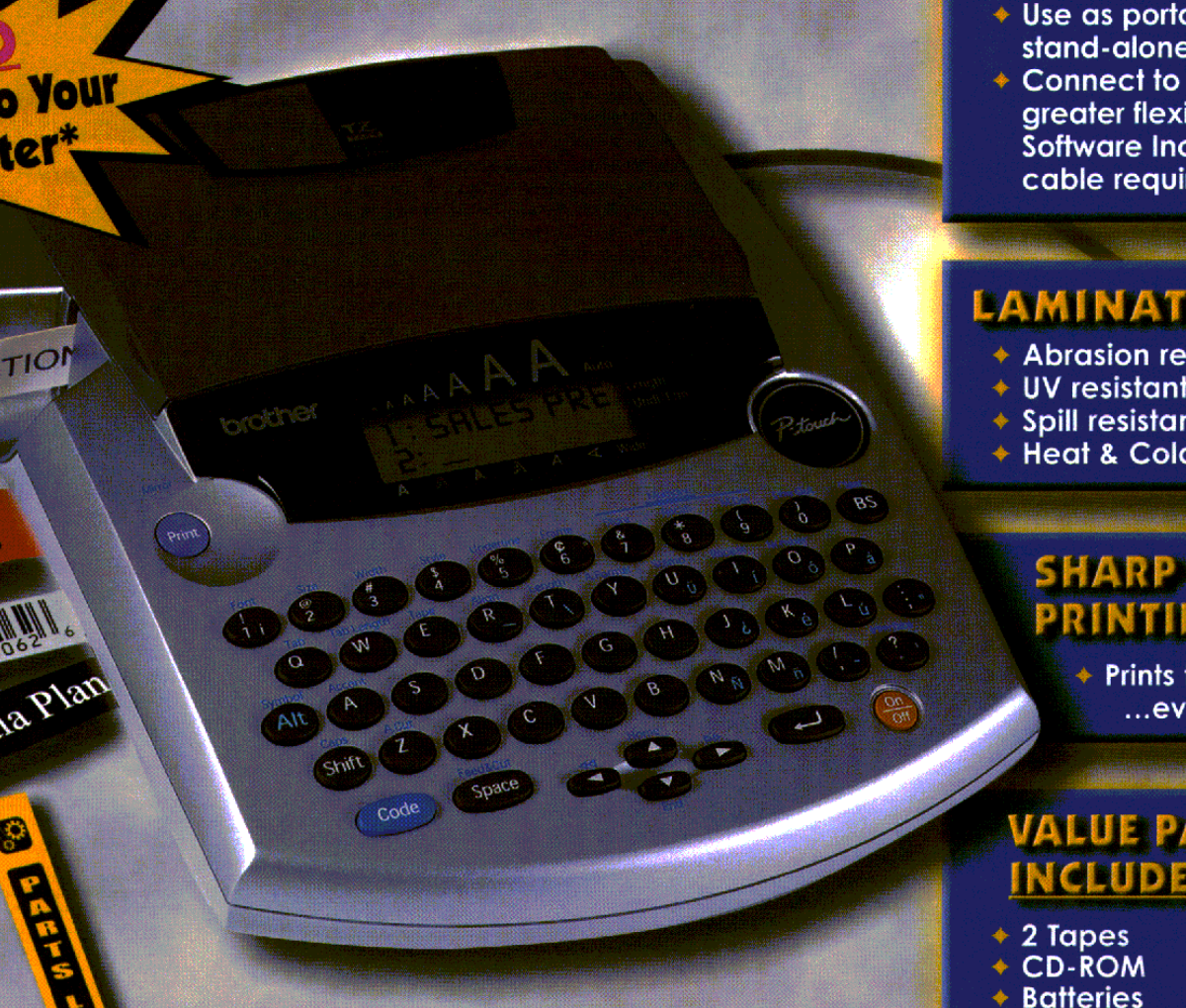
The Brother P-touch PT-2310 is an earlier desktop labeler whose useful distinction from the PT-2300 is its package and the exact media claims attached to the suffix, not a larger chassis or a fundamentally different printing method. Brother now marks it discontinued. Its QWERTY keyboard, small two-line display, automatic cutter and USB computer route suit a stationary label routine; the included protective case can help if the same old machine moves between work areas. The case does not make this 1.83-pound desktop body a pocket device.
Six-line layouts, two-line preview
Brother’s exact U.S. product page describes a 10-character by two-line display, eight sizes and styles with four fonts, computer use of TrueType type, imported graphics, and up to 14 barcode kinds. The two-line display is not the tape’s line limit. The model-specific U.S. support specification and shared PT-2300/2310 User’s Guide document up to six printed lines, depending on cassette width: two on 6 or 9 mm, three on 12 mm, and six on 18 or 24 mm TZ tape. The support table lists a 15.8 mm maximum print height and about 10 mm per second speed. They describe capability at a particular width; type size, margins and the actual content still determine whether your result is readable.
There is a separate barcode caveat. The PT-2310 product page advertises 14 barcode kinds, and Brother’s brochures describe barcodes in the computer-design mode. The machine’s support specification says barcode printing is not a stand-alone function. Treat barcodes as a software/computer task rather than assuming a button on the built-in keyboard creates one. That PC route uses an old P-touch Editor generation and a USB cable that the guide says is not included. Its installation chapter documents operating systems from the product’s original era, including Windows 98/98SE, Me, 2000 and XP. Verify a current driver, software and computer before making barcode or PC design an essential requirement.
Read the cassette line by line
The shared User’s Guide says to use Brother TZ tape only and lists 6, 9, 12, 18 and 24 mm. The exact PT-2310 support table instead combines “TZ/TZe” and those 6-to-24 mm widths, while Brother’s current PT-2310 product page lists TZe at 3.5, 6, 9 and 12 mm. The combined table does not say which widths belong to each generation, so it does not prove 18 or 24 mm TZe compatibility. Our conservative TZe profile follows the exact product page’s 12 mm ceiling; the wider profile remains original TZ. Do not choose by width alone or apply the six-line TZ layout to an assumed TZe cassette. For a used machine, identify the cassette code and the exact instructions that came with that unit.
What the PT-2310 package actually changes
The model-specific guide says the PT-2310 includes a carrying case and an additional tape cassette, and Brother’s exact PT-2310 support specification lists a case. Its 2001 brochure lists a protective carrying case, eight AA batteries, CD-ROM, tape separator, a 12 mm black-on-white TZ cassette and a 24 mm black-on-clear TZ cassette. The separate PT-2300 brochure also lists those two cassette sizes, despite the guide’s statement that one model receives an additional tape. That is a real historical source conflict, not a reason to invent a third cassette. The documented case is the clearer buying distinction. Check the actual seller’s itemized condition and contents: an original bundle list cannot show whether a used case, batteries, tapes or disc remain.
The printer body is about 7.6 × 9.5 × 2.5 inches; Brother gives 1.83 pounds before tape and batteries. It uses eight AA alkaline cells or a separately purchased AD-60 adapter, and its full cutter is automatic. Brother’s discontinued support table documents 300 characters in nine memory areas, while a current page’s “Standard Memory 15” field has no unit; do not read that as 15 retained labels. Keep a test cassette available, examine the battery contacts and cutter, and print a short sample before relying on a long batch.
Case buyer or just the same labeler?
The PT-2310 makes the most sense when the documented case matters and the unit itself is complete, clean and functional. If the case is missing, it is not a reason to pay extra for a suffix; the PT-2300 has the same documented core functions and a similar physical footprint. If a modern TZe workflow, mobile composition or current computer support is non-negotiable, compare a current-reference machine such as the PT-D610BT instead. It is a different generation with its own tape limits, software and cutter workflow, so check its own guide rather than treating it as an interchangeable upgrade. The PT-2300 review and the side-by-side guide spell out the source-specific differences.
Sources: Brother’s exact PT-2310 product page, U.S. support specification, manual listing, the shared PT-2300/2310 User’s Guide, and the PT-2310 brochure.
Key details at a glance
| Print process | Thermal transfer |
|---|---|
| Maximum tape width | 12 mm |
| Compatible cassette | Exact U.S. product page lists TZe at 3.5/6/9/12 mm; the PT-2300/2310 guide says use only TZ, and older U.S. support tables document TZ at 6/9/12/18/24 mm. The PT-2310 support table combines “TZ/TZe” with 6–24 mm without mapping each width to each tape generation. Keep the TZ route at 24 mm and TZe at 12 mm; do not infer 24 mm TZe compatibility or assume TZe works on a particular older unit without checking its exact documentation. |
| Built-in templates | 15 |
| On-device preview characters | 10 |
| Display type | Semi-graphical monochrome LCD |
| Maximum combined print height | 15.8 mm |
| Maximum lines per label | 6 |
| Line-count note | Brother guide and support table describe width-dependent original-TZ printing up to six lines; current exact product-page table separately lists a generic two-line maximum. Do not apply the TZ width rule to TZe. |
| On-device symbols | 200 |
| Computer design route | Brother P-touch Editor Version 3.1 and printer driver from the model-era CD-ROM; a current download route may differ |
| Power choices | The exact original brochures list eight AA batteries in the box; the AD-60 AC adapter is sold separately. |
| Body dimensions | About 7 3/5 in wide × 9 1/2 in deep × 2 1/2 in high; the case is an extra for PT-2310, not part of the PT-2300 body. |
| What the base package supplies | The exact PT-2310 brochure lists a protective carry case, eight AA cells, CD-ROM, tape separator and two TZ sample tapes (12 mm black on white; 24 mm black on clear); its support spec lists a case. The shared guide says PT-2310 has an additional cassette relative to PT-2300, while both brochures list two tapes. Do not promise an extra cassette; inspect the actual used listing. |
| Letter-key arrangement | qwerty |
| Original TZ maximum width | 24 mm |
| Carry case in original package | Yes |
Use the exact model’s instructions for operating limits, supplied equipment and version differences.
Sources for this assessment
- Brother Office & Home observed PT2310 row at offset 150/index 161
- Exact Brother U.S. PT-2310 product page
- Exact Brother U.S. PT-2310 support specification
- Brother U.S. PT-2310 support/manual index
- Brother U.S. PT-2300/2310 User’s Guide, LA6053001B
- Brother exact PT-2310 U.S. brochure
- Exact Brother U.S. PT-2310 support page
Put the device and its tape system together.
Match the exact model, cassette family, computer or network route and any optional power or touch-panel hardware before buying.