
Your needs, this model
Does it fit your priorities?
Would you rather type at the machine on a familiar QWERTY keyboard than compose labels on a phone?
The PT-320's built-in keyboard is QWERTY. The checked model records confirm local typing; they do not document a phone-app input route.
Explore this need in the finder →Are original Brother TZ cartridges through 18 mm a fit for your existing PT-320?
The older PT-320-specific manual sections list TZ tape in 6, 9, 12 and 18 mm. A need for 24 mm original TZ is outside that documented range.
Explore this need in the finder →Is Brother-listed TZe tape through 12 mm enough, or is 18 mm TZe essential?
Brother's current PT320 page lists TZe widths through 12 mm and its current TZe supply listing includes PT-320. The older 18 mm TZ limit does not extend the TZe plan.
Explore this need in the finder →Can you use a separate cutter lever, or must labels cut automatically?
The PT-320 guide depicts and instructs a manual cutter lever. It does not document automatic full cutting.
Explore this need in the finder →Does a six-AA or optional AD-30 power routine work, or must an AC adapter be in the box?
Brother's PT320 support guidance and the user guide identify six AA cells or the optional AD-30. The optional adapter is not evidence of an adapter in a used package.
Explore this need in the finder →Will the PT-320's measured body fit the available width and height?
The PT-320-specific manual dimensions are 6.85 inches wide and 1.97 inches high. A smaller width cap fails, even if the tape or keyboard would otherwise suit.
Explore this need in the finder →The Brother P-touch PT-320 is a discontinued handheld label maker for people who prefer to type on the machine rather than compose every label on a phone or computer. Its physical QWERTY keyboard and basic screen make short names, shelf markers and file identifiers straightforward; the manual describes enough text formatting for occasional two-line labels, but the work remains deliberately local and hands-on. It belongs in a comparison for someone keeping or considering an earlier unit, not as a simple new-model recommendation.
Type at the machine, then check the short display
Brother's exact PT-320 product page identifies the discontinued model, a QWERTY keyboard, thermal-transfer printing, laminated tape and a two-line print limit. The PT-320/340 user guide depicts a one-line LCD with 15 character positions and a 49-key layout for the PT-320. That gives you a direct way to enter a short label without signing into an app or first installing desktop software. It is a useful distinction from small modern devices that expect a phone: the PT-320's confirmed design route is the keypad, and the sources checked do not establish a phone, Bluetooth, Wi-Fi or USB design workflow.
The screen is not a wide preview of the whole label. A word or longer room name must be checked as you move through its characters, and the machine's small display will not show a polished page layout. The guide's PT-320 section lists several character sizes, five built-in fonts, styles such as italic, outline and bold, underline or frame choices, mirror printing, repeat printing and numbering. Those controls can add hierarchy to a short label, but this is not the same as importing a spreadsheet or arranging a batch of varied designs on a computer. Its documented print speed is 10 mm per second, which is appropriate to brief on-demand strips rather than a reason to choose it for fast, repeated production.
Do not merge the two documented tape ranges
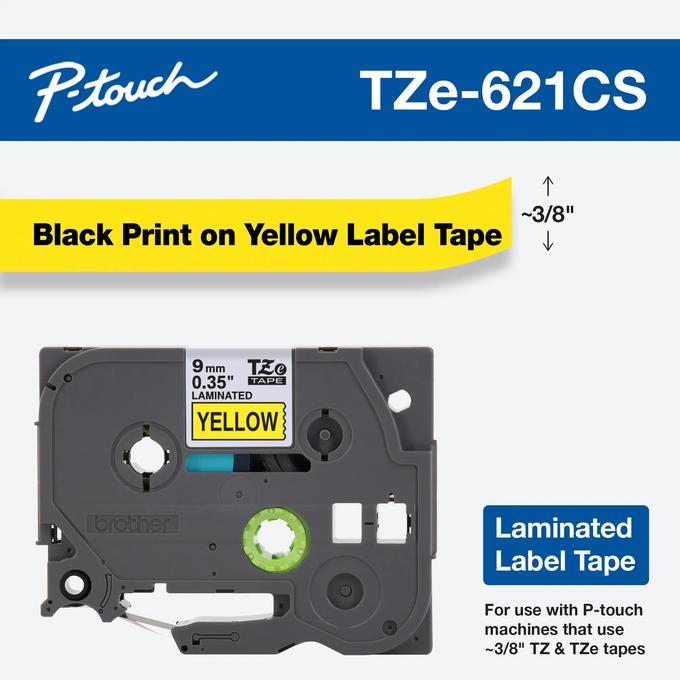
The tape evidence is the point to check before buying a used PT-320 or a cassette for one. The older user guide says to use Brother TZ tape and lists 6, 9, 12 and 18 mm widths. Brother's current exact PT-320 U.S. page separately lists TZe at 3.5, 6, 9 and 12 mm, and its current compatible-supplies listings include PT-320 for TZe products. These are two source-specific operating plans, not a single range that stretches TZe to 18 mm. If an 18 mm cassette is essential, the available documentation supports that width in the older TZ plan only; it does not establish 18 mm TZe compatibility. Check the cassette family and the label inside the tape bay on the actual machine rather than buying by width alone.
Both records matter to an existing-owner decision. A person with original TZ cartridges has a manual-backed route through 18 mm. A person choosing from Brother's current PT-320 compatibility page has a listed TZe path only through 12 mm. If you need current TZe at 18 mm in a handheld, compare the PT-D410 or PT-D460BT instead. Their modern TZe setups serve a different generation, so they are alternatives rather than proof that the PT-320 accepts the same cassettes.
Manual cutting, AA cells and optional desk power
The PT-320 is not a one-touch automatic-cut workflow. The user guide shows a physical tape-cutter lever and describes pressing it to trim the feed. In practice, you enter the message, print, and make a separate cut by hand; that is manageable for a few labels but slower than expecting a printer to cut each one for you. The manual also describes tape-feed and margin choices, which can help manage how much blank tape follows a print, but some feed modes still require the user to advance the tape before cutting.
For power, the manual lists six AA cells or the optional Brother AD-30 adapter (7 V, 1.2 A); Brother support's troubleshooting guidance covering PT-320 repeats the six-AA and AD-30 requirements. This gives a documented battery-powered routine or a compatible adapter route at a fixed desk. Optional means the adapter is not a guaranteed part of a second-hand package. The manual gives dimensions of about 6.85 × 7.87 × 1.97 inches and weight of 0.65 kg without batteries, so check those measurements against a tight shelf before buying. The older manual describes phrase memory for up to 300 characters across nine areas. Brother's current product page also shows “Standard Memory 15” without a unit; do not read that bare number as 15 saved labels.
Who should keep it, and who should move on?
The PT-320 makes most sense for an existing owner who wants a physical QWERTY layout, already understands the machine's tape bay, and is comfortable advancing and cutting labels manually. Its older editing workflow can still cover naming boxes, shelving, files and household containers. It is a poor fit when a phone app, computer-designed batches, automatic cutting, a current-only product or a strict compact footprint is essential; those capabilities are not established for this configuration, and the machine is discontinued.
For a new purchase, compare the current PT-D410 if a keyboard plus computer connection and current TZe tape are useful, or the PT-D460BT if you want a connected phone-and-computer route as well as local keys. Neither choice makes the PT-320 obsolete for someone who already has it and the right cassette. It does make the older machine a more deliberate choice: confirm tape generation, power and the manual cut before deciding that its lower-tech setup suits your task.
Sources: Brother's exact PT-320 U.S. product page; the PT-320/340 user guide (PT-320-specific sections); Brother's TZe621CS compatibility listing; and Brother Canada's support guidance covering PT-320.
Key details at a glance
| Full-color output | No |
|---|---|
| Print process | thermal transfer |
| Maximum tape width | 12 mm |
| Compatible cassette | Keep the facts source-specific: the PT-320-specific user-guide sections describe original TZ widths 6/9/12/18 mm; Brother's current exact US PT320 page lists TZe 3.5/6/9/12 mm, and an exact Brother TZe621CS supply page lists PT-320 as compatible. These are not interchangeable width ranges. In particular, original TZ 18 mm does not establish TZe 18 mm. |
| On-device preview characters | 15 |
| Display type | LCD |
| Maximum lines per label | 2 |
| On-device frames | ['rectangle', 'sale', 'pointing', 'name plate', 'dog', 'movie film', 'dinosaur', 'telephone', 'hands', 'window', 'banner'] |
| Power choices | The PT-320/340 guide lists six AA cells or optional AD-30, and Brother support guidance for PT320 states six AA alkaline cells and a 7 VDC, 1.2 A AD30 adapter. The optional adapter is not documented as included in a specific PT320 package. |
| Body dimensions | The PT-320-specific manual table gives 6.85 × 7.87 × 1.97 inches in width, depth, height order; confirm physical clearance for a used unit. |
| Tape cutting | The PT-320 user-guide drawing labels a tape cutter lever and its procedure uses the lever to cut. This is a manual step, not an automatic full cut. |
| Letter-key arrangement | qwerty |
| Built-in type styles | ['normal', 'italic', 'outline', 'bold', 'shadow', 'italic plus outline', 'italic plus bold', 'italic plus shadow', 'vertical'] |
| Original TZ maximum width | 18 mm |
Use the exact model’s instructions for operating limits, supplied equipment and version differences.
Sources for this assessment
- Brother Office & Home catalogue row PT320, offset 60/index 68
- Exact Brother US PT-320 product page
- Exact Brother US PT320 support page
- Brother PT320 US manual-index request
- Brother PT-320/340 User Manual, PT-320-specific sections (third-party re-host of Brother manual content)
- Exact Brother TZe621CS 9 mm cassette compatibility listing
- Brother Canada support guidance covering PT320
- Exact Brother Canada PT320 product page and image response
Put the device and its tape system together.
Match the exact model, cassette family, computer or network route and any optional power or touch-panel hardware before buying.