
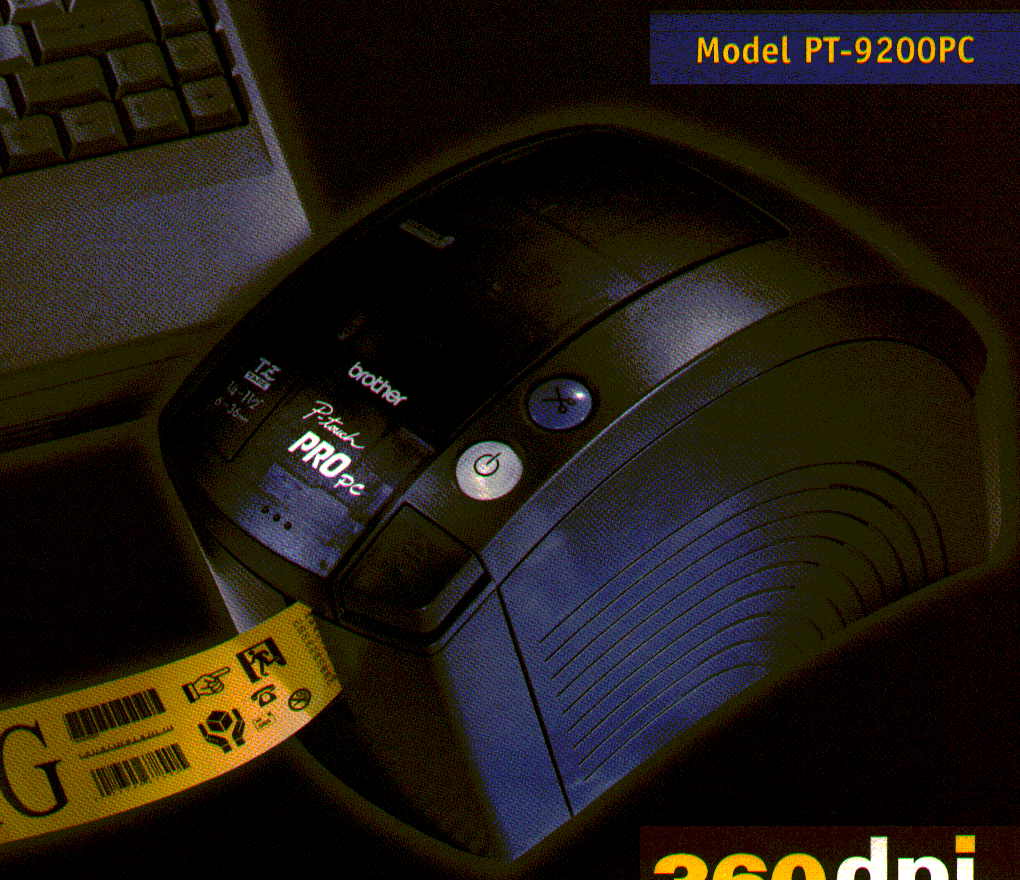
Your needs, this model
Does it fit your priorities?
Can you design labels on a computer that has an active serial port and compatible legacy Brother software?
This is a serial-only computer printer. Brother's exact specification caps the serial interface at 115.2 kbps, and its serial troubleshooting guidance calls for the supplied cable, PTCOM port and active COM port. Its online OS list is old and no longer updated.
Explore this need in the finder →Is a wide laminated cassette label your priority, rather than a small handheld-only label?
Brother's exact U.S. specification lists original TZ tape through 36 mm and 27.1 mm maximum print height. Brother also confirms TZe compatibility for this exact model, with a 36 mm TZe-M261 cassette listed for PT-9200PC in the U.S. Choose the exact cassette family and width, not width alone.
Explore this need in the finder →Do you prefer computer-composed layouts to typing and previewing text on the printer itself?
The PT-9200PC has no keyboard or LCD. Its brochure-era software supports computer-created layouts and identifies graphics, barcodes and database features, but the host connection remains serial and modern operating-system support is unconfirmed.
Explore this need in the finder →The PT-9200PC is a computer-first P-touch, not a keyboard label maker. Its best case is a compatible older computer, a reliable serial connection and a need for wide cassette labels. If one of those pieces is missing, a current USB machine is a more practical starting point.
Who this older printer fits
Brother describes the PT-9200PC as a professional computer label printer and marks it discontinued. The machine accepts a design sent from a host computer; the exact U.S. support specification says there is no keyboard and no LCD. That distinction matters more than its age alone. This is not a unit you can unpack, type into and preview at the printer. Its useful buyer is usually someone who already has the machine, can supply the correct cable and can keep compatible P-touch Editor software and a serial port working.
The host connection is serial, rated up to 115.2 kbps in Brother's specification. Brother's own communication FAQ gives a concrete setup warning: use the supplied interface cable, select the dedicated PTCOM port and confirm that the host COM port is active. A desktop without a serial connection is not ready merely because an adapter or dongle might fit; the exact computer, driver and software path still need checking. Brother's older U.S. supported-OS page lists Windows XP and earlier plus Mac OS 8.x–9.x, and explicitly says the record is no longer updated. The period brochure names another set of old Windows/Mac releases. Neither source establishes current Windows or macOS compatibility, so do not treat this as a dependable modern USB printer.
Its real advantage is width, not a built-in keyboard
The exact Brother U.S. specification lists original TZ cassettes at 6, 9, 12, 18, 24 and 36 mm. A Brother brochure for this exact model also describes wide original TZ tape and computer-generated layouts; a separate Brother support answer confirms that TZe can be used with the PT-9200PC. Brother currently lists a specific 36 mm TZe-M261 cassette for use with this model in the U.S. These are separate evidence paths, not a reason to assume every cartridge with a familiar-looking cassette will work. Check the model marking and full cassette code before buying media, especially with an older unit.
A 36 mm cassette is the tape width, not a promise of a 36 mm print field. Brother specifies a maximum print height of 27.1 mm. The print head is rated at 360 dpi/384 dots, and the listed speed is 20 mm per second. Those figures describe the manufacturer's specification, not a hands-on speed or legibility test. The printer is aimed at single-color thermal-transfer designs on laminated cassette tape, not color photos or paper shipping-label rolls. On wide tape, the extra room is useful for a larger text block, a barcode or a more spacious computer layout; it does not turn this into a modern full-color desktop system.
Cutting and power are less restrictive than the host
Brother lists both automatic full cutting and automatic half cutting. The brochure calls out Crack-and-Peel separation, which can make repeated labels easier to handle than a plain continuous strip. Brother also specifies an adjustable label length from 25 to 1,000 mm. AC power is included in the exact specification. Those are helpful office conveniences, but they do not solve the more important question of whether the legacy computer and software can send a label correctly.
What you give up against a current Brother
Choose the PT-9200PC only when its serial workflow is already credible. It has no confirmed USB, wireless or phone route, no on-machine keypad, and no display for standalone editing. A current-reference PT-P900C is the more straightforward computer-connected alternative if USB and current 36 mm TZe media are what you need; it is a different product and still expects a computer. If local entry is more important than wide output, the PT-D410 supplies a QWERTY keyboard and screen with an 18 mm TZe limit. Neither alternative is an exact replacement for an installed PT-9200PC workflow, but each avoids its central compatibility hurdle.
The old brochure lists software, a driver, serial cable, AC cord, user guide and a 36 mm TZ starter cassette in the original package. That describes the historical box, not what will accompany a secondhand listing today. Ask what is actually included, inspect the serial connector and power supply, and test a small label before planning recurring use. Also distinguish the PT-9200PC from the nearby PT-9200DX and generic P-touch PC products; similar names do not establish the same connections or package.
Bottom line
This is a narrow, sensible choice for an existing setup that still has serial hardware and compatible legacy software. Wide cassette support, computer-designed layouts and automatic full/half cuts remain useful on paper. The counterweight is decisive: no direct keyboard or screen, no current operating-system guarantee, and a serial cable/driver path that Brother's own troubleshooting treats as a real setup requirement. If you are starting fresh, compare the PT-P900C for USB computer work or the PT-D410 for standalone typing before seeking this discontinued model.
Specifications: Brother U.S. PT-9200PC support specification; Brother PT-9200PC support page; Brother U.S. product page.
Key details at a glance
| Full-color output | No |
|---|---|
| Print process | Thermal transfer with laminated Brother cassette media |
| Maximum tape width | 36 mm |
| Compatible cassette | The exact U.S. support table and brochure list original TZ 6–36 mm. Brother's exact-model FAQ confirms TZe compatibility; a named U.S. TZe-M261 36 mm supply page also lists PT-9200PC, and the exact regional supply list gives TZe widths 6–36 mm. The live U.S. product-page structured table conflicts on cassette widths and unrelated keyboard/line fields; cassette family and width must be checked by exact cartridge code rather than inferred from family branding alone. |
| Display type | No LCD; green and red status LEDs |
| Maximum combined print height | 27.1 mm |
| Line-count note | The exact model-specific user guide was not retrievable. Do not adopt the modern catalog table's two-line field over the exact U.S. support specification and brochure-era computer workflow. |
| Computer design route | Brother P-touch Editor; exact product brochure describes a 32-bit design program. Current availability and host compatibility are not confirmed. |
| Power choices | The exact U.S. specification identifies included AC power; it does not identify the adapter model. The period brochure lists an AC power cord. No battery option was found in the inspected exact-model sources. |
| Body dimensions | Brother U.S. exact specification: 4.5 in W × 5.9 in H × 9.8 in D (115 × 150 × 250 mm), 3.33 lb (1.5 kg). |
| Tape cutting | Brother's exact U.S. support specification lists an automatic cutter and automatic half cutter. The period brochure calls out Crack-and-Peel half cutting; this is a cassette workflow, not a hand-cut machine. |
| Wired Ethernet | No |
Use the exact model’s instructions for operating limits, supplied equipment and version differences.
Sources for this assessment
- Brother U.S. Office & Home exact listing row, offset 75/index 88
- Brother U.S. exact PT-9200PC product page
- Brother U.S. PT-9200PC support specification
- Brother U.S. PT-9200PC supported-OS listing
- Brother PT-9200PC product brochure, exact model, U.S. market copy
- Brother U.S. PT-9200PC serial communication FAQ
- Brother U.S. TZe-M261 36 mm cassette page listing PT-9200PC
- Brother Singapore exact PT-9200PC TZe compatibility FAQ
- Brother Singapore exact PT-9200PC consumables listing
- Brother PT-9200PC support page
Put the device and its tape system together.
Match the exact model, cassette family, computer or network route and any optional power or touch-panel hardware before buying.