
Your needs, this model
Does it fit your priorities?
Would you create templates or a database on a computer, transfer the data by USB, and finish/print at the handheld?
Brother’s PT-1650-only USB mode transfers prepared templates, database records and custom character images into the machine; its manual says Editor layouts are not printed directly from the computer. The old software pages name Windows 98 through XP, so a present-day host must be verified separately.
Explore this need in the finder →Do you need a field-style handheld with cable, flag or panel formats and an alphabetical keyboard?
The exact support specification describes rubber ABCD and number keys, and the shared model guide documents cable-rotate, cable-flag, port and panel layouts. The unit is substantially larger and heavier than pocket household labelers.
Explore this need in the finder →Is a 24 mm original TZ cassette with multi-line labels essential, rather than relying on a narrower TZe page-table profile?
The exact U.S. PT-1650 support specification and guide list original TZ at 6/9/12/18/24 mm and allow up to seven lines per block. TZe is treated as a separate, conservative two-line configuration.
Explore this need in the finder →Would a barcode-capable handheld suit the work if the final USB print remains local and the cutter is manual?
The exact PT-1650 specification lists multiple barcode symbologies and a manual cutter with cut-pause; this model is not a phone-app printer or direct PC-output device.
Explore this need in the finder →Brother P-touch PT1650 review
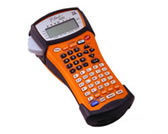
The discontinued Brother PT1650 is a field-style handheld label maker whose unusual extra is a USB route for moving computer-created templates, databases and character images into the machine. That is not the same as printing a page directly from a computer: the labeler remains the final editor and print station. It also works as a standalone unit, with an alphabetical keypad, cable and panel formats, barcode tools and wide original TZ tape. Consider it when those particular older workflows still solve a job, not as a modern connected label printer.
A two-stage computer workflow, not direct desktop printing
Brother's exact PT-1650 guide separates this model from the related PT-1600: the USB port is identified as “for PT-1650 only.” With the supplied-era P-touch Editor 3.2, printer driver and Transfer Manager, a user can design a template or database on a computer and transfer the data to the PT1650. At the machine, a transferred template can be selected, filled from the onboard keys or linked to a database, and printed locally. The manual also describes sending user-defined character images and backing up machine data. This can suit repeated inventory or asset labels where a prepared layout and batch of records are more useful than retyping every field.
The boundary matters. Brother says layouts made in P-touch Editor cannot be printed directly from the application; the data must be transferred to the handheld. The manual names Windows 98, 98 SE, Me, 2000 Professional and XP—not current OS compatibility. A direct-print USB desktop such as the PT-P700 is a different route; the PT1650 also works from its own keyboard.
Original TZ and newer TZe need separate expectations
For original Brother TZ cassettes, the PT-1650 support specification and shared PT-1600/1650 user's guide document 6, 9, 12, 18 and 24 mm tape and up to seven lines per label block. Brother's guide describes purpose-built port, panel, cable-rotate, cable-flag and vertical label formats. Seven lines is a device ceiling, not a promise that every font, width or format can use seven readable lines. The 18.1 mm print-head specification is not a measured maximum print-height guarantee.
Brother's later PT-1650 compatibility FAQ explicitly confirms that TZe tape can also be used, and the exact support consumables list includes TZe cassettes through 24 mm. The current product-page table is narrower: it lists TZe widths of 3.5, 6, 9 and 12 mm and a two-line maximum. The evidence does not support carrying the original TZ seven-line limit over to every TZe configuration. Treat the original TZ route as the documented wide, multi-line option; for TZe, use the page's conservative two-line profile and check the cassette marking and width for the particular unit. The manuals are old and Brother marks the model discontinued, so don't buy a used machine on the assumption that a tape cassette you already own will fit without checking the precise format.
Field formats and the keypad tradeoff
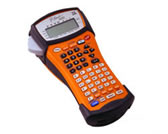
The PT1650 is a handheld rather than a pocket-size labeler: Brother lists it at 610 g and up to 133 × 239 × 81 mm with the cutter lever. Its support specification describes 56 rubber ABCD and number keys and a 132 × 48-dot graphic LCD. That alphabetic layout is at odds with the QWERTY field on the current product-page table; the exact support specification and the pictured alphabetical keyboard are the better guide to what a user will operate. You can type directly, store work, and use formats aimed at wraps, flags, patch panels and faceplates, but preview and editing happen on a small monochrome screen rather than a phone.
Brother also documents barcode creation, sequential numbering and repeat printing. Its listed barcode symbologies include Code 39, Code 128, EAN-13, UPC-A and several others; readers can still be sensitive to the ink/tape contrast and environment, so verify a printed code with the scanner and surface that will be used. These built-in routines can make repeated identifiers less tedious, but they do not remove the need to proofread a manually entered value or transferred database before printing.
Power, cutting and what a used listing can leave out
The documented power choices are six AA alkaline or rechargeable cells, or the optional Brother AD-60 AC adapter; the support specification lists a five-minute auto-off. That is flexible for moving between a workbench and a cable run, but six cells add weight and an adapter should not be assumed to come with a used unit. Cutting is manual, with a tape cut-pause setting, not automatic. Brother's product page describes an original package with extra-strength and Flexible ID TZ tapes, batteries, tape separator and carry case; that is not a condition report for any later resale. Inspect the cutter, cassette compartment, battery contacts, port and included accessories before relying on an individual machine. The manufacturer's manual also warns against rain, dust, heat and humidity, so “industrial” in the name is not a blanket environmental rating.
Who should choose it—and who should pass
The PT1650 is a plausible earlier reference for an existing owner or careful used-unit buyer who needs hands-on cable/panel formats, original TZ widths through 24 mm, or a template/database prepared on a compatible older computer and printed from the handheld. It is a poor fit if current computer software support is essential, if you expect direct computer printing, Bluetooth or a phone app, automatic cutting, or a compact household device. Those requirements are not established by its USB connector or by the discontinued product-page copy.
Compare the PT-1600 for a similar handheld format without a computer connection; the PT-1650's data transfer is the distinction. See the PT-D610BT for a current-reference keyboard model with modern connection options. Choose the PT1650 for the workflow you can actually run, not its “industrial” title or assumed old-Windows compatibility.
Key details at a glance
| Full-color output | No |
|---|---|
| Print process | thermal transfer |
| Maximum tape width | 24 mm |
| Compatible cassette | The exact PT1650 guide and detailed support table document original TZ 6/9/12/18/24 mm and seven-line blocks. Brother’s exact PT1650 FAQ confirms TZe; exact supplies list includes TZe to 24 mm, while the product-page table gives only 3.5/6/9/12 mm and two lines. Keep separate plans: TZe to 24 mm is supported by the exact consumables record but uses the conservative two-line product-table ceiling. Do not import seven-line TZ use into TZe. |
| Built-in templates | 10 |
| Display type | graphic LCD |
| Maximum lines per label | 7 |
| Line-count note | The PT-1600/1650 manual and exact PT-1650 specification allow up to seven lines per block for the supported original-TZ setup. The exact current product-page table says two lines for its TZe table; keep this as a separate conservative profile. Neither ceiling proves every width/font/template is readable at that line count. |
| Body dimensions | Brother’s exact U.S. specification gives 117×239×81 mm without the cutter lever and 133×239×81 mm with it; use the wider figure when planning clearance. |
| What the base package supplies | Brother’s PT1650 U.S. product page describes an original package with extra-strength and Flexible ID TZ tapes, separator, batteries and case. A used listing may omit parts; the optional AD-60 adapter is not stated as included. |
| Letter-key arrangement | alphabetical |
| Original TZ maximum width | 24 mm |
| Carry case in original package | Yes |
Use the exact model’s instructions for operating limits, supplied equipment and version differences.
Sources for this assessment
- Brother U.S. Office & Home directory row PT1650 at offset 120, listing position 125
- Brother U.S. PT1650 product page
- Brother U.S. PT1650 support landing page
- Brother PT-1650 U.S. detailed specification
- Brother U.S. PT-1650 manual index
- Brother PT-1600/PT-1650 U.S. User’s Guide version 03 (reused exact archived bytes)
- Brother PT-1650 exact U.S. TZe compatibility FAQ
- Brother PT-1650 U.S. tape supplies and consumables
- Brother PT-1650 U.S. TZ/TZe marking FAQ
- Brother PT-1650 support-key image
Put the device and its tape system together.
Match the exact model, cassette family, computer or network route and any optional power or touch-panel hardware before buying.